
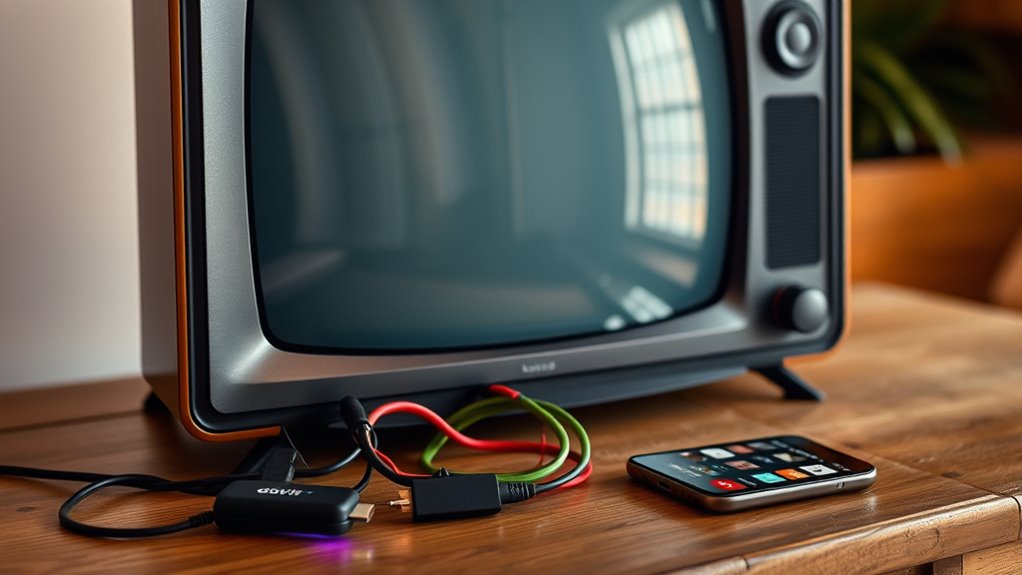

To make your old TV a smart TV, start by evaluating its compatibility with streaming devices like Roku or Amazon Fire Stick. Connect the device via HDMI or AV ports, then link it to your Wi-Fi network. Download streaming apps like Netflix and Hulu for endless entertainment. Confirm everything’s set up properly by checking connections and signal strength. For more tips on enhancing your viewing experience, there’s plenty more to explore.
Understanding Smart TV Features
As you explore the world of smart TVs, it is essential to understand the key features that set them apart from traditional models. Smart features like streaming capabilities, voice control, and app integration elevate your viewing experience, allowing you to access various content effortlessly. The user interface plays a significant role in this transformation; it should be intuitive and user-friendly, making navigation a breeze. You’ll find that most smart TVs come equipped with built-in apps for popular services, enabling you to watch your favorite shows and movies without additional devices. Understanding these elements empowers you to choose a model that suits your lifestyle, granting you the freedom to enjoy entertainment on your terms. Embrace the smart revolution!
Assessing Your Old TV’s Compatibility
Before you can turn your old TV into a smart one, you need to assess its compatibility. Start by checking the available ports, as these will determine what devices you can connect. Additionally, it’s important to evaluate the screen resolution and internet connectivity options to guarantee a smooth upgrade experience.
Check TV Ports
To make the most of your old TV, it’s crucial to check its ports for compatibility with modern devices. Start by identifying the port types available on your TV, such as HDMI, USB, or RCA. These will determine the kind of streaming devices or adapters you can use. If your TV has HDMI, you’re in luck! Most streaming devices connect easily through this port. However, if it only has RCA, you might need a converter to guarantee cable compatibility. Don’t forget to check the number of ports, too, as this will impact how many devices you can connect simultaneously. By evaluating these details, you can effectively plan how to upgrade your viewing experience and enjoy newfound freedom in entertainment.
Assess Screen Resolution
Once you’ve checked the ports on your old TV, the next step is to evaluate its screen resolution. Different screen types—like CRT, LCD, or plasma—have varying resolution capabilities. You’ll want to know your TV’s native resolution to understand its compatibility with smart devices. For instance, if you’ve got a standard definition (SD) TV, it’ll struggle with high-definition (HD) content due to resolution differences. On the other hand, if your TV supports at least 720p or 1080p, you’re in a better position for streaming content. Knowing this helps you choose the right smart TV box or adapter, ensuring you’re not left with pixelated images when you finally make the upgrade. Evaluating resolution is key for a smooth viewing experience!
Determine Internet Connectivity
While evaluating your old TV’s potential for becoming smart, determining its internet connectivity options is essential. Start by checking if your TV has built-in Wi-Fi options or if it requires additional adapters. If your TV doesn’t support Wi-Fi, you might consider using an Ethernet connection for a stable internet experience. An Ethernet connection can provide faster speeds and reliable streaming, perfect for binge-watching your favorite shows. If your TV has USB ports, you can also explore USB Wi-Fi adapters compatible with your model. By reviewing these connectivity options, you’ll be one step closer to transforming your old TV into a smart one, enjoying the freedom of streaming services and online content without the hassle.
Streaming Devices: Choosing the Right One
When it comes to transforming your old TV into a smart one, choosing the right streaming device is essential. With so many device brands available, you’ll want to take into account a few key factors. Look for devices that offer excellent streaming quality, as this will enhance your viewing experience. Popular options like Roku, Amazon Fire Stick, and Apple TV all provide a variety of features and content access. Think about what platforms you enjoy—like Netflix or Hulu—and make sure the device supports them. Ease of use and setup should also be on your radar, as you want a hassle-free experience. Ultimately, the right device will empower you to enjoy endless entertainment freedom on your old TV!
Setting Up a Streaming Device
After selecting the right streaming device, setting it up is your next step toward enjoying smart TV features. To get started, follow these simple steps:
- Check device compatibility: Make sure your streaming device works with your old TV. Look for HDMI or AV connections.
- Connect to Wi-Fi: Set up your streaming device by connecting it to your home Wi-Fi network. This is essential for accessing various streaming services.
- Install apps: Once connected, download your favorite streaming services like Netflix or Hulu. You’ll be ready to binge-watch in no time!
With these steps, you’ll transform your old TV into a smart TV, allowing you the freedom to enjoy endless entertainment options right at home. Enjoy!
Using HDMI and Other Connections
To make the most of your old TV, understanding how to use HDMI and other connections is essential. HDMI cables are your best friend for connecting streaming devices, ensuring high-quality video and audio. If your TV doesn’t have HDMI ports, don’t worry! You can explore alternatives like composite or component cables.
Here’s a quick look at common connections:
| Connection Type | Use Case | Quality |
|---|---|---|
| HDMI | Streaming devices | High |
| Composite | Older devices | Standard |
| Component | HD video sources | Good |
| VGA | Computer connection | Moderate |
| Optical | Audio connections | High |
Using the right connections can reveal your TV’s potential, bringing you endless entertainment options!
Exploring Smart TV Apps
How can you transform your old TV into a hub of entertainment? By exploring popular smart apps, you can access endless viewing options. Here are three methods to get started with app installation:
- Streaming Devices: Use a device like Roku or Amazon Fire Stick to access a variety of smart apps with ease.
- Smart TV Boxes: Android TV boxes can bring your old TV to life, offering a wide range of popular apps for streaming.
- Casting: With technologies like Chromecast, you can cast apps from your smartphone directly to your TV, making it super convenient.
Dive into the world of smart apps and discover how to enjoy your favorite shows, movies, and more right on your old screen!
Enhancing Your Old TV With Additional Accessories
Enhancing your old TV with additional accessories can truly elevate your viewing experience. Start by investing in a smart remote, which lets you control all your devices from one place, simplifying your entertainment setup. With smart remotes, you can easily switch between streaming services and adjust volume without juggling multiple controllers.
Next, consider adding a wireless adapter. This nifty device connects your TV to Wi-Fi, allowing you to stream content from your favorite apps effortlessly. It opens up a world of online entertainment, making your old TV feel brand new. By combining these accessories, you’ll enjoy a more modern viewing experience while keeping the charm of your beloved television. Freedom in entertainment is just a few accessories away!
Troubleshooting Common Issues
While adding accessories can enhance your old TV’s functionality, you might encounter some common issues along the way. Here are some troubleshooting tips to help you tackle those problems head-on:
Enhancing your old TV with accessories can lead to common issues; here are essential troubleshooting tips to resolve them.
- No Signal: Double-check your connections and verify all cables are securely plugged in. Sometimes, a loose connection is the culprit.
- Buffering Issues: If streaming is choppy, try resetting your Wi-Fi router or reducing the number of devices using the internet. A stable connection is key.
- Audio Problems: If the sound isn’t working, check if the audio settings in your streaming device are correctly configured. You might also want to adjust the TV’s volume settings.
Frequently Asked Questions
Can I Use My Old TV Without a Streaming Device?
Yes, you can use your old TV without a streaming device. Consider alternatives like DVD players or game consoles for streaming options. You’ll enjoy entertainment without needing the latest technology while keeping your freedom intact.
Will a Smart Device Improve Picture Quality on My Old TV?
Using a smart device won’t magically transform your old TV’s picture quality, but it can introduce picture enhancement techniques that optimize what you’re watching. Just make sure your device’s compatible with your TV for best results.
Do I Need Internet to Use a Smart Device?
Yes, you need internet for most smart device functionality. However, some smart devices allow offline content access, letting you enjoy movies or shows without a connection. It’s all about maximizing your entertainment options!
Can I Still Watch Cable TV With a Smart Device?
Yes, you can still watch cable TV with a smart device! Just check for cable compatibility, and you’ll enjoy streaming options alongside your traditional channels, giving you the freedom to choose how you watch.
Are There Free Apps Available for Old TVS?
While your old TV might feel like a relic, free streaming apps can breathe new life into it. Just verify app compatibility, and you’ll access a world of content without spending a dime. Enjoy!
