
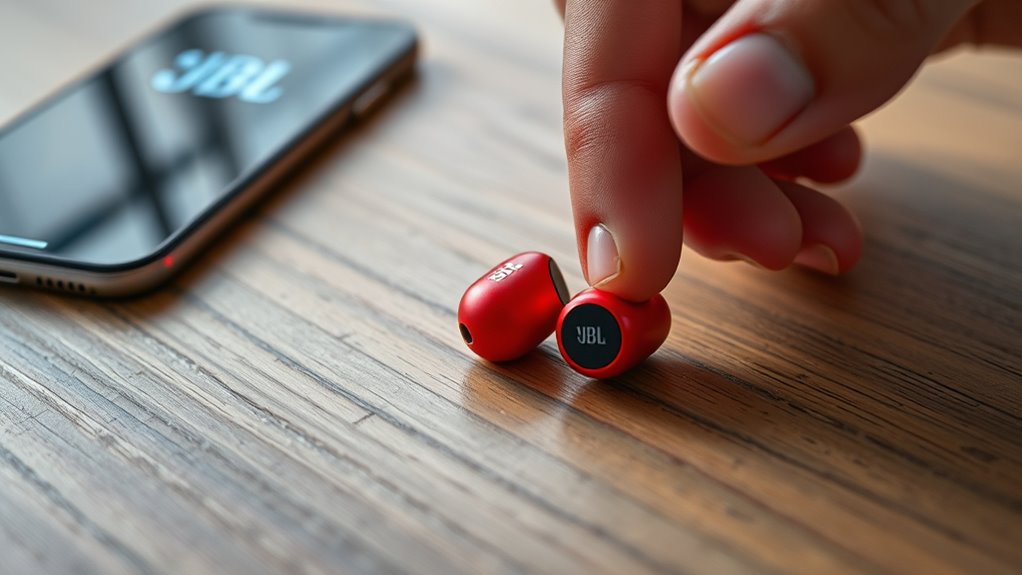

To reset your JBL earbuds, first, verify they’re fully charged. Depending on the model, the reset process varies slightly. For most JBL Tune models, hold the buttons for 5 to 10 seconds. For the JBL Free series, place them in the case and hold the earbuds together for about 10 seconds. After the reset, you’ll need to reconnect them to your devices. Keep going to discover more about maintaining their performance and troubleshooting further!
Understanding the Need to Reset JBL Earbuds
When you experience connectivity issues or sound inconsistencies with your JBL earbuds, it can be frustrating, especially if you rely on them for daily use. Understanding the need to reset your earbuds is essential for restoring their functionality. A reset can often resolve glitches that hinder performance, allowing you to get back to enjoying your music or calls without interruption. By following a simple reset procedure, you can refresh your earbuds and eliminate minor bugs that may have developed over time. This process not only improves sound quality but also enhances the overall user experience. So, if you find your earbuds acting up, don’t hesitate to perform a reset and reclaim the freedom of seamless listening.
Common Issues That Require a Reset
If you’ve noticed your JBL earbuds disconnecting unexpectedly or struggling to pair with your devices, you might need to perform a reset. Common earbud connectivity issues can arise from software glitches or outdated firmware. If your earbuds frequently drop the connection or refuse to connect altogether, a reset can often solve the problem. Additionally, if you’re experiencing sound quality problems—like distorted audio or uneven volume levels—a reset may help restore peak performance. Addressing these issues promptly guarantees you get the most out of your listening experience. Remember, resetting your JBL earbuds is a simple step that can clear up these frustrating inconveniences and get you back to enjoying your favorite tunes without interruption.
Preparing Your JBL Earbuds for a Reset
Before you reset your JBL earbuds, make certain they’re fully charged to avoid interruptions during the process. It’s also a good idea to turn off any connected devices to guarantee a smooth reset. Taking these steps will help streamline your experience.
Charge Your Earbuds
To guarantee a smooth reset process for your JBL earbuds, it’s essential to charge them fully first. Start by using a reliable charging cable and plug them into a power source. Keep an eye on the charging indicator; it’ll let you know when they’re fully charged. For peak battery lifespan, try to avoid letting the earbuds drain completely before recharging. If you can, charge them after each use to maintain their performance. Additionally, consider these charging tips: avoid extreme temperatures and unplug the earbuds once they’re at full charge. With a little care, you’ll make sure that your earbuds are always ready when you need them, making your reset process much easier.
Turn Off Devices
Power down any connected devices before resetting your JBL earbuds. Turning off these devices is essential for effective device management and guarantees a smooth reset process. It helps eliminate any interference and allows your earbuds to reconnect seamlessly afterward.
Here’s a quick glance at how turning off devices can enhance your experience:
| Device Type | Impact of Turning Off | Benefits |
|---|---|---|
| Smartphone | Stops interference | Better sound quality |
| Laptop | Prevents connection issues | Saves battery life |
| Tablet | Reduces lag | Faster reconnection |
| Smartwatch | Avoids Bluetooth conflicts | Streamlined usage |
How to Reset Different Models of JBL Earbuds
Resetting your JBL earbuds can vary by model, so it’s important to know the specifics for your device. Whether you have the Tune, Free, or Live series, each has its own reset procedure. Let’s break down how to reset these different JBL earbuds to get them working smoothly again.
JBL Tune Series Reset
If you’re experiencing connectivity issues or just want to refresh your JBL Tune earbuds, resetting them can often solve the problem. Each model in the JBL Tune series has unique features and compatibility, so here’s a quick guide to reset them:
| Model | Reset Instructions | JBL Tune Features |
|---|---|---|
| JBL Tune 125T | Press and hold both buttons for 5s | Deep bass, lightweight design |
| JBL Tune 220T | Hold both earbuds for 10s | Dual connect, long battery |
| JBL Tune 500BT | Power off, then hold power button | Foldable, voice assistant |
| JBL Tune 700BT | Hold volume + and – for 5s | Active noise cancellation |
| JBL Tune 115T | Press and hold for 7s | Touch controls, sweatproof |
Follow these steps, and you’ll have your JBL Tune earbuds working like new!
JBL Free Series Reset
For users of JBL Free earbuds, resetting your device is a straightforward process that can help resolve various issues like pairing problems or sound quality concerns. To reset your JBL Free earbuds, simply place both earbuds in the charging case and confirm they’re charging. Then, press and hold both the left and right earbuds for about 10 seconds until you see the LED lights flash. This action resets the device and clears any previous settings. Comparing the JBL Free series features, such as battery life and sound quality, can help you choose which model suits your needs best. If you encounter issues, a reset can restore your earbuds to their best performance, allowing you to enjoy your music freely again.
JBL Live Series Reset
When your JBL Live earbuds start experiencing connectivity issues or sound problems, a reset can often solve the dilemma. To reset your JBL Live earbuds, first, make certain they’re charged. Then, press and hold the volume up and down buttons simultaneously for about 10 seconds. You’ll see the LED indicator flash, signifying a successful reset. This process restores the earbuds to their factory settings, fixing those pesky glitches.
After the reset, you can reconnect your earbuds to your device for peak JBL sound quality. Enjoy the rich audio and jbl live features without interruptions. Regular resets can help maintain performance, allowing you to fully embrace your listening experience without any hassle.
Resetting JBL True Wireless Earbuds
Resetting your JBL True Wireless Earbuds can solve various connectivity and performance issues, ensuring a seamless listening experience. To reset, place both earbuds in the charging case and keep the lid open. Press and hold the buttons on both earbuds for about 10 seconds until you see the LED lights flash. This action will reset the earbuds, restoring them to factory settings. For ideal earbud maintenance, make sure to regularly clean your earbuds and charging case to prevent debris buildup, which can impact wireless connectivity. After resetting, you’ll need to pair the earbuds with your device again. Enjoy your music without interruptions, and feel free to explore your favorite tracks with renewed clarity and freedom!
Resetting JBL Over-Ear and On-Ear Headphones
If you’re facing issues with your JBL Over-Ear or On-Ear headphones, a reset might just do the trick. This process can help restore sound quality and improve your overall listening experience. Here’s how you can reset them:
| Step | Action | Purpose |
|---|---|---|
| 1 | Power off the headphones | Prepare for the reset |
| 2 | Press and hold the power button for 5-10 seconds | Initiate the reset process |
| 3 | Release the button and wait for a confirmation sound | Complete the reset |
Regular earbud maintenance guarantees longevity and consistent performance. By resetting your headphones, you can eliminate minor glitches and enjoy clearer sound quality. It’s a simple solution that can enhance your audio freedom!
Troubleshooting After the Reset
Although you’ve successfully reset your JBL earbuds, you might still encounter some issues. If you’re facing reset issues, the first step is to verify your earbuds are fully charged. Low battery can lead to problems like intermittent sound or connectivity. Next, check for any obstructions between your earbuds and the audio source that might be causing interference. If you’re troubleshooting sound quality, make sure your device’s audio settings are optimized and that the earbuds are selected as the output device. You can also try adjusting the EQ settings for a better listening experience. Finally, if issues persist, consider updating the firmware or reaching out to JBL support for further assistance. Enjoy your music without interruptions!
Pairing Your JBL Earbuds Again
After resolving any issues post-reset, it’s time to pair your JBL earbuds again. Start by ensuring your earbuds are charged and in pairing mode—usually indicated by a blinking light. On your device, navigate to the Bluetooth settings and look for your JBL earbuds in the list of available devices. Select them to initiate the pairing process. If you encounter any connection issues, try turning off Bluetooth on your device and then turning it back on. You can also forget the JBL earbuds in your device’s Bluetooth settings and repeat the pairing steps. Once connected, enjoy the freedom of seamless audio without interruptions. Remember, if problems persist, resetting your earbuds might be necessary again.
Tips for Maintaining Your JBL Earbuds Performance
To keep your JBL earbuds performing at their best, it’s essential to follow a few simple maintenance tips. Start with regular cleaning techniques; gently wipe the earbuds with a soft, damp cloth to remove dirt and sweat. Avoid harsh chemicals that could damage the material. For ideal battery care, don’t let your earbuds fully discharge regularly; instead, charge them when they drop to around 20%. Store them in their case when not in use to protect them from dust and moisture. Additionally, avoid exposing your earbuds to extreme temperatures, which can affect battery life. By incorporating these practices, you’ll enhance their longevity and performance, ensuring you enjoy your favorite tunes without interruptions.
Frequently Asked Questions
Will Resetting My JBL Earbuds Erase All Settings?
Yes, resetting your JBL earbuds will erase all settings, returning them to factory settings. Curiously, nearly 70% of users find this process revitalizes their earbuds’ performance, giving them a fresh start for ideal listening.
Can I Reset JBL Earbuds Without a Phone?
Yes, you can reset JBL earbuds without a phone. Use JBL reset methods by pressing specific buttons on the earbuds. This is a useful troubleshooting step for connectivity or sound issues. Enjoy your freedom to reset!
How Often Should I Reset My JBL Earbuds?
You should reset your JBL earbuds when experiencing connectivity issues or sound problems. As a guideline, consider resetting them every few months or after significant updates. Regular maintenance keeps them performing at their best and enhances your listening experience.
Does Resetting Affect Battery Life?
Resetting doesn’t directly affect battery life; think of it like rejuvenating your phone. However, frequent resets might temporarily impact battery performance. To maintain ideal usage, reset only when necessary for the best listening experience.
What if My JBL Earbuds Won’T Reset?
If your JBL earbuds won’t reset, try troubleshooting steps like checking the battery, ensuring Bluetooth is off, and removing them from paired devices. Common issues can often be resolved with a simple reset or reboot.
