
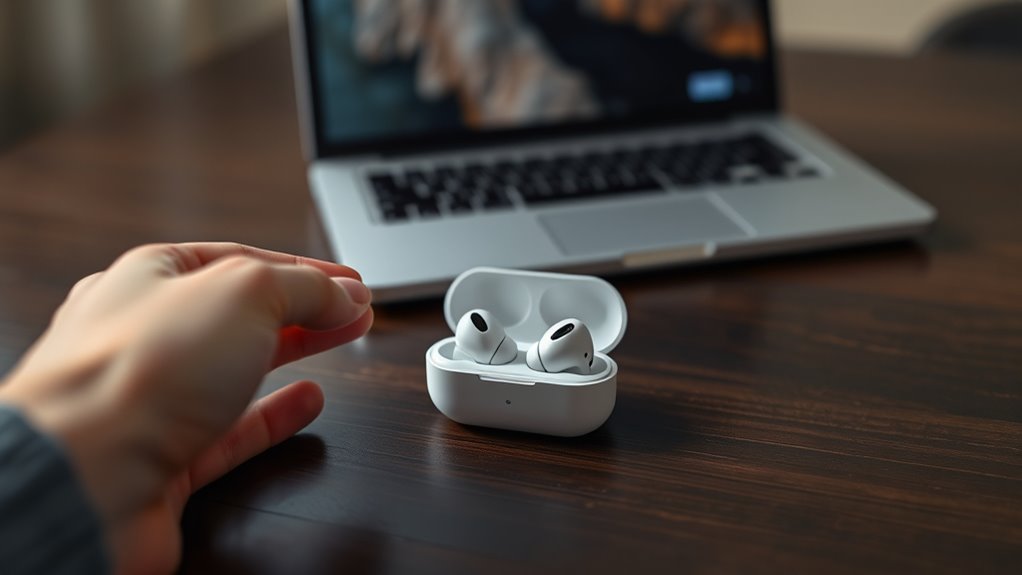

To use earbuds effectively, start by choosing the right type for your needs, whether wired, wireless, or sport-focused. Guarantee a proper fit for comfort and sound quality by selecting the right size and ensuring a snug seal. Connect them to your device via Bluetooth or an audio jack, and familiarize yourself with the touch controls. Don’t forget about cleaning and maintenance to keep them in good condition. For more tips and tricks, continue to explore this guide.
Understanding Different Types of Earbuds
When it comes to earbuds, there are several types to evaluate, each designed for different listening experiences. You’ve got wired earbuds, which offer reliability and great sound quality. If you prefer freedom of movement, wireless earbuds are a solid choice, especially true wireless options that eliminate cords altogether. For those who want to shut out the world, noise isolating designs can enhance your listening focus. Sport earbuds are perfect for workouts, built to stay secure during physical activity. If you’re after studio-quality sound, consider in-ear monitors or open back designs that provide a more natural auditory experience. Each type caters to unique preferences, ensuring you find the perfect match for your lifestyle.
Getting the Right Fit for Comfort and Sound Quality
Getting the right fit for your earbuds is essential for both comfort and sound quality. Start by choosing the right earbud sizes, as this can greatly impact how they feel and perform. Once you’ve selected a size, test for a proper seal and adjust them for maximum comfort.
Choosing Earbud Sizes
Choosing the right earbud size is essential for both comfort and sound quality. When you find the perfect fit, you’ll enjoy better sound isolation, allowing you to immerse yourself in your music or podcasts without distractions. Earbud materials also play a role; softer materials often provide a snugger fit, while firmer ones may feel less comfortable over long periods.
Try different sizes that come with your earbuds—typically, you’ll find small, medium, and large options. A proper seal not only enhances sound quality but also minimizes outside noise, improving your overall listening experience. Remember, comfort matters; if they don’t feel right, you won’t enjoy using them. So, take the time to choose the size that suits you best!
Testing for Seal
To guarantee your earbuds provide the best sound quality and comfort, testing for a proper seal is essential. Start by inserting the earbuds and gently twisting them for a snug fit. Once in place, perform some seal testing by playing music or audio with a rich bass. If you notice a significant drop in sound quality or bass response, your seal might not be adequate. Proper sound isolation is key; a good seal blocks outside noise, enhancing your listening experience. You can also try different ear tips to find the one that works best for you. Remember, achieving that perfect fit not only improves sound quality but also assures comfort during extended use. Enjoy your music without distractions!
Adjusting for Comfort
While comfort might seem secondary to sound quality, finding the right fit for your earbuds is crucial for both aspects. Start by exploring different earbud materials; silicone and foam tips often provide a more snug fit and better sound isolation. Choose sizes that suit your ears—many brands offer various sizes to guarantee a personalized experience.
An ergonomic design can make a significant difference, as it contours to your ear’s unique shape, reducing discomfort during long listening sessions. Don’t hesitate to experiment with different tips or adjust the angle of the earbuds for best positioning. When your earbuds fit well, you’ll not only enjoy superior sound but also experience the freedom to listen longer without discomfort.
Connecting Your Earbuds to Devices
Before you can enjoy your favorite tunes or podcasts, you’ll need to connect your earbuds to your devices. If you’re using Bluetooth earbuds, start with Bluetooth pairing; make sure your device’s Bluetooth is on and discoverable. Check for device compatibility to guarantee a smooth connection. For a wired connection, simply plug in the audio jack. If your earbuds support app integration, download the relevant app for custom settings and voice assistant integration. Once connected, you can take advantage of multi-device switching to easily switch between devices. Be mindful of potential audio lag if you’re gaming or watching videos. With these steps, you’ll be ready to experience your audio freedom with ease!
Exploring Touch Controls and Buttons
Many modern earbuds come equipped with touch controls and buttons, making it easy to manage your audio experience without fumbling for your device. These features enhance your freedom, allowing you to control playback, adjust volume, and take calls with a simple tap or swipe. Pay attention to touch sensitivity; some earbuds require a light touch, while others may need a firmer press. Familiarize yourself with button functions, as they can vary by brand. Common functions include single taps for play/pause, double taps for skipping tracks, and long presses for voice assistants. By mastering these controls, you can enjoy a seamless, hands-free experience, maximizing your earbuds’ potential and keeping you in the moment.
Utilizing Noise Cancellation Features
To make the most of your earbuds, you’ll want to activate the noise cancellation mode to block out distractions. This feature can greatly enhance your listening experience, especially in noisy environments. You can also adjust the ambient sound levels to let in some background noise when needed, keeping you aware of your surroundings.
Activating Noise Cancellation Mode
How can you enhance your listening experience with earbuds? Activating noise cancellation mode can transform your surroundings, letting you immerse yourself in your favorite tunes. This feature employs various noise cancellation techniques to minimize background sounds, providing an escape whenever you need it.
| Optimal Usage Scenarios | Impact |
|---|---|
| Commuting | Peaceful journeys |
| Working in a café | Enhanced focus |
| Exercising outdoors | Uninterrupted rhythm |
To activate noise cancellation, simply press the designated button or use your device’s settings. This allows you to create your ideal listening environment, giving you the freedom to enjoy sound without distractions. Embrace the tranquility and let your earbuds take you away!
Adjusting Ambient Sound Levels
After enjoying the benefits of noise cancellation, you might want to adjust ambient sound levels for a more balanced listening experience. Most modern earbuds come with features that let you control how much outside noise you let in. This is especially handy if you want to stay aware of your surroundings while still enjoying your music or podcasts.
To customize these settings, check your earbuds’ companion app or touch controls. You can often choose between different levels of ambient sound based on your sound preferences. Whether you want complete isolation or a bit of background noise, finding that sweet spot can enhance your overall experience. Embrace the freedom to tailor your listening environment to suit your mood and needs!
Managing Battery Life and Charging
Since managing battery life is essential for maximizing your earbuds’ performance, understanding how to charge them effectively can enhance your listening experience. Adopt battery enhancement techniques to extend usage time. For example, you can lower the volume and limit background apps when using wireless features.
Establish good charging habits, like avoiding complete discharges and regularly topping up your earbuds. Ideally, keep them between 20% and 80% charged. Use the manufacturer’s charging case for best results, ensuring superior power delivery.
When you’re not using them, store your earbuds in a cool, dry place to prevent overheating, which can degrade battery life. By following these tips, you’ll enjoy more uninterrupted listening sessions and maintain your earbuds’ longevity.
Cleaning and Maintaining Your Earbuds
Proper care goes beyond just managing battery life; cleaning and maintaining your earbuds is essential for peak performance and hygiene. Start by regularly wiping down the outer surfaces with a soft, damp cloth. For earbud hygiene, focus on the ear tips—remove them and rinse with warm water, letting them dry completely before reattaching. Use a soft brush or a cotton swab to gently clean any debris from the speaker mesh. Avoid harsh chemicals, as they can damage your earbuds. Additionally, store your earbuds in a protective case when not in use to prevent dust accumulation. Following these simple maintenance tips will not only extend the life of your earbuds but also enhance your listening experience.
Troubleshooting Common Issues
If you’re facing connectivity problems or sound quality issues with your earbuds, you’re not alone. Many users encounter these common challenges, but most can be resolved with a few simple steps. Let’s explore how to troubleshoot these problems effectively.
Connectivity Problems
When you’re trying to enjoy your favorite tunes or take a call, connectivity problems with your earbuds can be frustrating. If you’re experiencing issues, here are some common culprits to check:
- Pairing issues: Make sure your earbuds are in pairing mode and your device’s Bluetooth is on.
- Connectivity range: Stay within the recommended distance from your device to prevent drops.
- Interference: Other devices or walls can disrupt the signal, so try moving to an open space.
- Battery levels: Low battery can lead to poor performance, so keep your earbuds charged.
Sound Quality Issues
After resolving connectivity problems, you might still notice that the sound quality of your earbuds isn’t up to par. This can often stem from the earbud drivers not being powerful enough to deliver rich sound. Check if your audio source supports high-quality audio codecs, as lower-quality ones can limit performance. If you’re streaming music, make sure you’re using a service that offers high-fidelity audio options. Also, verify your earbuds fit snugly in your ears; a poor seal can lead to sound leakage and reduced bass response. If you’re still facing issues, it might be worth trying a different device to isolate the problem. Clean your earbuds regularly to prevent debris from affecting sound quality as well.
Enhancing Your Audio Experience With Equalizer Settings
Although earbuds often come with a standard sound profile, adjusting the equalizer settings can greatly enhance your audio experience. By diving into audio customization, you can tailor your sound to fit your preferences. Experiment with different equalizer presets to find what resonates with you.
- Boost bass for a rich, deep sound
- Enhance treble for crisp, clear vocals
- Adjust mids for balanced instrumentals
- Create a surround sound effect for immersive listening
These tweaks can transform your listening experience, making music, podcasts, or movies more enjoyable. So, don’t hesitate to play around with the settings until you discover the perfect balance that suits your style. Embrace the freedom to customize your audio journey!
Best Practices for Safe Listening Levels
To protect your hearing while enjoying your earbuds, it’s essential to be mindful of your listening levels. Keeping your volume at a safe level can prevent long-term damage. Here are some best practices to follow:
| Listening Level | Description |
|---|---|
| Below 60% | Safe volume for long-term use |
| 60% – 80% | Moderate risk; limit time |
| Above 80% | High risk; consider hearing protection |
Always take breaks during long listening sessions and opt for noise-canceling earbuds to reduce the need for higher volumes. Remember, your hearing is priceless; treating it with care allows you to enjoy your music freely for years to come. Stay aware, and keep your sound levels safe!
Frequently Asked Questions
Can I Use Earbuds While Exercising or Running?
Yes, you can use earbuds while exercising or running, but prioritize running safety. Choose models with good sound quality that allow ambient noise, ensuring you stay aware of your surroundings for a safe workout experience.
Are There Earbuds Specifically Designed for Sleeping?
Yes, there are earbuds crafted for sleeping, designed to cradle your ears like a gentle embrace. With noise cancellation, they guarantee a cocoon of sleeping comfort, allowing you to drift into peaceful slumber without distractions.
How Can I Prevent My Earbuds From Tangling?
To prevent your earbuds from tangling, consider using tangle prevention techniques like wrapping them around a small case or using cable organizers. Opt for storage solutions that keep them secure and easily accessible for your convenience.
Can I Share Earbuds With Someone Else Safely?
Sure, you can share earbuds, but it’s wise to practice earbud hygiene. Wipe them down with disinfectant and consider using disposable covers. Just remember, sharing precautions can help prevent any unwanted germs from spreading.
Do Earbuds Work With All Types of Audio Devices?
Earbuds generally work with most audio device types, but compatibility can vary. Check if your device has the right jack or Bluetooth capability. Always confirm specifications for seamless use and ideal sound experience.
