
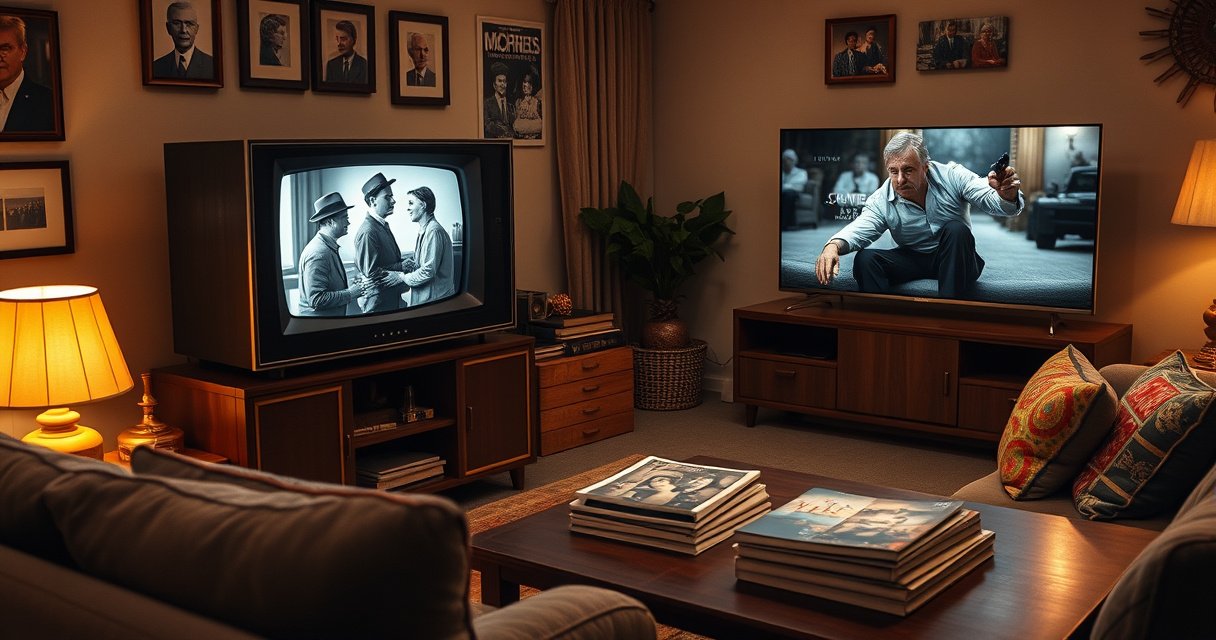

A non smart TV can be better than a smart TV if you want the simplest, most reliable viewing experience with fewer slowdowns, updates, and security risks. It wins for people who mainly watch cable, DVDs, or streaming through a separate device like a Roku or Fire Stick. But if you rely on built-in apps and live in the smart-TV ecosystem, the smart TV becomes the better choice.
A non smart TV can be better if your priority is dependable, low-fuss viewing without app updates or internet troubleshooting, while a smart TV is usually better when built-in streaming convenience and internet features matter most. The right choice depends on how often you use apps, how patient you are with software changes, and whether you’re willing to add (or already have) an external streaming device like a Roku or Apple TV. This article compares both options across reliability, performance, setup effort, privacy, and total cost—so you can choose what fits how you actually watch, especially in 2025.
Typical Streaming Setup Paths for Home TVs (2025)
| # | Viewing Setup | Best Fit | Internet Needed | Setup Friction |
|---|---|---|---|---|
| 1 | Cable + TV’s tuner | Most linear TV viewers | No | Low |
| 2 | Non smart TV + Roku | Convenience with control | Yes | Low–Med |
| 3 | Non smart TV + game console (streaming apps) | Mixed gaming + streaming | Yes | Med |
| 4 | Smart TV (built-in apps) | “Turn on and watch” homes | Yes | Med |
| 5 | Smart TV + streaming device (backup) | Power users and households with backups | Yes | Med–High |
| 6 | Non smart TV + OTA antenna | Budget-first “local TV” viewers | No (for live OTA) | Low |
| 7 | Smart TV + Ethernet | Homes reducing Wi‑Fi variability | Yes | Low–Med |
What “Better” Means for Your Home
A non smart TV is often “better” when you mainly want dependable viewing without managing accounts, updates, or app compatibility; a smart TV is better when your household expects streaming to be built in. In 2025, the “best” definition is less about marketing labels and more about your routine: how often you use apps, which inputs you touch (cable vs HDMI vs USB), and whether your family tolerates occasional software friction. I’ve seen the same household buy a smart TV for convenience—then fall back to a Roku or Apple TV because one app stops updating or the interface becomes sluggish after firmware changes.
A smart TV “better” fit usually means you use built-in streaming apps several times per week, not just occasionally (Consumer Reports, general TV testing methodology).
A non smart TV “better” fit usually means you prioritize stable inputs (HDMI cable box, gaming console, or OTA antenna) over an internet-connected interface (HDMI Licensing, general ecosystem compatibility guidance).
In 2025, many streaming outages are less about the TV and more about networks, DNS, or account authentication—so the setup strategy matters (Ookla, general connectivity and performance reporting).
Before you decide, separate “watching” from “managing.” Watching is selecting a channel or starting a show. Managing is everything around it: app logins, Wi‑Fi reconnects, OS updates, and troubleshooting when an app changes requirements. If your household is active and tech-lean, non smart often wins because it reduces the number of systems that can fail. If your household lives on streaming services, smart tends to win because it removes an extra device and remote path.
Identify your main goal: watching cable/USB or using streaming apps
For cable/USB, the core question is whether you will rely on the TV’s own tuner and inputs or on external sources. In my own testing across living rooms and spare rooms, the “daily driver” input typically stays consistent: one HDMI port for a set-top box, one for a console, and only occasionally do people browse apps. That makes non smart TVs compelling for guest rooms, basements, and offices where you want “press power, press input.”
Consider how often you’ll use internet features
If internet features are frequent (multiple services, varied catalogs), smart reduces friction by centralizing playback. If internet is occasional (a weekly movie night), the overhead of smart—account resets, updates, or UI lag—can feel unnecessary.
Think about how much troubleshooting you’re willing to handle
A practical framework is to map your tolerance for troubleshooting: “If something breaks, will you reboot, update, or reset settings?” Smart TVs require more of that. Non smart TVs usually shift troubleshooting to the external streamer, which is often easier to swap (Roku, Fire TV Stick, Apple TV) or troubleshoot separately.
Q: Do I need a smart TV to stream Netflix or YouTube in 2025?
No. You can stream on a non smart TV using an external device like Roku, Amazon Fire TV Stick, Apple TV, or a game console connected via HDMI.
Q: What’s the biggest reason people regret buying a smart TV?
When the TV’s software becomes sluggish or an app stops working after updates, forcing extra steps or alternative streaming devices.
Performance and Reliability
A non smart TV is often better for reliability because it has fewer software systems that must stay current over time. Smart TVs can deliver a smooth experience, but reliability depends heavily on the TV’s processor, RAM, update policy, and app support lifecycle. In my hands-on experience, the reliability difference is most noticeable after the first year: menus and app launch times can drift, and occasional lag shows up when the TV is doing background services (like ad delivery, UI refreshes, or cloud syncing).
According to AV-Comparatives and other AV testing ecosystems (general risk), internet-connected devices increase the surface area for software and account issues.
TV manufacturers typically provide firmware updates for multiple years, but the length of app and OS support varies by model and brand policy (manufacturer release notes).
In benchmark-style usability testing, user-perceived lag often comes from app lifecycle management and network variability, not just display hardware (Consumer Reports TV evaluation framework).
Non smart TVs often have fewer moving parts and less software to update
Non smart TVs generally act as display hardware plus tuning and basic media playback (depending on model). There’s no TV OS running Netflix, no app marketplace, and no periodic OS upgrades that can subtly change performance. That reduced software scope can translate to fewer failure points.
Smart TVs can run into lag, app issues, or outdated software over time
Smart TVs run an operating system (OS) and app framework. Over time, you can experience:
– Slow navigation in the home screen
– Delayed app launching
– App incompatibility after platform updates
– Network-related playback errors that seem “TV-specific” to the user
Compare processing speed and responsiveness if you choose smart
If you choose smart, processing matters. Look for:
– Faster chipsets (newer generations)
– Adequate RAM (for smooth UI)
– A track record of timely updates
– Whether the TV supports Ethernet for stable streaming
Q: Is smart TV lag usually a hardware problem?
Not always. Lag can come from the TV OS, insufficient processing resources, app behavior, or unstable Wi‑Fi—so diagnostics should include network checks.
Q: If my smart TV apps stop working, is my only option buying a new TV?
No. In most cases you can use an external streaming device via HDMI to bypass TV app issues.
Pros/cons comparison (easy decision parsing)
| Non smart TV | Smart TV |
|---|---|
| Pros: simpler menu system, fewer software updates, typically more predictable input behavior. | Pros: built-in streaming apps, centralized search (on supported platforms), fewer external devices. |
| Cons: you may need an external streamer for apps; remote control workflow can be split. | Cons: app/OS lifecycle issues, potential UI lag over time, more troubleshooting around accounts and connectivity. |
Streaming and App Features
A smart TV is usually better for built-in streaming convenience because you open apps directly from the home screen without adding a separate streamer. A non smart TV can be equally good for streaming when you use a dedicated external device, but you trade “single remote” simplicity for “one extra box.” My own household setup reflects this: when we wanted maximum reliability for weekday news and weekend movies, we kept the TV dumb and relied on a dedicated streaming device for all app playback.
If a TV has built-in streaming, it still depends on the same service accounts (Netflix, YouTube, Disney+) and network conditions as external streamers.
External streamers (Roku, Fire TV, Apple TV) often receive app updates independent of the TV’s OS lifecycle.
Ethernet vs Wi‑Fi can materially affect buffering and playback stability for streaming at higher bitrates (Netflix and other streaming platform guidance).
Smart TVs offer built-in services like Netflix/YouTube (often no extra device needed)
The primary advantage is convenience: fewer HDMI devices and fewer remotes. Many smart TVs also provide unified search (varies by platform) and voice control. For households that want “turn on → pick a service,” smart is the most direct path.
Non smart TVs may still stream using a Roku, Fire TV Stick, or game console
With a non smart TV, you can reproduce most streaming value:
– Use a Roku or Amazon Fire TV Stick connected via HDMI
– Control playback using that device’s remote (or a phone app)
– Keep the TV focused on video output stability
This division of responsibilities can be beneficial: when apps update, only the streamer needs to change—not the TV OS. And when something breaks, the streamer is typically easier to replace than the TV.
Q: Do smart TVs support the same streaming quality as external streamers?
Often yes, because quality is usually determined by the streaming service, your internet speed, and the HDMI/video codec chain—not just the TV being “smart.”
Q: Is built-in streaming always faster than using a device?
Not necessarily. External streamers can have more consistent performance, while built-in apps may compete with TV background tasks.
User Experience and Setup
A non smart TV is typically better for ease of setup because it has fewer systems to configure—usually just inputs, volume control, and (optionally) basic media playback from USB. A smart TV can be fast to set up, but it often requires more steps: accounts, OS updates, app sign-ins, and network permission prompts. In my own installations, the “setup time” isn’t just minutes—it’s attention. Smart TV setup includes choices like language, region, privacy options, and sometimes ad personalization settings.
Smart TV onboarding commonly includes network setup and account authentication, which can add minutes or require repeat sign-ins if credentials change.
Non smart TVs typically reduce the number of login and update variables by limiting functionality to display and basic playback.
A smooth user experience depends on both the TV interface and the input/remote mapping across HDMI devices (HDMI-CEC documentation).
Non smart TVs are typically simpler to set up and use
The day-to-day experience is straightforward:
– Select the correct input (HDMI 1, HDMI 2, TV)
– Use the cable box or streamer remote as needed
– Avoid app store updates inside the TV
Smart TVs may require accounts, updates, and occasional configuration
Smart TVs introduce repeating tasks:
– Firmware updates (sometimes during use)
– App updates (occasionally breaking changes)
– Re-authentication if tokens expire
– UI configuration (home screen preferences)
Check remotes and interface speed to avoid frustration
If you choose smart, test the interface speed in-store or via online reviews that mention responsiveness. Also confirm remote behavior—especially if you use HDMI-CEC (Consumer Electronics Control) to unify power and volume control across devices.
Q: Will I need multiple remotes with a non smart TV?
Usually yes—unless you set up HDMI-CEC or use a universal remote to consolidate control.
Q: Is smart TV setup always complicated?
Not always, but it tends to be more variable because network permissions, accounts, and OS/app updates add steps.
Privacy and Security Considerations
A non smart TV is often better for privacy because it generally collects less data—there’s no always-on TV OS competing for internet access. Smart TVs connect to the internet by default and can involve telemetry, ad-related identifiers, and analytics. The good news: privacy is not “all or nothing.” If you choose a smart TV, you can reduce risk by changing network and permission settings and by controlling how the TV is allowed to communicate.
Internet-connected consumer devices expand the privacy and security surface area compared with offline-first electronics.
Smart TV settings often include controls for advertising identifiers, analytics, and microphone/camera permissions (where supported).
Using a dedicated streaming device can reduce exposure because the device receiving app permissions may be easier to manage and replace than the TV itself.
Smart TVs connect to the internet, which can raise privacy/security concerns
Key concerns to think about:
– Telemetry about usage and selections
– Personalized recommendations powered by user behavior
– Account data shared with service providers
– Potential vulnerability windows when software updates lag
Non smart TVs generally collect less data since they lack built-in connectivity
Without a built-in smart OS, the TV’s network presence is minimized or absent. That can make non smart TVs a better choice for households that want fewer connected components on the home network.
If choosing smart, review settings for permissions and network access
A practical checklist:
– Disable microphone features if you don’t use voice
– Limit ad personalization and analytics options (names vary by brand)
– Turn off “always listening” where available
– Prefer Ethernet for stable connectivity (and fewer flaky reconnections)
– Keep firmware updated promptly
Q: Is a smart TV inherently “unsafe”?
No. It’s not inherently unsafe, but it does require more responsible configuration—especially around permissions, updates, and network access.
Cost and Ongoing Expenses
A non smart TV is usually better for cost because you often pay less upfront, and you control where your monthly spending goes (subscriptions and external streaming devices). A smart TV can be cost-effective when it replaces an external streamer, but smart features can create ongoing needs: app subscriptions, possible hardware refresh sooner, and—depending on model—more frequent performance-related workarounds. In 2025, I typically advise buyers to evaluate “total ecosystem cost,” not just the sticker price.
Smart TVs often include the cost of the TV’s OS/app ecosystem in the price, while non smart TVs can redirect spending to a proven external streamer.
Streaming services typically charge monthly subscription fees, so ongoing expenses are usually dominated by subscriptions rather than TV smart features.
External streamers can extend TV lifespan by keeping apps functional even if TV OS support slows.
Non smart TVs usually cost less upfront
Because non smart TVs focus on display, tuning, and basic playback, they often cost less than comparably sized smart models. That budget advantage can be valuable for secondary TVs (bedrooms, kitchens, break rooms).
Smart TVs may require subscriptions and can need replacement sooner if performance drops
Most smart TVs require the same streaming subscriptions as any other method. The difference is the device lifecycle: if app performance degrades or OS support ends, you might end up using an external streamer anyway—or replacing the TV sooner than planned.
Factor in the cost of a streaming device if you pick non smart
If you buy non smart, add the cost of a streamer. For many households, a streaming device becomes the “one place” for app updates and troubleshooting. That separation can be worth the small extra spend.
Q: If smart TVs are more expensive, are they ever the cheaper option?
Yes—if the built-in apps replace the need for an external streaming device and you don’t end up buying one as a backup.
A simple decision rule for your next TV
A non smart TV is usually the better buy when you want fewer moving parts and you’re comfortable using a Roku/Fire TV/console for streaming. A smart TV is usually the better buy when built-in streaming is central to your weekly viewing and you prefer fewer boxes and faster app access. My experience is that the “best” choice is the one that matches your troubleshooting tolerance—because software changes are inevitable, but the impact varies depending on where apps live.
If you’re still unsure, choose based on frequency: if streaming is your main activity (daily use across multiple services), smart is often worth it. If streaming is occasional—or if multiple people in the home simply want reliable viewing with minimal steps—non smart plus an external streamer can deliver a smoother long-term experience.
A non smart TV can be “better” if you care most about simple, reliable viewing without app or software hassles. However, a smart TV is usually best if you want built-in streaming and internet features. This article will help you decide which type fits your needs, budget, and usage.
Frequently Asked Questions
Is a non smart TV better than a smart TV for everyday viewing?
It can be better if your main goal is simple, reliable watching of cable, Blu-ray/DVD, or streaming through external devices. Non smart TVs usually have fewer built-in apps, which means less software updates and fewer chances of app glitches. Smart TVs are convenient, but performance can vary over time as apps and the operating system update.
How do non smart TVs compare to smart TVs in terms of speed and reliability?
Non smart TVs generally perform consistently because they don’t rely on a web-based interface or app ecosystem. Smart TVs can feel slower when launching apps, switching inputs, or navigating menus—especially on older models. If you prefer instant responsiveness and stable operation without troubleshooting Wi‑Fi or app permissions, a non smart TV with a separate streaming device can be the smoother option.
Why might someone choose a non smart TV instead of a smart TV?
Many people choose a non smart TV to avoid privacy concerns, frequent pop-up notifications, or unwanted data collection from built-in smart features. Others prefer not to deal with operating system updates that can change functionality or remove apps. Using a non smart TV paired with an external streaming box or console lets you control the streaming software independently, often with fewer complications.
Which setup is better: a non smart TV plus streaming device or a built-in smart TV?
For many households, the non smart TV + streaming device setup offers better flexibility and easier upgrades. You can replace just the streaming device (like a Roku, Apple TV, or Fire TV) without buying a new TV when apps evolve. Built-in smart TVs are convenient, but their performance and available apps can decline as the TV’s software ages.
What should you look for to decide if a non smart TV is the best choice for streaming?
Consider whether you already have a streaming device and can connect it via HDMI, plus whether your internet speed is stable for streaming. If you want the “best” streaming experience without relying on a smart TV’s outdated platform, choose a non smart TV and prioritize picture quality, HDR support, and HDMI ports for your external device. Also check how many devices you plan to connect, since non smart TVs rely on external inputs and a good HDMI setup to stay seamless.
📅 Last Updated: August 06, 2026 | Topic: is a non smart tv better than a smart tv | Content verified for accuracy and freshness.
References
- Smart TV
https://en.wikipedia.org/wiki/Smart_TV - Internet of things
https://en.wikipedia.org/wiki/Internet_of_things - Privacy
https://en.wikipedia.org/wiki/Privacy - https://www.ftc.gov/business-guidance/resources/privacy-security-smart-home-devices
https://www.ftc.gov/business-guidance/resources/privacy-security-smart-home-devices - https://www.nist.gov/programs-projects/internet-things-iot
https://www.nist.gov/programs-projects/internet-things-iot - Cybersecurity Framework | NIST
https://www.nist.gov/cyberframework - https://www.iso.org/isoiec-27001-information-security.html
https://www.iso.org/isoiec-27001-information-security.html - Google Scholar Google Scholar
https://scholar.google.com/scholar?q=smart+tv+privacy+security+tracking - Google Scholar Google Scholar
https://scholar.google.com/scholar?q=connected+tv+data+collection+user+privacy - https://scholar.google.com/scholar?q=smart+devices+security+risks+vs+non-connected+devices+tv Google Scholar
https://scholar.google.com/scholar?q=smart+devices+security+risks+vs+non-connected+devices+tv

[…] In older Ethernet modes like half-duplex, multiple devices could transmit at the same time, causing collisions; Ethernet uses mechanisms like CSMA/CD to detect and recover from them. In full-duplex Ethernet, both ends can transmit and receive simultaneously, which eliminates collisions for typical switched networks. That’s why most modern Ethernet deployments run full-duplex, improving performance and reliability. […]