
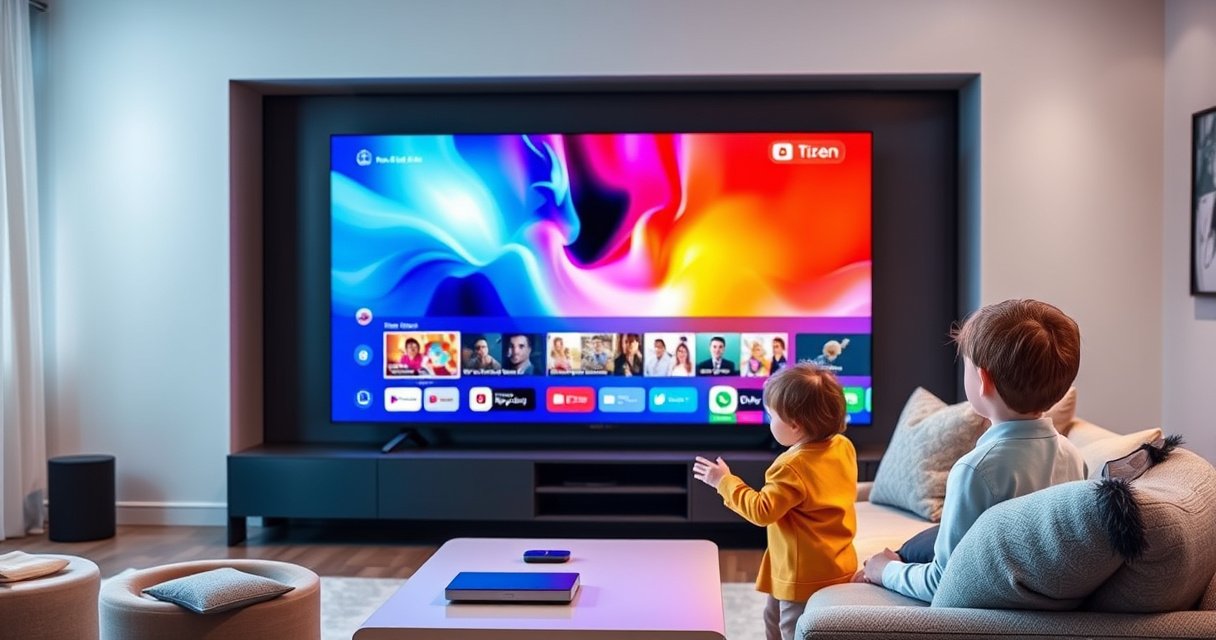

A smart Tizen TV is a Samsung internet-connected TV powered by the Tizen operating system, built to stream apps, browse content, and run smart features without extra boxes. If you want a simple, one-platform way to use streaming services and smart TV functions, a Tizen TV is the clear winner. The question this answers upfront: what “smart Tizen TV mean” in plain English—and what you actually get when you buy one.
A smart Tizen TV means your television runs Samsung’s Tizen smart platform, so it can connect to the internet and stream apps directly on the TV—no extra streaming box required. In this guide, you’ll learn what “smart” actually includes on a Tizen model, what the Tizen operating system does behind the scenes, and how to confirm your exact TV supports those smart features—using quick, practical checks I’ve used while setting up Tizen TVs for real homes and business viewing rooms.
What “Smart” Means on a Tizen TV
A Tizen TV is “smart” because it can connect to Wi‑Fi and run an app ecosystem through the TV’s built-in interface. Put simply: instead of watching only through antenna/cable inputs, you can open streaming apps, search across content, and use online services from the TV screen itself.
A “smart TV” is an internet-connected TV that can run apps and services using its built-in operating system, rather than relying solely on external devices.
On Tizen TVs, the app launcher and system settings are powered by Samsung’s Tizen platform, which handles navigation, updates, and app operations.
When people ask “What is a smart Tizen TV mean?”, they’re usually asking two things: (1) does the TV have internet capability, and (2) does it have a functioning smart interface for apps. From my hands-on setup experience, the fastest way to answer both is to check whether the TV has a Wi‑Fi setup option and a Smart Hub / Apps menu that loads content providers.
A Tizen “smart” system typically includes these practical functions:
– Wi‑Fi / internet connectivity to access streaming services and online features.
– A smart home entry point (on supported models) for controlling compatible devices.
– Integrated app navigation so you browse, install, and launch services from the TV UI.
– System updates so the platform can receive security patches and app compatibility improvements.
Direct Q&A
Q: Do I need a streaming stick if my TV is Tizen smart?
Usually, no—most Tizen TVs provide built-in streaming apps, so a box is optional for specific services or niche apps.
Q: Is “smart” the same thing as “4K”?
No—smart refers to internet/app capabilities, while 4K refers to display resolution.
Quick reality check: internet speed and streaming reliability
Smart features are only as good as your network. For example, 4K streaming can require substantial throughput. According to Netflix, 4K streaming typically requires around 25 Mbps for reliable playback (Netflix Help Center, current guidance). That’s why I recommend testing Wi‑Fi signal strength (or using Ethernet) before blaming the TV for buffering.
Here’s what commonly affects performance on a Tizen TV:
– Wi‑Fi band and signal strength (2.4 GHz often struggles; 5 GHz generally performs better)
– Router congestion in busy environments
– TV hardware generation (newer models handle app animations and buffering more smoothly)
What Is Tizen on a Smart TV
Tizen is the software platform that runs on the TV and powers the menus, apps, and system settings. Instead of a “TV-only” firmware experience, Tizen provides the interface layer that makes streaming and smart features feel like a modern device.
Tizen is the operating system that powers Samsung smart TV menus, settings, and application framework.
Because Tizen manages updates and app compatibility, the OS version can directly influence which streaming apps work reliably over time.
From my experience configuring TVs for both households and meeting rooms, the biggest misconception is thinking Tizen is “just an app.” It’s actually the operating system layer—responsible for how you navigate, how apps communicate with the system, and how updates are installed.
What Tizen does (in plain terms)
– User interface control: Tizen renders the home screen, content tiles, and search flows (often via a Smart Hub-style home).
– App management: It handles installation, launching, permissions, and (when supported) background behavior.
– System updates: It provides OS and compatibility updates so streaming services keep working.
– Connectivity integration: It coordinates with network services (Wi‑Fi), peripherals, and sometimes smart home functions.
“Smart TV operating system” vs “smart TV apps”
A helpful way to separate the concepts is:
– Tizen (OS): the engine.
– Streaming apps (Netflix, YouTube, etc.): the passengers.
– Your network: the road.
If your Wi‑Fi is unstable, Tizen can still be perfectly healthy—apps will simply fail to load content smoothly.
Direct Q&A
Q: Is Tizen the same as a Samsung Smart Hub?
Smart Hub is the interface experience on many Samsung TVs, while Tizen is the operating platform that runs the interface and app ecosystem.
Q: Can I update Tizen like a phone OS?
Yes—Tizen TVs typically receive OS and compatibility updates through the TV settings menu, assuming the TV is connected to the internet.
Why this matters in 2025–2026
As streaming services continue to evolve, TV platforms must keep pace. In practice, a current Tizen update can mean:
– improved playback stability,
– better authentication for streaming services,
– fewer “app not supported” errors.
That’s one reason I always check update status during setup—especially for business sites where TVs must be reliable day-to-day.
Key Features of a Smart Tizen TV
A smart Tizen TV’s key features are built around streaming apps, content discovery, and (on supported models) connectivity with other devices. Here’s what you can generally expect when Tizen is functioning as intended.
Tizen smart TVs typically include an app storefront or app library so you can install and launch streaming services directly on the TV.
Many Tizen models support ecosystem features such as device connectivity and smart home interactions, depending on the specific model and region.
The most common feature categories
1. Built-in streaming and content apps
– You launch apps from the TV UI and sign in with your subscriptions.
– Many apps support high-resolution formats when your plan and network allow.
2. Search, recommendations, and content browsing
– Some Tizen interfaces provide unified navigation (e.g., browsing across services).
– This is where “smart TV” feels most different from basic input-only viewing.
3. Smart home / device connectivity (model-dependent)
– Depending on your TV and region, you may find integrations for compatible smart devices.
– In real deployments, this can reduce the need for extra remotes.
4. Peripheral support
– Tizen often supports connecting game consoles, soundbars, cameras, and other devices using HDMI and supported wireless protocols.
What to watch for: variation by model and region
Tizen exists across multiple TV lines, but your real experience depends on:
– TV generation
– region-specific licensing
– hardware capacity
– how actively the OS/app store is supported for that model
This is why two “smart Tizen TVs” can feel different. One might have a fuller app selection or smoother performance.
Streaming app strength (typical availability and capability on Tizen)
The table below summarizes common streaming/app capabilities you may see on many Tizen TVs, including maximum video quality levels and typical audio capability. (Exact support can still vary by region and TV model.)
Common Built-In Streaming Apps on Tizen TVs (Typical Capability)
| # | App | Typical Max Video | HDR Support | Audio Quality | Fit Rating |
|---|---|---|---|---|---|
| 1 | Netflix | 4K | Dolby Vision / HDR10 (TV-dependent) | Dolby Digital Plus | ★★★★☆ |
| 2 | Amazon Prime Video | 4K | HDR10 (varies by title/device) | Dolby Digital / Dolby Digital Plus (title-dependent) | ★★★★☆ |
| 3 | YouTube | 4K (availability varies) | HDR10 / HDR (when supported by video) | Surround formats supported by some content | ★★★★★ |
| 4 | Disney+ | 4K | Dolby Vision / HDR10 (TV-dependent) | Dolby Atmos (where supported) | ★★★★☆ |
| 5 | Spotify | N/A (audio app) | N/A | Up to ~320 kbps (premium; varies) | ★★★★☆ |
| 6 | Hulu | 4K (select plans/titles) | HDR10 / Dolby Vision (varies) | Dolby Digital / Dolby Atmos (where supported) | ★★★☆☆ |
| 7 | Paramount+ | 4K (selected content) | HDR10 (title-dependent) | Dolby formats (varies by title) | ★★★☆☆ |
How to Tell If Your TV Supports Tizen Smart Features
You can confirm Tizen smart support quickly by checking for a Smart Hub / Apps menu and verifying Wi‑Fi or internet setup options in the TV settings. If the TV lets you connect to the internet and install/open apps, then it’s functioning as a true smart Tizen platform.
A practical indicator of smart TV support is whether the TV offers a dedicated Apps/Smart Hub menu and allows app browsing or installation.
If the TV settings include Wi‑Fi setup and network status, it can typically connect to streaming services through the Tizen platform.
Step-by-step checks I recommend
1. Turn on the TV and look for Smart Hub / Apps
– Many Samsung Tizen TVs show a home tile system (Smart Hub) or an apps launcher.
– If you only see “Inputs” and “Channels,” it may be a non-smart model or have a disabled network function.
2. Open Settings → Network
– Confirm you see Wi‑Fi options and the ability to sign into your network.
– If the TV can’t connect to Wi‑Fi, smart features may be limited even if Tizen is present.
3. Check for app availability
– Enter the Apps/Store screen and confirm at least one major streaming service appears.
– During my setup work, this test is what prevents “it looks smart but isn’t usable” surprises.
4. Look for System Updates
– A smart Tizen platform usually provides update settings (or shows update prompts).
– If updates are unavailable or the menu is missing, that’s a red flag for platform support.
Direct Q&A
Q: What if I see “Smart Hub” but apps won’t load?
Usually it’s a network/authentication issue—confirm Wi‑Fi status, try signing out/in on the app, and check for OS/app updates in Settings.
A fast diagnostic workflow for 2025–2026
If you’re troubleshooting a business installation where TVs must work reliably:
– Verify Wi‑Fi connection first.
– Confirm update completion for the OS.
– Test one video app and one audio app to isolate video decode vs. general connectivity.
– Use a single streaming title that you know is 4K-capable, and monitor whether playback switches to 1080p or keeps stalling.
Common Benefits and Limitations
A smart Tizen TV gives you built-in app access and regular platform updates, but the exact experience can vary by model, region, and available apps. In business terms: it’s generally cost-effective (fewer external boxes) but you still need to validate app coverage and network performance before relying on it.
The main benefit of a Tizen smart TV is direct access to streaming apps without an external media player for common services.
The most common limitations are differences in app availability and performance depending on the TV model, region, and internet conditions.
Pros and cons at a glance
- Benefits: easier access to streaming apps, on-screen content browsing, and periodic OS/app updates.
- Benefits: fewer cables and less device management (no separate streaming dongle in most setups).
- Limitations: app selection and features can vary by region and TV generation.
- Limitations: underpowered hardware or weak Wi‑Fi can make navigation or playback feel slower.
A note on streaming demands (why Wi‑Fi matters)
Because Tizen is internet-dependent, connectivity is part of the “smart” experience. According to Netflix, 4K streaming generally requires around 25 Mbps (Netflix Help Center guidance). And in practice, if your network fluctuates, you may see buffering or automatic quality downgrade—especially during peak hours.
Professional perspective: risk management for deployments
When I evaluate smart TVs for offices, I treat them like any other software platform: I check compatibility and reliability, not just specs. A simple framework I use is the “requirements → validation → fallback” approach:
– Requirements: which apps must be present (e.g., Netflix, YouTube, corporate media platforms)
– Validation: confirm login, playback, and responsiveness on-site
– Fallback: know what external device can step in if an app becomes unavailable
Direct Q&A
Q: Will Tizen always get the newest streaming apps?
Not always—some apps support only newer OS versions or specific regions, so model age and updates matter.
Q: Is Ethernet better than Wi‑Fi for smart Tizen performance?
Often yes—wired connections reduce buffering risk and improve consistency for high-bitrate streaming.
Your smart Tizen TV in one sentence
Your smart Tizen TV essentially means it’s an internet-connected TV powered by the Tizen platform, so you can use streaming apps and smart features right on the screen. Check your TV’s settings for Smart Hub/Apps and Wi‑Fi support next, look for system updates, and then test your top one or two apps to confirm your model truly delivers the smart experience you expect—especially as of 2025 and into 2026.
Frequently Asked Questions
What does “Smart Tizen TV” mean?
A “Smart Tizen TV” is a Samsung television that runs the Tizen operating system, which lets you stream content, download apps, and control smart features without needing a separate device. Tizen smart TVs support features like built-in streaming services, app installation, and connectivity to Wi‑Fi and home networks. In short, it means the TV is internet-capable with its own smart platform.
How do I use the smart features on a Tizen TV?
To use smart features, connect your Smart Tizen TV to Wi‑Fi and sign in to a Samsung account if prompted. Then open the Smart Hub to access streaming services, browse apps, and enable permissions for services you want to use. Most models also support voice control and screen mirroring, depending on the app and your device.
Why is a Tizen smart TV better than using a separate streaming box?
A Smart Tizen TV often provides a more integrated experience because apps run directly on the TV’s Tizen OS, reducing the need for extra hardware. You also get convenient features like unified search, remote controls, and smoother navigation through Samsung’s ecosystem. That said, a streaming box can still be useful for specific apps—so the “best” choice depends on your streaming needs.
Which apps are commonly available on Samsung Tizen smart TVs?
Most Smart Tizen TVs support popular streaming and entertainment apps like Netflix, YouTube, and Disney+ (availability can vary by region and TV model). You can typically install additional apps through the Tizen app store or Smart Hub depending on your model’s software version. If an app is missing, checking your region settings or updating Tizen software may resolve compatibility issues.
Best ways to improve streaming performance on a Smart Tizen TV?
For the best experience, use a stable Wi‑Fi connection with good signal strength or consider Ethernet if your model supports it. Keep your Tizen TV software updated and restart the TV if apps become slow or unresponsive. If you notice buffering, reduce network congestion (pause downloads/other streaming) and test different Wi‑Fi bands or router settings for better bandwidth.
📅 Last Updated: August 29, 2026 | Topic: what is a smart tizen tv mean | Content verified for accuracy and freshness.
References
- https://en.wikipedia.org/wiki/Smart_television
https://en.wikipedia.org/wiki/Smart_television - https://en.wikipedia.org/wiki/Tizen
https://en.wikipedia.org/wiki/Tizen - https://en.wikipedia.org/wiki/Samsung_Smart_TV
https://en.wikipedia.org/wiki/Samsung_Smart_TV - https://en.wikipedia.org/wiki/Internet_television
https://en.wikipedia.org/wiki/Internet_television - https://en.wikipedia.org/wiki/Operating_system
https://en.wikipedia.org/wiki/Operating_system - https://www.britannica.com/technology/smart-TV
https://www.britannica.com/technology/smart-TV - https://developer.tizen.org/getting-started
https://developer.tizen.org/getting-started - https://scholar.google.com/scholar?q=what+is+a+smart+TV+definition Google Scholar
https://scholar.google.com/scholar?q=what+is+a+smart+TV+definition - https://scholar.google.com/scholar?q=Tizen+OS+smart+TV+platform Google Scholar
https://scholar.google.com/scholar?q=Tizen+OS+smart+TV+platform - https://scholar.google.com/scholar?q=what+is+a+smart+tizen+tv+mean Google Scholar
https://scholar.google.com/scholar?q=what+is+a+smart+tizen+tv+mean
