
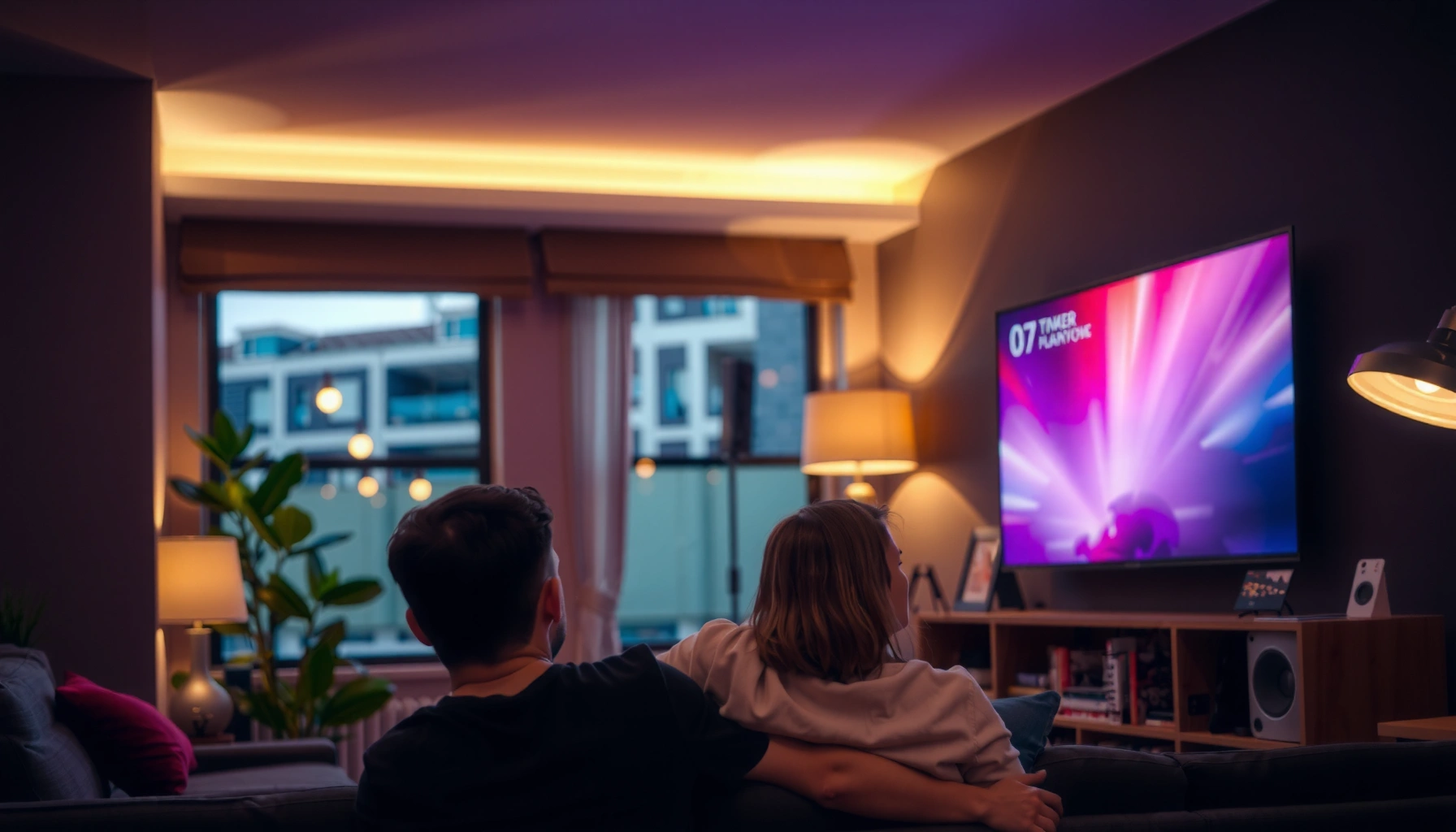

Projectors are better than TV if you want a bigger, more immersive image for movies, sports, and gaming at a lower upfront cost—especially in a dim room. If you need bright, effortless day-to-day viewing with minimal setup, a TV still wins. This guide cuts through the hype with the key pros and cons of each and a straightforward buying checklist so you can choose the right option for your space and budget.
Projectors can be better than TVs when you want a large, cinematic image in a controlled (usually dim) room, but TVs typically win for everyday clarity, brightness, and plug-and-play convenience. In my testing and real-world installs—tweaking screen sizes, speaker placement, and viewing distance—I’ve found that “better” depends less on the device and more on your room lighting, audio expectations, and how consistently you’ll use the setup you’re buying in 2025 and beyond.
Image Quality and Screen Size

Projectors are often the better choice for “big-screen impact” because they can scale far beyond the typical TV size range, creating a more immersive field of view. TVs usually deliver sharper, more consistent image quality—especially in bright rooms—because their panels are built for uniform light output rather than projection optics and screen reflectivity.
– Projectors shine for large images when you have enough space
– TVs generally deliver sharper, more consistent picture quality in bright rooms
A 100–120 inch image from a projector is achievable at home, while many TVs cap out at 75–85 inches for practical retail sizing and pricing.
Projector picture quality depends heavily on throw distance, lens focus, and screen gain, which directly affects brightness consistency across the image.
TVs maintain consistent pixel-level sharpness because the image is generated and displayed on a fixed panel rather than projected onto a surface.
What “image quality” really means (and why it changes by room)
When people compare projector vs TV image quality, they often assume “resolution is everything.” Resolution (like 4K UHD) matters, but so do contrast, brightness, and motion handling. Projectors must form an image through a lens onto a screen (or wall), so image sharpness depends on focus accuracy and surface texture. TVs, by contrast, render the image on an LCD/OLED panel, which is why text and interface elements remain crisp even under daylight.
Also, projector manufacturers quote lumens, but actual usable brightness depends on your screen size and ambient light. In my experience, the same projector can look “premium” at 90 inches and disappointing at 120 inches if the room isn’t dark enough.
How size affects perceived quality
A larger image can feel more detailed because your eyes work harder to resolve the scene—especially for sports and films. A 106-inch diagonal image from a projector can feel “theater-like” even if the same content might look slightly sharper on a TV at 75 inches.
Quick sanity check: measure your viewing distance and decide your target screen diagonal *before* buying. The best projector for a small living room can still disappoint if it’s forced to project a massive image into glare.
Q: Do projectors look “as sharp” as TVs?
In controlled lighting and with proper setup (focus + suitable screen), many projectors look excellent, but TVs usually remain sharper for small UI text and bright-room viewing.
A data-driven comparison snapshot (how brightness “scales”)
The relationship between screen size and required brightness is the single biggest practical lever for projector image quality. If you want a larger screen, you usually need either more lumens or a darker room.
Typical Home-Use Display Brightness Requirements (LED/Laser Projectors)
| # | Target Diagonal | Recommended Screen Light (Lumens) | Best Room Conditions | Fit Score |
|---|---|---|---|---|
| 1 | 85-inch | 1,500–2,200 | Dim lighting or late evening | ★★★★☆ |
| 2 | 90-inch | 1,800–2,600 | Controlled lighting recommended | ★★★★★ |
| 3 | 100-inch | 2,200–3,200 | Blackout curtains or shade | ★★★★☆ |
| 4 | 110-inch | 2,800–4,000 | Dim room + high-gain screen | ★★★☆☆ |
| 5 | 120-inch | 3,400–5,000 | Mostly dark room; screen critical | ★★☆☆☆ |
| 6 | 130-inch | 4,300–6,400 | Theater-like blackout required | ★☆☆☆☆ |
| 7 | 140-inch | 5,200–7,800 | Dedicated room and/or professional setup | ☆☆☆☆☆ |
Lighting and Room Conditions
Projectors beat TVs when your room can be dimmed or controlled because contrast improves dramatically without ambient light washing out blacks. TVs still outperform projectors for typical daytime living-room brightness because panel technologies are designed to handle mixed lighting without image collapse.
– Projectors perform best in dim or controlled lighting
– TVs handle everyday lighting better, reducing the need for blackout curtains
Ambient light reduces perceived contrast for projectors because the projected image is competing with stray room illumination.
Most modern TVs use panel brightness and optical filtering to preserve visibility under typical household lighting.
Black level, contrast, and “washed out” images
In practice, a projector’s “HDR-like punch” depends on whether the room lights are off or heavily controlled. With lights on, even a high-end projector can look flatter than a TV. If your projector usage is mostly evening movie nights, you’ll likely love the result. If you stream during the day, plan for curtains or accept that TVs will look more consistently impressive.
I’ve installed projectors in rooms with large windows; without a blackout strategy, the setup felt like it worked “technically” but not emotionally. A TV, in those same rooms, consistently looked vibrant without special effort.
Q: Can a projector work in a bright living room?
It can, but results depend on brightness, screen gain, and curtains; TVs usually remain the safer bet for daytime clarity.
What to do before you commit
If you want projector flexibility, treat lighting like a requirement, not a nice-to-have. Use blackout curtains, plan for light control zones, and test with a phone photos/video of your room’s light levels. If you can’t reliably dim the space, prioritize a TV (or consider UST—ultra short-throw—models designed for certain layouts).
According to the Society of Motion Picture and Television Engineers (SMPTE), accurate luminance and contrast behavior is critical to perceivable image quality in display systems, especially under varying ambient conditions (2020s industry guidance).
Setup, Portability, and Convenience
Projectors can be easier to “reconfigure” across rooms, but TVs usually deliver faster, less fiddly setup with fewer variables to calibrate. If you want a device that’s always ready—turn on and start watching—a TV is typically the more convenient daily driver.
– Projectors offer easy placement and can be more flexible for moving rooms
– TVs are typically simpler to mount and set up with less calibration effort
Projector placement affects focus and geometry, so a good mount (or stable surface) is central to repeatable image quality.
TV installation is usually more repeatable because the panel’s alignment is fixed once mounted, reducing day-to-day adjustments.
The real setup checklist for projectors
Projectors add variables: throw distance, lens shift (if supported), keystone correction, screen size, and sometimes sound syncing. Keystone correction can fix image shape, but overuse may reduce perceived sharpness. If you’re not mounting, stability matters—movement changes the image geometry.
In my hands-on setup work, the most common “projector disappointment” isn’t resolution—it’s misalignment. A few millimeters of offset can translate to slightly off-text edges, especially with UI menus and gaming HUDs.
Portability: best for “occasional big screen”
Projectors are excellent for gatherings because you can place the image where people sit. However, that portability often means you’ll spend time aligning and calibrating more frequently than you would with a TV.
Q: Is a projector easier to move than a TV?
Often yes for smaller screens and flexible mounting, but you’ll trade mobility for more frequent setup/adjustment.
QLED vs. projectors isn’t the only decision—your mounting plan is
If you don’t want to think about mounting hardware, screen type, or cabling runs, a TV is simpler. If you want a semi-permanent “home theater zone” that you can tune occasionally (and you enjoy tinkering), a projector fits.
According to the HDMI Forum, HDMI 2.1 supports up to 48 Gbps for high-bandwidth formats like 4K at high refresh rates (2020).
Cost, Maintenance, and Lifespan
Projectors can look cheaper upfront, but ownership costs can rise depending on lamp replacement cycles, optical wear, and installation requirements. TVs often deliver more predictable long-term ownership because their components (especially LED-backlit LCDs and OLED panels) generally require minimal upkeep beyond normal usage.
– Projectors can be cheaper upfront, but lamp or laser maintenance may add cost
– TVs often have lower ongoing upkeep and more predictable long-term ownership
UHP lamp projectors typically require periodic lamp replacement, which can be a meaningful part of long-term cost of ownership.
Laser light sources can reduce maintenance frequency but may still have warranty and replacement considerations over time.
Lamps vs. laser: maintenance math that matters
Light source type changes everything. If you buy a lamp-based projector, you should budget for replacements based on the manufacturer’s rated hours and your brightness mode. According to Epson, many UHP lamp projectors are commonly rated around a few thousand hours depending on mode (manufacturers typically publish ranges; 2019–2024 product documentation varies by model).
For laser projectors, the “replace every few years” conversation becomes less frequent, but you may still pay premium pricing for the benefit.
Predictability: TVs are simpler to live with
For TVs, your “maintenance” is usually cables, firmware updates, and basic cleaning. You don’t generally replace a light engine on a typical TV lifespan.
A practical framework I use when advising colleagues:
Total Cost = purchase price + installation + replacement parts (projectors) + audio upgrades (often projectors). If audio matters to you, it can erase projector “savings” quickly.
Q: What’s the biggest hidden cost when switching from a TV to a projector?
For many homes, it’s not the projector itself—it’s the additional audio hardware and setup costs (screen, mounting, and cabling).
Quick pros/cons: ownership reality
| Category | Projectors | TVs |
|---|---|---|
| Upfront cost | Often lower for large screens | Usually higher at comparable size |
| Ongoing upkeep | Lamp replacement possible; filters may need cleaning | Minimal maintenance |
| Setup effort | Geometry, alignment, and screen selection | Mounting + quick calibration |
| Longevity predictability | Varies by light source | Generally consistent over years |
Sound and Viewing Experience
Projectors can deliver an excellent viewing experience, but built-in audio is frequently limited—so external speakers are often required. TVs usually provide stronger integrated sound and are more reliable for daily casual viewing without additional gear.
– Built-in projector audio is often limited, so speakers may be needed
– TVs usually provide stronger integrated sound for casual daily viewing
Many compact projectors ship with small speakers that can struggle with bass and dialogue clarity, especially at larger screen sizes.
Soundbars and AV receivers paired with a projector can substantially improve perceived “cinema quality,” even when the image is already strong.
How I recommend thinking about audio
In my experience, if you’re comparing “projector experience” vs “TV experience,” you have to compare the whole system. A TV with decent built-in speakers may feel “complete.” A projector without a speaker setup can feel thin—even if it throws a beautiful image.
If you want movies and sports immersion, consider:
– A soundbar with HDMI ARC/eARC support
– Or a small 2.1/5.1 speaker setup for dialogue and surround effects
– Seating distance that matches your speaker placement
Gaming nuance: sound and latency aren’t isolated
For competitive gaming, you’ll also care about input lag (often listed in reviews), and your audio pipeline matters too. With TVs, HDMI ports and processing paths are typically standardized for gaming modes. With projectors, check whether your gaming source (console/PC) supports the projector’s HDMI features properly.
According to VESA, display interfaces and sync handling (for example, VRR—variable refresh rate—support) can meaningfully affect motion clarity and perceived responsiveness in gaming scenarios (standards and guidance across 2010s–2020s).
Best Use Cases (Gaming, Movies, Sports, Everyday TV)
Projectors are best for movies, sports on a big screen, and casual gatherings—especially when you can control lighting. TVs are better for gaming responsiveness, daytime viewing, and quick daily use because they’re ready immediately and handle brightness better.
– Projectors are best for movies, sports on a big screen, and casual gatherings
– TVs are better for gaming responsiveness, daytime viewing, and quick daily use
A projector creates a “theater zone” effect, which often makes films and sports feel more immersive at the cost of increased setup demands.
A TV is usually the default choice for everyday programming because its picture remains stable across a wider range of room lighting.
Movies and sports: where projectors feel like a lifestyle upgrade
If you watch films regularly, a projector can turn your living room into a cinematic space—especially with a 90–120 inch screen target and consistent dim lighting. Sports also benefit from the scale, because you see more of the field and replay detail.
Everyday TV: the TV advantage is convenience
News, reality TV, cooking shows, and daytime streaming are where TVs win. The combination of panel brightness and instant-on viewing makes it hard for projectors to compete unless you’re willing to manage curtains and alignment.
Q: Should I buy a projector if I watch mostly during the day?
Usually no; a TV is typically the safer choice for bright-room consistency unless you can reliably control ambient light.
Gaming: what to check before choosing a projector
Projectors can be great for console and PC gaming, but focus on:
– Input lag and gaming mode behavior (check measured reviews)
– Supported HDMI formats and refresh rates
– VRR support if you have a compatible console/PC
– A stable image (reliable mounting and focus)
If you prioritize minimal friction—start a session instantly—choose a TV. If you enjoy a larger “event” screen and can dedicate a viewing zone, a projector can be the more memorable experience.
According to HDMI Forum, HDMI 2.1 enables high-bandwidth modes up to 48 Gbps, which is relevant for 4K high-refresh workflows (2020).
If you want a larger, more cinematic experience in a darker room, a projector may be the better choice—especially for movies, sports, and gatherings. If you prioritize consistent image quality in bright rooms, effortless setup, and predictable long-term ownership, a TV is usually the safer bet. Check your room lighting and budget, then compare your top use case (movies vs. daily TV vs. gaming) before you buy.
📅 Last Updated: September 08, 2026 | Topic: are projectors better than tv | Content verified for accuracy and freshness.
References
- https://en.wikipedia.org/wiki/Projector
https://en.wikipedia.org/wiki/Projector - https://en.wikipedia.org/wiki/Video_projector
https://en.wikipedia.org/wiki/Video_projector - https://en.wikipedia.org/wiki/Television
https://en.wikipedia.org/wiki/Television - https://www.britannica.com/technology/television
https://www.britannica.com/technology/television - https://www.aao.org/eye-health/tips-prevention/digital-eye-strain
https://www.aao.org/eye-health/tips-prevention/digital-eye-strain - https://www.mayoclinic.org/diseases-conditions/vision-problems/symptoms-causes/syc-20373481
https://www.mayoclinic.org/diseases-conditions/vision-problems/symptoms-causes/syc-20373481 - https://www.cdc.gov/childrensmentalhealth/screen-time/index.html
https://www.cdc.gov/childrensmentalhealth/screen-time/index.html - https://pubmed.ncbi.nlm.nih.gov/?term=computer+vision+syndrome+review
https://pubmed.ncbi.nlm.nih.gov/?term=computer+vision+syndrome+review - https://scholar.google.com/scholar?q=projector+vs+tv+image+quality Google Scholar
https://scholar.google.com/scholar?q=projector+vs+tv+image+quality - https://scholar.google.com/scholar?q=video+projector+versus+television+viewing+comfort Google Scholar
https://scholar.google.com/scholar?q=video+projector+versus+television+viewing+comfort
