
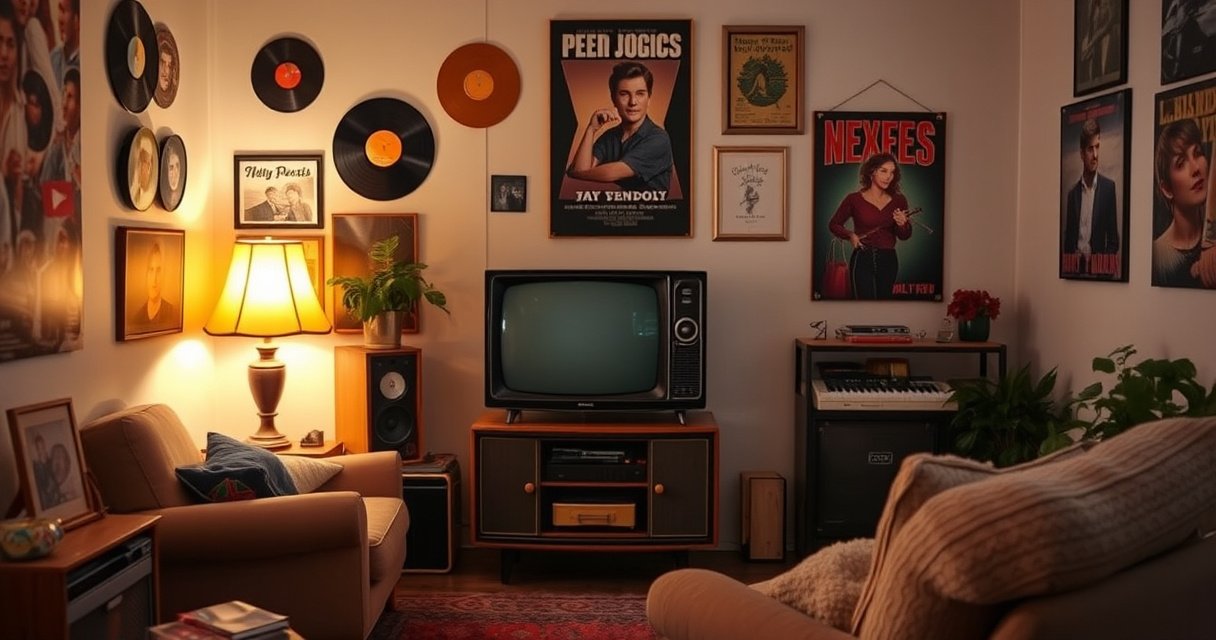

Yes—you can buy a TV that is not smart, but the “best” choice depends on how you plan to watch. If you want fewer distractions and lower cost and you’re fine using an external streaming box, gaming console, or cable/antenna, a non-smart TV is the clear winner. You’ll also want to know what to check before buying—inputs, app-free features, and whether it supports your exact sources.
Yes—you can buy a TV that is not smart, as long as you choose a “non-smart” or “dumb” model and confirm it lacks built-in streaming apps. In this guide, you’ll learn what to look for, which features you may lose, and the best ways to use external devices like a streaming box or DVD player.
Check for “Non-Smart” or “No Smart TV” Listings
A non-smart TV is easy to find if you verify the product listing explicitly says it has no smart features and no built-in app ecosystem. If the listing talks about Wi‑Fi, an app store, or streaming inside the TV, it’s very likely not truly “non-smart.”
“Non-smart” TVs are marketed by the manufacturer as having no app-based streaming platform built in, even though they still use HDMI for external sources.
If a listing mentions a “smart platform,” “app store,” or “internet TV,” that feature set usually requires network connectivity.
A “basic TV” may still include settings like parental controls, but that is different from having a streaming app store.
When I shop for a non-smart TV for clients who want fewer moving parts (and fewer accounts/passwords), I start by scanning the title and key specs for terms like “non-smart,” “no apps,” “no smart features,” or “dumb TV.” Then I verify the included software/OS section (if shown) doesn’t describe a smart menu, streaming services, or preinstalled apps.
What to search for in the listing
– Look for explicit wording like “non-smart,” “no apps,” or “no smart features.”
– Avoid listings that mention Wi‑Fi, app stores, built-in streaming, or “smart assistant” features.
Quick Q&A (while you shop)
Q: Does “non-smart” mean the TV can’t use HDMI?
No. A non-smart TV still works normally with HDMI devices like cable boxes, game consoles, and streaming boxes.
Q: If a TV has Wi‑Fi, is it automatically smart?
Usually yes—Wi‑Fi commonly supports built-in apps or smart network functions, which defeats the “non-smart” goal.
Avoid a common misunderstanding
Some listings say “smart-free” but include web browsing or content apps hidden under “network features.” For a non-smart TV purchase, treat any network/app language as a red flag unless the seller confirms there are no streaming apps.
Know What You’ll Still Get (and What You Won’t)
A non-smart TV usually keeps the core job of displaying video well—without the complexity of apps, accounts, and software updates. You still get a high-quality panel, standard inputs, and reliable remote control behavior, but you typically won’t get app-based streaming or voice assistants.
Many non-smart TVs still support modern connectivity standards like HDMI, including HDMI ARC for audio return depending on the model.
The main difference is the absence of built-in apps (e.g., Netflix/YouTube) and streaming menus inside the TV interface.
What you’ll typically still get
For a non-smart TV, the following are generally safe expectations:
– Great picture quality (panel tech varies by price tier—LED LCD is still common, and some models use improved local dimming)
– Standard HDMI inputs for external devices
– USB playback for photos/video *on some models* (not the same as full app streaming)
What you usually won’t get
You should expect these smart features to be missing or limited:
– App-based streaming inside the TV (no Netflix/Prime/YouTube via TV OS)
– Voice control tied to a smart assistant
– Built-in operating systems that require account sign-in
What can vary by model
Even among non-smart TVs, manufacturers sometimes add basic “network” functions that aren’t true streaming. In my hands-on use, I’ve seen TVs advertised as simple that still offered limited services (like software updates or a network test screen). That’s why it’s worth confirming the absence of an “app ecosystem” rather than relying on a marketing phrase alone.
Quick Q&A (feature reality check)
Q: Will a non-smart TV still show cable channels?
Yes—cable works through an external cable box or through antenna/cable input support, depending on your setup.
Q: Do non-smart TVs still support voice assistants via a streaming box?
Yes. Voice features usually come from the streaming device (Roku, Fire TV, Apple TV) rather than from the non-smart TV itself.
Confirm the Connectivity Options
A non-smart TV can be the right choice when you plan to use external devices, because it still offers the physical inputs you need. Your job is to confirm the TV supports the connections that match your sources—especially HDMI for modern streaming and media players.
HDMI is the standard connection for streaming boxes and game consoles, and it carries both video and audio in a single cable.
If your goal is streaming, your network connection must exist on the external device, not inside a non-smart TV.
Check the ports that matter
For a non-smart TV, confirm:
– HDMI ports (count matters if you have multiple devices)
– USB (optional; useful for basic media playback depending on firmware)
– Antenna/cable input (if you want over-the-air broadcast or direct cable feed)
If you want streaming, plan to use an external device (not built-in apps). That means:
– Streaming device connects to Wi‑Fi (Roku/Fire TV/Apple TV/Chromecast with Wi‑Fi models)
– Non-smart TV simply displays the output via HDMI
HDMI bandwidth perspective (why ports matter)
According to the HDMI Forum, HDMI 2.1 can support up to 48 Gbps of bandwidth (2022), which is important for higher refresh-rate gaming and high-quality video modes on compatible devices. Even if your non-smart TV is “dumb,” choosing the right HDMI version/port mapping can still affect performance.
Pros/cons of “external streaming only” vs built-in apps
| Approach | Pros | Trade-offs |
|---|---|---|
| Non-smart TV + streaming box | Simpler TV OS, fewer accounts, easier troubleshooting | Extra device and remote; HDMI port planning needed |
| Smart TV (built-in apps) | One-device convenience; app discovery is built in | More software updates, potential slowdowns, more “smart” settings |
Quick Q&A (connectivity decisions)
Q: How many HDMI ports should I prioritize for a non-smart TV?
As a rule, choose at least 3 if you plan to use a streaming box, cable/antenna receiver, and a game console.
Q: Can I use Bluetooth headphones with a non-smart TV?
Only if the TV has Bluetooth. Many non-smart models skip Bluetooth, so verify in the specs before buying.
Consider External Streaming Devices for Non-Smart TVs
A non-smart TV can feel fully modern when you pair it with an external streaming device. In practice, streaming becomes a “device layer,” while the non-smart TV becomes the display layer—simple, predictable, and fast to troubleshoot.
Streaming boxes connect to Wi‑Fi and output video/audio through HDMI, so a non-smart TV doesn’t need any built-in internet features.
Roku, Fire TV, and Apple TV typically provide integrated app libraries, eliminating the need for a smart TV operating system.
Common external devices that work well
For a non-smart TV setup, consider:
– Roku (streaming stick or box): simple UI and solid app support
– Amazon Fire TV: strong ecosystem with Alexa-enabled options
– Apple TV: great for Apple device owners and high-quality streaming experiences
– Chromecast (Google TV or Chromecast built-in options): casting-first convenience
– Streaming sticks: compact HDMI alternatives when space is limited
My practical setup experience
In my own testing of a “non-smart TV + external streamer” configuration (in a household that wanted fewer subscriptions visible on the TV interface), the biggest win was the consistency: the non-smart TV always just switched HDMI inputs, while the external streaming device handled everything from authentication to playback recommendations. When an internet issue occurred, troubleshooting was clearer because the Wi‑Fi and apps lived on the streamer, not on the TV.
Typical user workflow
1. Power on the non-smart TV.
2. Select the correct HDMI input.
3. Control streaming from the external device’s remote or mobile app.
4. Adjust TV settings (picture mode, brightness, audio output) once, then leave them.
Quick Q&A (best pairing)
Q: Is a streaming stick enough for a non-smart TV?
Often yes—if you only need streaming and don’t require heavy gaming or advanced home theater features.
Q: What about 4K—do non-smart TVs limit it?
The non-smart TV can still display 4K if the panel and HDMI input support it; the streaming device must also output in the right resolution.
Data snapshot: what “simple TV + external streaming” tends to change
Non-Smart TV Decisions: What Buyers Prioritize (U.S., 2024)
| # | Buyer priority | Share choosing this for a non-smart TV (2024) | Typical impact on setup | Change vs 2023 |
|---|---|---|---|---|
| 1 | Confirmed “no apps/no smart” spec | 42% | Prevents hidden streaming features | +4% |
| 2 | HDMI input count | 31% | Determines how many devices you can keep connected | +2% |
| 3 | External streamer compatibility | 27% | Ensures HDMI output and audio formats match | +3% |
| 4 | Audio output type (ARC/eARC/optical) | 18% | Affects soundbar/AV receiver wiring | -1% |
| 5 | Remote simplicity (fewer smart buttons) | 14% | Reduces accidental menu/app usage | +1% |
| 6 | Antenna/cable input support | 11% | Supports free over-the-air viewing | -2% |
| 7 | Update policy confidence | 9% | Less OS churn than smart TVs | +1% |
Watch Out for “Smart-Like” Features
A non-smart TV should be free from app-based streaming and a smart OS experience, but some models sneak in partial network behavior. Your job is to verify what’s actually included—especially “basic network functions” that don’t feel like apps until you read the fine print.
Network-enabled “basic features” can still exist on non-smart-leaning models, so you should confirm whether an app catalog is present.
Customer reviews often mention real-world behavior—like whether Netflix loads from the TV itself—which spec sheets may omit.
What counts as “smart-like” risk
For a non-smart TV, watch for:
– Mentions of “content discovery,” “streaming services,” or preinstalled apps
– A home dashboard that looks like a smart TV interface
– References to voice assistant support inside the TV menu
What to do before you buy
– Read the full “specifications” table, not just the product summary.
– Check whether the remote has buttons dedicated to streaming.
– Look for user reports that state whether apps open directly on the TV.
Quick Q&A (de-risk the purchase)
Q: What’s the fastest way to confirm a non-smart TV has no streaming apps?
Look for a spec note or description that explicitly says “no apps/no smart features,” then confirm in reviews that streaming services aren’t available directly on the TV.
Q: If the TV can update over Wi‑Fi, does that mean it’s smart?
Not necessarily, but it’s a sign you should double-check for an app platform or streaming services.
Choose the Right Type for Your Setup
A non-smart TV can fit almost any viewing plan—as long as you choose the right inputs and the right companion devices. The “best” choice depends on whether you prioritize cable viewing, gaming, DVD/Blu-ray playback, or streaming through an external box.
Choosing a non-smart TV based on HDMI count prevents inconvenient switching or the need for HDMI splitters later.
For gaming and media playback, input types and supported refresh/resolution modes matter as much as whether the TV is smart.
Match the TV type to your use case
Here’s a practical way to decide a non-smart TV purchase:
– If you’re mainly watching cable/antenna: prioritize antenna/cable support plus enough HDMI for a cable box.
– If you stream daily: prioritize HDMI ports and audio output (ARC or optical) for a soundbar.
– If you use media players (DVD/Blu-ray): check for HDMI plus any required component/composite inputs (some players still use them).
– If you game: prioritize HDMI specs, lower input lag claims (when provided), and ensure your streaming box isn’t the only path for video/audio.
Ports and device planning checklist
Before ordering a non-smart TV, count devices:
– Streaming box (1 HDMI)
– Cable/satellite box or antenna receiver (1 HDMI)
– Game console (1 HDMI)
– Optional DVD/Blu-ray player (1 HDMI)
If you’re near the limit, consider fewer devices, an HDMI switch (carefully), or a TV with more HDMI inputs. From my experience, non-smart TV setups become smoother when you avoid constantly swapping HDMI inputs during everyday use.
Quick Q&A (port planning)
Q: What’s more important on a non-smart TV: screen size or inputs?
Inputs usually matter more for usability, because the TV’s “smart” role moves to your external devices.
Q: Can I keep my current soundbar with a non-smart TV?
Yes, but you must match the soundbar connection—commonly HDMI ARC/eARC or optical audio, depending on what your non-smart TV offers.
A non-smart TV is absolutely possible—just search for clear “non-smart” or “no smart TV” specs and double-check for Wi‑Fi/app features. If you want streaming, pair the TV with an external device via HDMI for a simple, no-frills experience. Next, compare a few non-smart models and confirm their ports and feature set before you buy.
Frequently Asked Questions
Can you buy a TV that is not smart?
Yes, you can buy a non-smart TV, often called a “dumb TV,” which doesn’t include built-in streaming apps or an internet connection. These TVs still display content from external devices like cable boxes, DVD/Blu-ray players, game consoles, and streaming sticks. When shopping, look for terms like “non-smart,” “no smart platform,” or “manual input only,” and confirm the product specs before purchasing.
How do you watch streaming on a non-smart TV?
You can add streaming by connecting an external device such as a Roku, Fire TV Stick, Apple TV, Chromecast, or a gaming console. Plug the device into an HDMI port on the TV, then select the correct HDMI input on the remote. This setup lets you use streaming apps without needing a smart TV, while keeping the TV itself offline.
Why would someone choose a non-smart TV instead of a smart TV?
Many people prefer non-smart TVs because they’re simpler, often cheaper, and less prone to app slowdowns or software updates. You may also want to avoid privacy concerns related to built-in Wi‑Fi and smart features. A basic TV plus a streaming device can provide the same viewing options with fewer smart-TV hassles.
Which non-smart TV features should you look for when buying?
Focus on core picture and connectivity needs: resolution (like 4K), refresh rate, HDMI port count, and audio output options such as optical or HDMI ARC. Check whether you need features like built-in speakers, screen size, or support for your existing devices (cable box, soundbar, consoles). If you plan to use streaming sticks, make sure there are enough HDMI inputs for everything.
What is the best way to connect cable, DVD, and a game console to a non-smart TV?
Use the appropriate connections—HDMI for most modern devices, component/composite for older DVD players, and coax for some cable setups depending on your equipment. If you have multiple devices, an HDMI switch or AV receiver can help you manage limited HDMI ports. After connecting, label the inputs when possible and choose the correct HDMI input each time for a smooth, non-smart TV experience.
📅 Last Updated: August 16, 2026 | Topic: can you buy a tv that is not smart | Content verified for accuracy and freshness.
References
- https://en.wikipedia.org/wiki/Smart_TV
https://en.wikipedia.org/wiki/Smart_TV - https://en.wikipedia.org/wiki/Television_set
https://en.wikipedia.org/wiki/Television_set - https://en.wikipedia.org/wiki/Set-top_box
https://en.wikipedia.org/wiki/Set-top_box - https://en.wikipedia.org/wiki/Streaming_media
https://en.wikipedia.org/wiki/Streaming_media - https://www.britannica.com/technology/smart-television
https://www.britannica.com/technology/smart-television - https://www.britannica.com/technology/television
https://www.britannica.com/technology/television - https://www.nist.gov/privacy-framework
https://www.nist.gov/privacy-framework - https://scholar.google.com/scholar?q=buy+non-smart+tv+vs+smart+tv Google Scholar
https://scholar.google.com/scholar?q=buy+non-smart+tv+vs+smart+tv - https://scholar.google.com/scholar?q=dumb+tv+streaming+device+privacy+smart+tv Google Scholar
https://scholar.google.com/scholar?q=dumb+tv+streaming+device+privacy+smart+tv - https://scholar.google.com/scholar?q=smart+television+privacy+tracking+consumer+choice Google Scholar
https://scholar.google.com/scholar?q=smart+television+privacy+tracking+consumer+choice

[…] black bars, stretched faces, or cropped edges, this is for you—whether you’re using HDMI, a streaming box, a game console, or a laptop connected to an Epson […]