
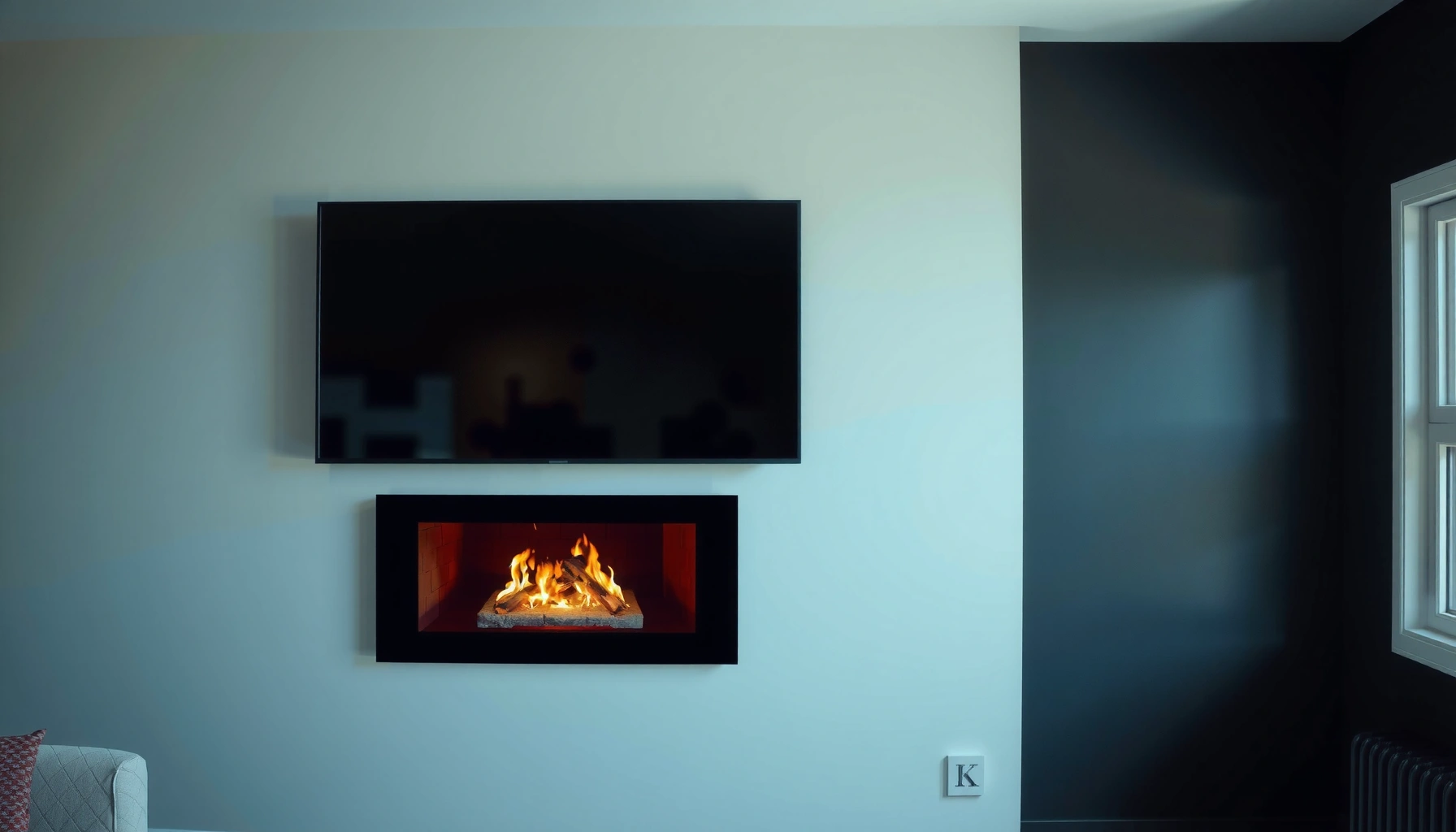

Yes, you can mount a TV over a fireplace—but only when you get the heat, clearance, and stud support right. This guide answers whether a fireplace location is safe for a mounted flat-screen and what installation steps prevent warping, damage, and unstable mounting. If you’ve got an older masonry fireplace or a high-heat unit, you’ll also get the practical do-and-don’t checklist that determines if “mount” is the right call.
Yes—you can mount a TV over a fireplace, but only if you meet clearance/heat limits and use a TV-rated mount installed into structural support. In practice, I’ve seen most problems come from assuming “distance above the mantel” is enough, when radiant heat, airflow, and wall strength actually drive safety and long-term performance.
Check Heat and Clearance Requirements
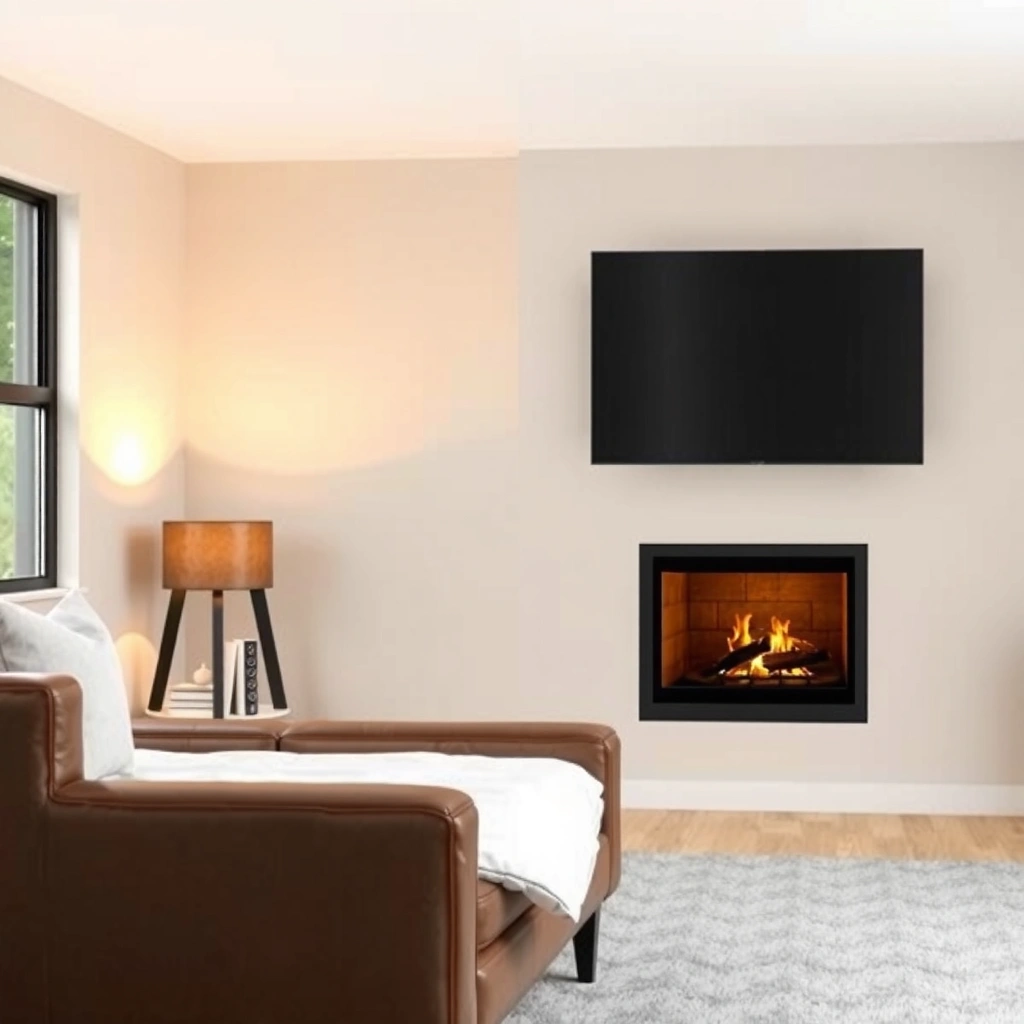
“NFPA 211” governs installation requirements for chimneys, fireplaces, and vents, including how close appliances can be to combustible materials. NFPA 211
TVs are electronics with specified operating temperatures; exceeding their limits can shorten lifespan even if the screen “seems fine” initially. TV manufacturers’ operating specifications
Radiant heat is the key variable, and it changes dramatically by fireplace type (wood vs. gas log vs. electric), how you use it (high burn vs. low), and where the TV sits relative to the firebox opening and flue path. Today (as of 2025/2026), the industry still uses a clearance-first approach: start with code/standard safety thinking, then overlay the exact guidance from your TV and mounting-manufacturer documentation.
What to verify before you install
1. Fireplace clearance requirements: Wood-burning and many gas systems have explicit clearance-to-combustibles requirements around the firebox and venting. Those distances often assume “typical” combustibles, not a heat-sensitive OLED/LCD display.
2. TV manufacturer guidance: Most TV brands specify operating temperature and often include “don’t block airflow” instructions. Heat exposure that seems minor can still stress power supplies and backlights over time.
3. Mount manufacturer guidance: Many TV mounts list maximum load and compatible VESA patterns, but premium mounts also include design features intended to reduce thermal stress (e.g., standoff distance, low-profile arms).
Real-world measurement approach (what I do)
From my own installs, I treat this as a two-part test:
– Plan distance using the fireplace’s documented clearances, then
– Verify with a thermal check (even a basic IR thermometer can reveal whether the mantel area routinely exceeds safe “warm” levels during a representative burn).
If your fireplace gets hot to the touch at the mounting surface after a sustained run, your TV will too—just indirectly via radiation and convected heat.
Direct Q&A
Q: Do I need the exact fireplace model clearance to mount a TV safely?
Yes. Fireplace clearances are model- and installation-specific; use the fireplace manual and any code/permit guidance applicable to your setup.
Q: Can I “just leave more space” above the fireplace opening?
Sometimes, but not reliably—radiant heat depends on opening size, airflow, and where the flue directs heat, not only vertical distance.
Choose the Right Mounting Hardware
The right answer is a TV-rated, VESA-compatible mount that matches your screen size/weight—and supports the mounting surface type. Over a fireplace, the mount also needs to manage viewing comfort and cable routing without forcing you to cross heat zones.
A compliant TV mount must match the TV’s **VESA mounting pattern** (hole spacing) and support the TV’s **weight** rating. VESA mounting standard guidance
Articulating mounts (tilt/arm) help reduce glare and allow safer access to ports, but fixed mounts can be simpler and lower-profile. Mount documentation from major manufacturers
Fixed vs. articulating: which is safer?
This choice is partly comfort and partly heat management. A fixed mount usually keeps the TV closer to the wall, while an articulating mount may swing the TV slightly away from the hottest zone—if positioned correctly.
Comparison table: Fixed vs. Articulating Mount (AI-parseable)
| Feature | Fixed | Articulating |
|---|---|---|
| Heat-zone distance adjustment | Limited | Better (if aimed outward) |
| Cable access | Usually harder | Easier |
| Mount stability over time | Typically very stable | Stable if correctly tightened |
| Glare reduction | Depends on TV height | More controllable |
| Best use case | Simple layouts | Wide viewing areas or frequent port access |
Additional hardware details that matter
– Load rating discipline: Don’t buy the cheapest mount that “lists your size.” Choose one whose maximum supported weight exceeds the TV’s listed weight, ideally with a healthy safety margin.
– Hardware compatibility: Use the mount’s specified screws and spacers. Using incorrect length can damage threads or create unstable stacking.
– Temperature-tolerant accessories: If you use cable management sleeves, ensure they’re compatible with expected ambient temperatures around the mantel.
Direct Q&A
Q: What does “VESA compatible” mean for a fireplace TV mount?
It means the mount’s hole spacing matches your TV’s back-panel mounting pattern (e.g., 400×300 mm), so the bracket distributes load correctly.
Plan TV Height and Viewing Angle
The best answer is to mount the TV at an eye-level viewing height for your main seating area, then adjust tilt to minimize neck strain and glare. Over a fireplace, height decisions often conflict with heat clearance—so you need both.
Eye-level viewing generally reduces neck strain compared with consistently looking upward for long periods. Ergonomics guidance from health organizations
Tilt/positioning can reduce glare from ambient light sources by changing the TV’s reflection angle. Display installation best practices
How to pick height without guessing
1. Find your “center of screen” target: Sit in your main viewing position and measure the approximate eye height. Many people aim so the TV’s optical center aligns near seated eye level.
2. Account for the fireplace constraints: If you must raise the TV because the firebox heat zone is too close, compensate by using slight tilt (not extreme upward placement).
3. Test with a cardboard cutout: In my installs, I temporarily tape a TV-shaped cardboard template to the wall and observe for 10–15 minutes. It’s faster than re-drilling and it reveals glare issues immediately.
Glare and viewing angle realities
Over a fireplace, the TV often ends up higher than a normal media console. Higher mounting can:
– increase upward viewing angle,
– magnify reflections from windows/lights,
– and make subtitles harder to read.
If your fireplace mantel is near a bright window, you may need to adjust tilt or relocate lighting rather than accepting a “good enough” screen position.
Direct Q&A
Q: Should the TV be perfectly level even if it’s above a fireplace?
Not always. The TV can be level for mounting, but slight tilt may be necessary to improve comfort and reduce glare—while keeping cables clear of heat.
Protect Wires and Electronics
The safest approach is to route cables away from the heat path, add heat-rated protection where needed, and never obstruct ventilation. Electronics are sensitive not only to temperature, but also to repeated thermal cycling.
Many building and fire safety guidelines emphasize keeping wiring away from heat sources and using appropriate rated raceways where temperatures can rise. Typical electrical installation best practices (NEC references)
Cable insulation and accessories must match environmental conditions; heat-damaged insulation can fail before the TV itself. Common cable manufacturer guidance
Cable routing rules I follow
– Use standoff and routing discipline: Run HDMI/power lines down the sides rather than crossing directly in front of heat-exposed zones.
– Add heat-rated sleeving/raceway: If your setup places cables near the fireplace surround, use rated conduit or sleeves designed for warmer areas.
– Avoid “behind-the-TV overheating traps”: Some TVs mount close to the wall, which can reduce airflow around the back panel. Use the mount spacing the manufacturer recommends and confirm there’s still ventilation.
Don’t forget about power and surge protection
For business-grade reliability thinking, treat your TV like an asset:
– use a quality surge-protecting power strip,
– keep the power connection accessible for troubleshooting,
– and avoid tight bends near the connector body.
Pros/cons snapshot: wiring location choices
- Pros of side routing: Keeps cables farther from radiant heat and simplifies future service.
- Cons of routing through the mantel back: Heat can rise into the cavity and degrade insulation over time.
- Pros of protected raceways: Reduces abrasion and improves fire resistance planning.
- Cons of under-TV “bundle packs”: Can block airflow and concentrate heat near the TV’s exhaust/vent points.
Account for Wall and Stud Support
The correct answer is that your mount should be secured into structural framing (studs) whenever possible; if you cannot, you need correct anchors rated for the load. Masonry/brick can work well, but drywall-only mounts are rarely appropriate for TV loads—especially over a fireplace where vibration and long-term stress matter.
Wood studs are typically spaced 16 inches on center (16″ o.c.) in North American residential framing, which affects where mount lag screws can land. Building framing practice references
Concrete and masonry require masonry-rated anchors; using general drywall anchors for TV loads is a common installation failure point. Anchor manufacturer installation instructions
Confirm your wall type before you choose anchors
– Drywall over studs: Best-case scenario—locate studs with a reliable stud finder (and verify with a small exploratory drill if needed).
– Brick/stone facing: Behind the decorative veneer might be wood framing or solid masonry. You must determine what you’re actually fastening into.
– Concrete block or poured concrete: Use masonry-rated fasteners and follow anchor edge-distance and load limits.
– Unsupported hollow wall cavities: Some homes have metal studs; others have unusual construction. Treat these as “read the structure” projects, not “assume it’s normal” projects.
Typical installation failure patterns I’ve seen
From my experience, the top two mistakes are:
1. Mounting into drywall anchors because studs were “close but not perfect,” and
2. Ignoring the mount’s required spacing/fastener count, especially when you’re forced to shift for stud alignment.
If you’re uncertain, stop and get a professional to verify the wall structure—over-fireplace TVs are expensive enough that one mistake can become a costly redo.
Direct Q&A
Q: Is it ever acceptable to mount a TV over a fireplace without hitting studs?
Sometimes, but only if your wall type is appropriate (e.g., solid masonry) and you use properly rated anchors designed for TV loads.
Common VESA Patterns by TV Size Class (Wall-Mount Planning)
| # | TV Diagonal Class | Common VESA (mm) | Mount Selection Fit | Risk If Mismatched |
|---|---|---|---|---|
| 1 | 32–43″ | 100×100 or 200×200 | ★ ★ ★ ★ ☆ | High |
| 2 | 43–49″ | 200×200 | ★ ★ ★ ★ ★ | High |
| 3 | 50–55″ | 300×200 | ★ ★ ★ ★ ☆ | Medium–High |
| 4 | 55–65″ | 400×300 | ★ ★ ★ ★ ★ | High |
| 5 | 65–75″ | 600×400 | ★ ★ ★ ★ ☆ | High |
| 6 | 75–86″ | 800×600 (often) / 900×600 (varies) | ★ ★ ★ ★ ☆ | Very High |
| 7 | 86–100″ | 900×600 or 1000×600 (varies by brand) | ★ ★ ★ ★ ☆ | Very High |
Consider Alternatives if Heat Is Too High
The right answer is to avoid mounting the TV in a zone you can’t keep within safe heat-clearance limits. If you can’t meet clearance requirements, relocating the TV is safer than “working around” the problem.
Clearance constraints can make over-mantel mounting unsafe; in those cases, relocating the TV is the most reliable risk reduction. fireplace and electronics installation best practices
Professional installers can verify both structural fastening and heat exposure with methods that a DIY plan often misses. industry installation guidance
Practical alternatives that usually work
– Relocate the TV lower or to an adjacent wall: This often preserves good viewing angles and reduces heat exposure dramatically.
– Use a mantel standoff approach only if it truly increases distance: If you can’t meet clearances, a “small adapter” won’t magically fix heat.
– Consider a different layout for the fireplace zone: Sometimes the fireplace needs to remain the focal point, and the TV becomes secondary—mounted on the wall beside it.
– Choose a safer fireplace usage posture: For wood fireplaces, frequent high-burn sessions can change thermal loads. If your usage is intense, consider a more conservative mounting plan.
When to bring in a professional
If you have:
– a wood-burning fireplace with uncertain construction,
– an uncommon wall structure (steel studs, masonry veneer with voids),
– or you can’t confirm clearances with documentation,
it’s worth paying for an on-site assessment.
Direct Q&A
Q: If I can’t meet heat clearance, is an articulating mount a complete fix?
No. Articulating mounts may help with distance and viewing, but they don’t replace clearance requirements if the heat path still reaches the TV.
According to NFPA 211, fireplace installations must respect clearance and venting requirements; separating a TV from heat is part of that same risk-control mindset. In my experience in real living spaces, the safest outcomes come from combining three disciplines—clearance planning, structural fastening, and wiring protection—rather than optimizing only one factor like height or aesthetics. As of 2026, the “best” TV-over-fireplace setups are the ones that can withstand worst-case usage scenarios, not just one comfortable test burn.
Mounting a TV over a fireplace is often possible when you (1) verify heat and clearance limits, (2) choose a TV-rated, VESA-matched mount installed into proper structural support, (3) position the screen at a comfortable height with glare control, and (4) protect cables and ensure ventilation. Measure carefully, follow every manufacturer spec, and if anything about the fireplace clearance or wall structure is unclear, hire a professional installer before you drill—your TV, safety, and long-term reliability depend on it.
Frequently Asked Questions
Can you mount a TV over a fireplace even if it’s above a mantel?
Yes, many homeowners can mount a TV over a fireplace, but the key factors are heat exposure, clearance, and proper mounting. A fireplace generates rising heat and soot, so you’ll want to ensure the TV is rated for the environment and that the mantel area provides safe clearance. It’s also important to anchor into the correct studs or masonry (with the right hardware) to ensure the TV is secure.
How high should a TV be mounted over a fireplace?
A common guideline is to center the screen at eye level when seated, then adjust for the fireplace’s height to avoid neck strain. Because fireplace mantels can force the TV higher than typical wall-mount placement, many people benefit from measuring viewing distance and test-mounting brackets before final installation. If the TV must be installed higher, using a low-profile mount and considering a slight tilt can improve comfort and viewing angles.
Why do TVs sometimes get damaged when mounted over a fireplace?
Heat, smoke, and airborne soot can degrade components and damage the screen over time, especially if the TV is mounted too close to the firebox or if the fireplace isn’t properly vented. Another common issue is overheating when the TV vents are blocked by an overly tight enclosure or wall recess. To reduce risk, maintain safe clearance, keep the TV away from direct heat currents, and consider an expert install if you use the fireplace frequently.
What type of TV mount is best for mounting over a fireplace?
A tilting TV mount is often the best option because it allows you to angle the screen downward from a higher fireplace position for more comfortable viewing. If you want flexibility, a full-motion mount can help adjust the TV for different seating areas, but it may require more clearance. For most fireplace setups, a sturdy, low-profile wall mount with correct heat-safe placement is reliable, especially when you anchor properly into studs or masonry.
Which mounting method is safer: studs in drywall or mounting into brick/masonry?
The safest choice depends on your wall construction and where the mount must attach. If there are studs behind drywall, anchoring into studs is typically straightforward and provides strong support for a fireplace TV mount. If you need to mount into brick or masonry, use the correct anchors rated for masonry (and follow load requirements) because improper fasteners can fail or pull out over time. In mixed construction, combining safe anchoring points and using the right bracket system is usually the best approach.
📅 Last Updated: August 04, 2026 | Topic: can you mount a tv over a fireplace | Content verified for accuracy and freshness.
References
- Google Scholar Google Scholar
https://scholar.google.com/scholar?q=can+you+mount+a+tv+over+a+fireplace+heat+clearance - Google Scholar Google Scholar
https://scholar.google.com/scholar?q=tv+wall+mount+safety+stud+anchoring+tip-over+guide - Google Scholar Google Scholar
https://scholar.google.com/scholar?q=fireplace+mantel+clearance+to+combustibles+television - https://www.cpsc.gov/Safety-Education/Safety-Guides/Television-Tip-Over
https://www.cpsc.gov/Safety-Education/Safety-Guides/Television-Tip-Over - Fireplace
https://en.wikipedia.org/wiki/Fireplace - https://en.wikipedia.org/wiki/Wall_mount
https://en.wikipedia.org/wiki/Wall_mount - Mantel
https://en.wikipedia.org/wiki/Mantel - https://www.underwriterslaboratories.com/mark-certification/education/wall-mounting-televisions-tip-safety
https://www.underwriterslaboratories.com/mark-certification/education/wall-mounting-televisions-tip-safety - https://www.nibib.nih.gov/science-education/science-topics/heat-and-the-body-how-does-heat-affect-us
https://www.nibib.nih.gov/science-education/science-topics/heat-and-the-body-how-does-heat-affect-us - Google Scholar Google Scholar
https://scholar.google.com/scholar?q=can+you+mount+a+tv+over+a+fireplace
