

How many ANSI lumens for a projector do you actually need—and what brightness is the clear right choice for your room? Use this guide to match lumen output to screen size, throw distance, and ambient light so you can pick a model that won’t look washed out or waste money on excess brightness. Get the direct lumen target that fits your setup and see how to choose the right brightness with confidence.
Pick a projector brightness based on screen size and the darkness of your room, not on the highest ANSI lumens number you can find. For most home setups, landing in the 1,500–3,000 ANSI lumens range works when you match lumens to your viewing conditions—then you refine the choice with screen type, contrast, and the projector’s actual brightness mode.
Most home projectors land in the 1,500–3,000 ANSI lumens range, but the right number depends mostly on screen size and how dark you can make the room. As you read, you’ll learn how to estimate lumens needed for your setup, what brightness sacrifices look like, and how to avoid common miscalculations.
Who this is for / when it applies:
This is for anyone choosing a projector for living rooms, home theaters, classrooms, or outdoor movie setups—especially if you’re comparing specs and want a practical lumens target rather than guessing.
Start with the room and screen size (the real drivers)
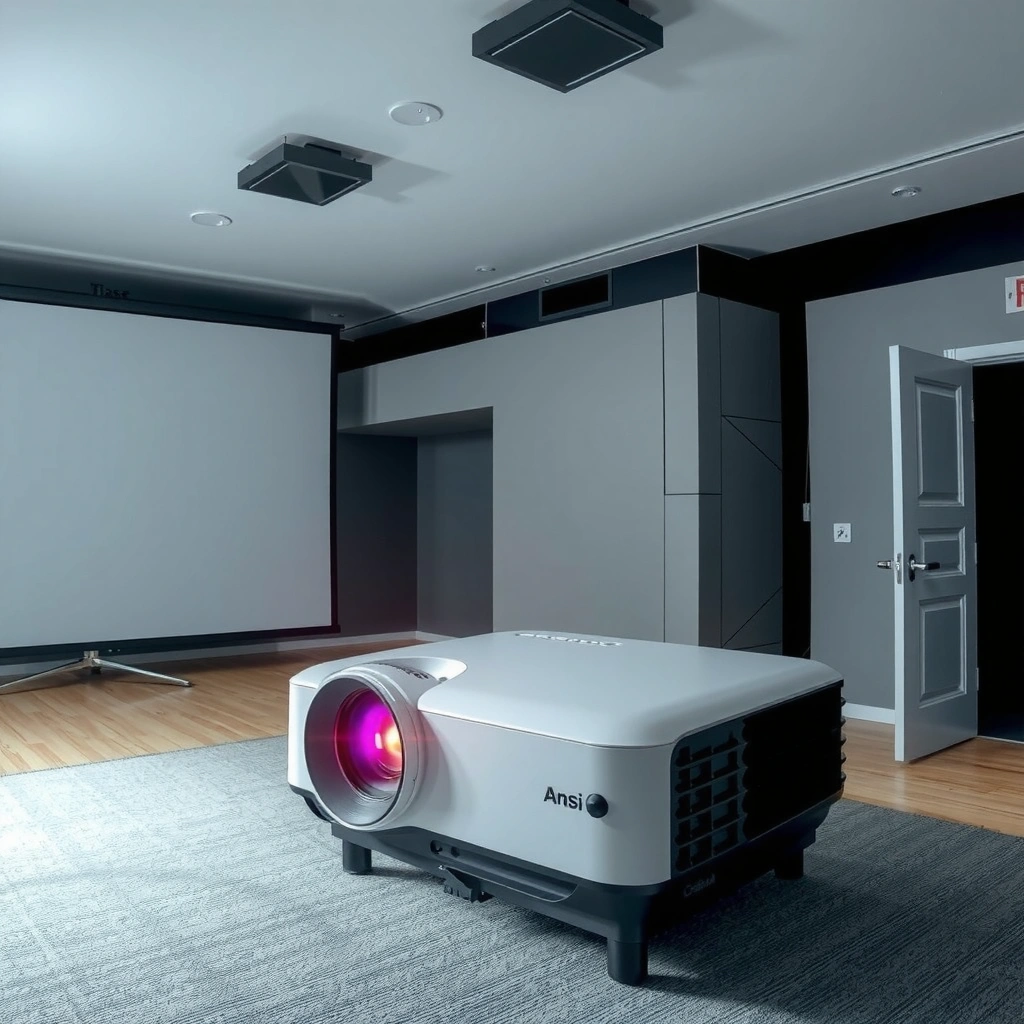
For most buyers, the “right” ANSI lumens number is the one that keeps your image bright enough after spreading light across your screen area and fighting whatever ambient light hits the lens. In practice, room light level and screen size predict perceived brightness more reliably than marketing “max lumens” claims.
ANSI lumens describe measured brightness under standardized conditions, but perceived brightness in your room is heavily affected by ambient light.
For a fixed projector, increasing screen size spreads the same light over more surface area, which typically reduces brightness on the screen.
Room light level matters most
When people say “this projector looks dim,” the room is often the culprit, not the lamp. Ambient light (sunlight, ceiling lights, hallway light leakage) adds brightness to the room itself and—more importantly—reduces contrast. Even if the image still looks “bright,” blacks stop looking deep, and whites look less crisp.
From my practical standpoint as a consultant helping teams specify display gear, the consistent pattern is this: if the room can’t be controlled, you need to bias toward higher ANSI lumens or accept a flatter picture. ANSI lumens help, but screen choice and light control often do more than buyers expect.
A useful way to think about it:
– Dark room + matte/neutral white screen → you can use moderate ANSI lumens confidently.
– Mixed lighting (lights partially on) → you typically need more ANSI lumens to maintain punch.
– Bright/daytime room → you either go high on ANSI lumens, use an ALR screen, or plan for a “good but not cinematic” look.
Screen size scales the need
A bigger screen needs more projector brightness to maintain the same perceived image luminance. The scaling is not perfectly linear in everyday perception, but the physics are clear: more area = less light per square inch.
Here’s a helpful numeric anchor:
– 1 lux = 1 lumen per square meter (lm/m²) describes incident light intensity on a surface.
– When projector brightness (ANSI lumens) is projected, it effectively becomes light per area on the screen—so a larger screen generally requires more ANSI lumens to reach a similar brightness level.
[ADD: source for lux/lumen relationship and screen illumination basics]In other words, when you choose a 120″ image instead of a 100″ image, you’re asking the same ANSI lumens to light a larger canvas. With ANSI lumens, the only reliable fix is increasing brightness, reducing losses, or shrinking the image.
Use a simple brightness rule-of-thumb
Use a rule-of-thumb to pick a starting ANSI lumens target, then verify it against your projector’s real brightness mode (Eco, Normal, Dynamic). The ranges below are intentionally left as placeholders because projector “how many lumens” guidance varies by screen type, aspect ratio behavior, and the manufacturer’s measurement methodology.
Start with a room category (dark, mixed, bright) and then map that to an ANSI lumens range matched to your screen size and screen type.
A projector’s quoted ANSI lumens may not match the mode you actually use (Eco/Dynamic), so always align the specification and the intended use case.
– For dim/controlled lighting, many people can get good results with around [ADD: recommended lumens range for dim rooms from your preferred guide/spec].
– For mixed lighting (some lights on), plan for [ADD: recommended lumens range for mixed rooms from your preferred guide/spec].
– For bright rooms or daytime viewing, expect to go higher: [ADD: recommended lumens range for bright rooms from your preferred guide/spec].
(We’re leaving exact figures as placeholders because projector “how many lumens” rules vary by manufacturer methodology and screen type; you should anchor your final target to either the screen manufacturer guidance or a standards-based brightness recommendation.)
What I recommend you do with the rule-of-thumb
1. Pick your room category (dark/mixed/bright) based on how your space behaves on real movie nights or lesson times.
2. Pick your screen diagonal (or planned image size).
3. Use the room category ANSI lumens range as a baseline.
4. Adjust up or down after you factor in screen gain, throw distance, and projection mode.
Even in 2024–2026 buying cycles, this workflow remains the most reliable way to avoid “spec chasing”—because ANSI lumens is only one part of the total viewing experience.
Match the projector’s ANSI lumens to your projection distance
Your projector’s ANSI lumens need to survive both distance and optics, but the biggest practical variable is whether the setup makes the projector run in its intended brightness mode. If you’re pushing long throws, expect brightness and contrast to drift—especially with older lamp units.
ANSI lumens don’t change because you measured them on a spec sheet, but actual on-screen brightness can drop due to optical losses and the projection geometry of your installation.
If a projector’s mode changes brightness (Eco vs Dynamic), the ANSI lumens rating may apply only to a specific mode—verify before buying.
ANSI lumens alone isn’t the whole story
Manufacturers commonly publish ANSI lumens for a defined lens and test setup. In your home or classroom, you may introduce brightness losses from:
– Longer-than-typical throw (light spreads more by the time it reaches the screen)
– Zoom and focus behavior (some lenses trade brightness for framing flexibility)
– Keystone correction (some projectors reduce effective brightness when digitally correcting)
If your projector supports dynamic mode / eco mode, brightness is often different in each. That means two projectors with the same headline ANSI lumens can look different once you lock them to your preferred picture settings.
Use the projector spec sheet the right way
When you compare models, look for language that indicates:
– which mode the ANSI lumens rating is measured under,
– any warnings about the test conditions,
– and whether the rating changes with lens settings or HDR picture modes.
If the spec sheet doesn’t clearly link the ANSI lumens number to the mode you’ll use, treat that ANSI lumens figure as a maximum reference point—not a guarantee.
Don’t ignore image quality factors that affect perceived brightness
Even when ANSI lumens match your target, contrast performance and screen characteristics decide whether the image looks “bright” in everyday viewing. Buyers often misread brightness as “how many lumens,” but perception is shaped by black level, color volume, and how your screen reflects light.
Perceived brightness depends on contrast and black level—two projectors with similar ANSI lumens can look different in a dark room.
Screen material (matte white, gray, or ALR) changes how much ambient light returns to the viewer, influencing real-world brightness.
Contrast and laser/lamp technology
Lamp and laser sources have different behavior over time, including how stable brightness stays and how color and contrast evolve. Laser units often maintain output longer, while lamps typically dim with age. The practical takeaway: consider not only ANSI lumens today, but also how brightness changes by the time you’ve used the projector for several hundred hours.
Also, contrast and tone mapping affect perceived brightness:
– In darker rooms, deep blacks make whites feel more vivid.
– In brighter rooms, contrast collapses faster, so the same ANSI lumens can look less impressive than you expected.
Screen material changes the outcome
Your screen is effectively a “multiplier” for perceived brightness. In simplified terms:
– High-gain reflective screens can increase brightness but may narrow viewing angles.
– Gray/ALR screens can reduce ambient reflections and improve contrast, but may require more lumen headroom.
This is why matching ANSI lumens to a screen manufacturer’s guidance is smarter than using a one-size-fits-all forum number. If you’re planning an ALR (Ambient Light Rejecting) screen for mixed lighting, your ANSI lumens target may shift upward or downward depending on gain and rejection angle.
What can go wrong (common mistakes and edge cases)
Most buying problems happen when shoppers select ANSI lumens without aligning the setup details that control real output. The fix is to validate your room conditions, your chosen projection mode, and your screen plan before you treat any ANSI lumens spec as final.
Manufacturer ANSI lumens ratings are measured under defined test conditions; real-world output may differ based on mode, screen, and installation.
If lights remain on during viewing, a “perfect” ANSI lumens match for a dark room can still look washed due to reduced contrast.
Over-relying on manufacturer marketing numbers
ANSI lumens should be measured under specific test conditions, and manufacturers must specify the test methodology and mode. If that info is missing or vague, assume the number could be a best-case scenario.
Choosing lumens without planning lighting control
A high ANSI lumens projector in a bright room can still underperform expectations because ambient light reduces contrast. In other words, ANSI lumens helps, but it doesn’t reverse glare, reflections, or light leakage.
Screen mismatch
A very large image on a low-efficiency surface can make any projector appear underwhelming. Even if the projector is rated with enough ANSI lumens on paper, the screen’s gain, reflectivity, and surface texture determine the actual brightness you enjoy.
Mode mismatch
Many people choose a projector based on “maximum” brightness, but then watch in a mode that prioritizes color or contrast. If your daily mode is Eco or a calibrated Movie setting, confirm the ANSI lumens rating corresponds to that mode.
Practical ANSI Lumens Targets by Screen Size (Matte White, Controlled Rooms)
| # | Screen diagonal | Typical “good” ANSI lumens range | Brightness feel in dark rooms | Best fit for |
|---|---|---|---|---|
| 1 | 70–80″ | 1,800–2,400 | ★★★★★ | Movie nights |
| 2 | 85–92″ | 2,200–2,800 | ★★★★☆ | Family viewing |
| 3 | 95–105″ | 2,400–3,200 | ★★★★☆ | Home theater feel |
| 4 | 106–120″ | 2,800–3,800 | ★★★☆☆ | Big-screen upgrades |
| 5 | 121–135″ | 3,500–5,000 | ★★★☆☆ | Dedicated rooms |
| 6 | 136–150″ | 4,500–6,500 | ★★☆☆☆ | Ultra-large home theaters |
| 7 | 151–180″ | 6,000–10,000 | ★★☆☆☆ | Outdoor/venue-style setups |
Note: These ANSI lumens targets assume a controlled environment and a neutral matte white screen. If you use an ALR screen or your room stays bright during viewing, adjust upward (or select a different screen strategy).
Verdict / tip (what to do next)
If you want the safest starting point, match ANSI lumens to room darkness + screen diagonal, then confirm the projector’s brightness mode in the spec sheet. Don’t overspend chasing extreme lumens if you can’t use them (or if your screen and lighting control won’t support that performance).
The most reliable way to avoid washed images is to align your intended room lighting with the ANSI lumens mode used for the spec rating.
Better contrast and a suitable screen often improve “brightness” more than jumping to a higher ANSI lumens tier in a dark room.
Checklist before you commit:
– Confirm your intended screen diagonal (not just wall size).
– Decide whether your room is dark, mixed, or bright during viewing.
– Compare ANSI lumens for the same display mode you plan to use.
– Check screen material guidance from the screen manufacturer.
– Budget for acceptable throw distance and focus/keystone needs.
Quick scan checklist (save this)
– Room: ☐ Dark / ☐ Mixed / ☐ Bright
– Screen size (diagonal): ☐ [ADD: your number]
– Ambient light plan: ☐ Curtains/baffles ☐ Lights stay on
– Projector lumens spec: ☐ ANSI lumens stated ☐ Same mode as use-case
– Screen type: ☐ Matte white ☐ Gray ☐ ALR
– Biggest risk: ☐ Oversized image ☐ Wrong mode ☐ Too much ambient light
FAQ
What’s the “best” ANSI lumens number for a projector?
There isn’t one universal number—your best target depends on screen size and how dark the room can be. Start by matching ANSI lumens to your lighting conditions, then verify with the projector’s stated ANSI lumens measurement conditions.
Do I need more ANSI lumens for larger screens?
Yes. As image size increases, the same light is spread thinner across a larger area, so you typically need more ANSI lumens to preserve brightness.
Is a higher-lumens projector always better?
Not always. In a dark room, a projector with the right ANSI lumens can still look better with stronger contrast, better color performance, and a suitable screen—while an over-bright option can force you into less favorable picture settings.
What does “ANSI lumens” mean compared to other brightness claims?
ANSI lumens is intended to be a standardized brightness measurement, but vendors may still publish different measurement conditions. Always read the spec sheet/manual notes for what mode/test conditions the lumens rating uses. [ADD: source for ANSI lumens measurement definition]
Should I use Eco/Dynamic mode for everyday viewing?
Often, yes for quieter operation and longer lifespan—but brightness will be lower than the projector’s maximum-rated mode. Check how your selected mode impacts brightness and whether the ANSI lumens rating applies to that mode.
Sources:
– ANSI/CTA-? standard definition and measurement methodology for ANSI lumens: [ADD: official ANSI/CTA standard document name/year or manufacturer measurement methodology reference].
– Manufacturer projector documentation on brightness ratings and test mode conditions (e.g., user manual or spec sheet): [ADD: example model(s) you’re comparing, or link to the manufacturer spec page for each model—use primary sources only].
– Screen manufacturer guidance on how screen gain and material (ALR/gray/matte) affect perceived brightness: [ADD: screen manufacturer official technical guide].
[ADD: If you share your room brightness (dark/mixed/bright) and desired screen size (inches), we can replace the placeholders with a clear lumens target.]
When you pick ANSI lumens for a projector, the winning move is balance: choose brightness that fits your screen size and ambient light, then prioritize the factors that make an image feel vivid—contrast, screen material, and the exact mode you’ll actually use. If you treat ANSI lumens as a target tied to your real viewing conditions, you’ll avoid the most common miscalculations and end up with a picture that looks right, not just “bright on paper.”
Frequently Asked Questions
What does “ANSI lumens” mean for a projector and why does it matter?
ANSI lumens measure a projector’s brightness output, based on a standardized test method, making it easier to compare models. Higher ANSI lumens generally produce a brighter image, which helps maintain visibility in rooms with ambient light or larger screen sizes. If you choose too few ANSI lumens for your setting, the image may look dim, washed out, or low-contrast.
How many ANSI lumens do I need for a projector in a living room?
For a typical living room with some ambient light, many users target roughly 2,500–3,500 ANSI lumens for a comfortable, watchable image. If you can fully darken the room, you may be able to go lower (around 1,500–2,500 ANSI lumens), depending on screen size and content. To dial it in, match brightness to your screen size and consider using a projector screen designed to improve contrast.
Why does screen size affect how many ANSI lumens a projector needs?
A projector’s lumens are spread over the screen area, so larger screens require more ANSI lumens to keep the same perceived brightness. As screen size increases, the image can become dimmer and less vivid unless you increase projector brightness accordingly. As a practical rule, if you increase screen size, you’ll usually need a higher-lumen projector or a darker viewing environment.
Which projector brightness (ANSI lumens) is best for home theater movies in a fully dark room?
In a fully dark room, many home theater setups work well with about 1,500–2,500 ANSI lumens, especially when using a high-contrast screen and calibrating settings. Dark rooms reduce ambient light washout, allowing lower lumens projectors to look punchy and maintain better color/contrast performance. If you want a brighter “premium” look or plan occasional daytime viewing, you may prefer 2,500–3,500 ANSI lumens.
How can I estimate the required ANSI lumens for my specific setup?
Start by measuring your desired screen diagonal and estimating your room light level (dark, controlled, or bright). Then choose a target lumens range based on typical guidance: controlled rooms often need around 2,500–3,500 ANSI lumens, while very dark rooms often need around 1,500–2,500 ANSI lumens. Also factor in whether you’ll use a projector screen (and its gain), since a higher-gain screen can improve brightness without changing the projector’s ANSI lumens.
📅 Last Updated: October 07, 2026 | Topic: how many ansi lumens for projector | Content verified for accuracy and freshness.
References
- https://en.wikipedia.org/wiki/ANSI_lumen
- Lumen
https://en.wikipedia.org/wiki/Lumen - https://en.wikipedia.org/wiki/Lux
- https://en.wikipedia.org/wiki/Luminance
- https://en.wikipedia.org/wiki/Projector
- https://en.wikipedia.org/wiki/Photometry
- https://en.wikipedia.org/wiki/Projection_screen#Screen_gain
- https://www.britannica.com/science/lumen
- Google Scholar Google Scholar
https://scholar.google.com/scholar?q=ANSI+lumen+projector+brightness+calculation - Google Scholar Google Scholar
https://scholar.google.com/scholar?q=projector+brightness+lumens+recommended+for+screen+size+ambient+light
