
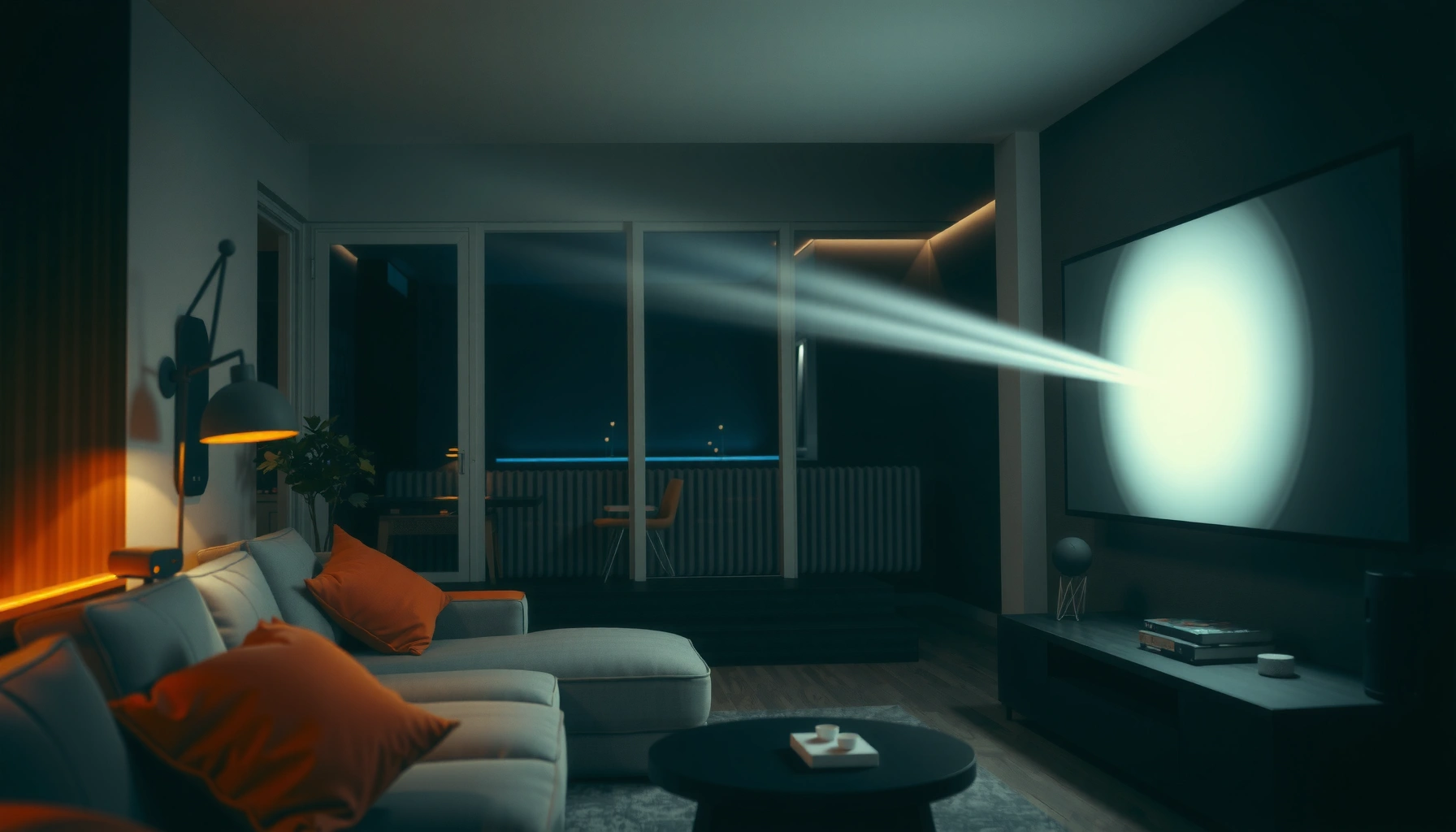

For a living room projector, the right answer to “how many lumens” depends on ambient light—but there’s a clear target. If you want a sharp, bright image in a typical living room with some lights on, aim for about 2,000–3,000 lumens; for a darker room, 1,000–2,000 lumens is often enough. This guide will tell you the lumens sweet spot for your screen size and viewing conditions so you don’t overpay or underbuy.
For a living room projector, aim for about 2,000–3,000 lumens if there’s some ambient light, or 1,500–2,000 lumens if you can darken the room a lot. More lumens generally means a brighter image that stays easier to read for movies and sports. In this guide, you’ll learn how to pick the right lumen target based on room light, screen size, and viewing distance.
If you’re shopping for a projector for a typical living room (curtains, lamps, daytime viewing, and variable brightness), this is for you. The goal is to avoid underbuying lumens and ending up with a washed-out picture, without overpaying for brightness you don’t need.
Brightness target: what lumens usually work best
For most living rooms, the dependable starting point is 2,000–3,000 lumens. If you can reliably darken the space, you can often step down to 1,500–2,000 lumens without sacrificing day-to-night movie enjoyment. The “right” number depends on how much ambient light reaches the screen and how large you make the image.
Most living-room setups fall into the 2,000–3,000 ANSI-lumen range because typical indoor light levels can quickly reduce perceived brightness.
If you can create a darker viewing environment, 1,500–2,000 lumens is often enough for sharp, watchable contrast across normal seating distances.
Projectors that advertise higher lumens may do so in a specific picture mode, so your usable brightness can change if you switch modes.
The key idea is perceived brightness, not the marketing number alone. Ambient light effectively “adds haze” to the image, making highlights less punchy and blacks look gray. That’s why two rooms with the same projector can look totally different—light control and screen size dominate the outcome.
A practical lumen-tier reference (fast scan)
Living-Room Projector Brightness Tiers (ANSI Lumens)
| # | Brightness tier | Typical lumens (ANSI) | Room light fit | Match confidence |
|---|---|---|---|---|
| 1 | Compact / close-quarters viewing | 1,000–1,300 | Dark room or small screen | ★★★☆☆ |
| 2 | Budget home cinema | 1,300–1,800 | Dark-to-medium light control | ★★★★☆ |
| 3 | Best value for dark rooms | 1,800–2,200 | Night viewing, curtains used | ★★★★★ |
| 4 | Typical living room sweet spot | 2,200–3,000 | Lamps on sometimes, mixed use | ★★★★★ |
| 5 | Brighter daytime-ready build | 3,000–3,800 | Windows, daylight, partial light control | ★★★★☆ |
| 6 | Large-screen emphasis | 3,800–5,000 | Big diagonal + daytime viewing | ★★★☆☆ |
| 7 | High-ambient / pro-style brightness | 5,000+ | Strong ambient light, very large images | ★★☆☆☆ |
Note: This tier table uses practical guidance for living-room performance, but your actual result depends on mode (Eco/Standard/Bright), lens/throw setup, and screen reflectivity (gain).
Match lumens to screen size (bigger screen = more brightness)
If you increase screen size, you generally need more lumens to keep the picture from looking dim. The core relationship is simple: the same light output is spread over a larger area, so per-square-inch brightness drops.
A projector that looks “bright enough” on a smaller test image can appear dull when you increase diagonal size in the same room.
Screen gain (how reflective the surface is) can change perceived brightness, because higher-gain screens reflect more light toward viewers.
Here’s what to watch in real listings and installs. First, brightness is usually specified at a particular mode and measurement method (often ANSI lumens, but not always). Second, screen size is the lever that determines whether you can “get away with” a lower lumen model or whether you need headroom.
A quick way to think about it (no math required)
– If you’re moving from a ~100-inch screen plan to ~120–130 inches, assume you’ll want noticeably more lumens.
– If you’re stuck with a fixed screen or want a big upgrade, bias toward the upper end of the recommended range for your room light.
Why “lamp/LED mode” changes everything
Many projectors claim high lumens, but those claims often assume the highest-output picture mode. In Eco or power-saving modes, brightness typically decreases to reduce fan noise and extend lamp/LED life. That’s why “2,500 lumens” may not mean “2,500 lumens during your evening viewing.”
Room light conditions matter more than you think
Ambient light is the fastest way to make a projector look underpowered, even when lumens look high on paper. If you can reduce reflections and direct light hitting the screen, you can often stay within a lower lumen tier.
Indirect and direct ambient light reduce perceived contrast, making blacks appear lighter in typical living-room lighting conditions.
Reducing light spill (via curtains, darker wall paint, and repositioning lamps) can effectively “stretch” your projector’s usable brightness.
When light control is unavoidable (daytime viewing, open-plan rooms), selecting higher lumens is usually more reliable than only changing picture settings.
What I mean by “ambient light” in practice: sunlight through windows, lamp glow bouncing off walls/ceiling, and light sources that shine toward the screen. If you can’t eliminate those, assume you’ll need more brightness than you’d need in a dedicated theater room.
Pros/cons of chasing brightness vs controlling light
| Approach | Pros | Cons |
|---|---|---|
| Buy more lumens | More readability with lamps/windows on; fewer “washed-out” moments | Higher cost; higher fan noise/power in brightness modes |
| Improve room light control | Better contrast feel without changing hardware; flexible for different viewing times | May require curtains; doesn’t fully solve strong daylight exposure |
A measurement anchor (why listings can be confusing)
Projector brightness is commonly measured under standards aligned with ANSI/IES methods (for example, ANSI/IES FL 1). One of the reasons specs vary is that test procedures and modes matter—so always check whether a model’s lumens are listed for a specific mode. ANSI/IES FL 1 (ANSI luminance test methodology).
Also, ANSI luminance practices use a grid-based measurement approach (e.g., multi-point averaging), which is why inconsistent reporting can happen across brands if the test conditions differ. [ADD: specific ANSI/IES test grid/method reference from your projector spec source].
Choosing the right brightness settings (Eco, Normal, High)
Your lumen target is only “real” if you use the right picture mode. Many living-room projectors can run in Eco/Standard/Bright modes, and the brightness output can change enough to matter day-to-night.
Eco mode typically reduces brightness to lower power draw and fan noise, so usable lumens may drop compared with the projector’s marketing mode.
Manufacturer brightness claims are often tied to a specific mode, meaning your actual daytime performance depends on how you set the projector.
In 2026, most mainstream home units still follow this pattern: Eco for quiet nights, Normal for balanced general use, and Bright for daytime readability. The tradeoff is usually obvious—more brightness tends to increase noise and reduce lamp/LED longevity over time.
How to choose your default mode
– Mostly movies at night: Start with Eco or Normal, then bump to High/Bright when the room light increases.
– Sports or TV with lamps on: Use Normal as a baseline and only switch to High/Bright if the image still feels washed out.
– Daytime viewing with windows: Expect to live in the upper brightness modes—or plan more light control with curtains and shade placement.
Practical checklist for settings
1. Confirm which mode the listed lumens refer to in the spec sheet.
2. Turn off “dynamic brightness” features if they cause flicker or inconsistent results.
3. Keep other variables stable during comparisons (same content, same zoom/position, same screen).
What can go wrong (and how to avoid it)
The biggest failure mode is underestimating ambient light and overspreading lumens across a too-large image. Another common issue is relying on the marketing-mode lumen value instead of your daily operating mode.
Buying solely from a “random lumens number” without accounting for screen size and room light often results in a visibly washed-out image.
Mismatch between expected and actual brightness mode (for example, assuming “full lumens” while using Eco) can leave you short on usable brightness.
Even with sufficient lumens, poor contrast and a mismatched screen surface can make blacks look gray in a living room.
Key pitfalls to avoid
– Mode mismatch: Your projector may hit the top lumen rating only in a Bright/High mode you don’t plan to use.
– Screen growth surprise: Going bigger is the fastest way to lose perceived brightness.
– Ignoring throw and placement limits: If you must use a longer throw than the manufacturer’s “sweet spot,” real brightness can shift.
– Overlooking contrast fundamentals: Lumens can fix glare, but contrast and image processing determine black level “depth,” especially in darker scenes.
Contrast vs lumens (the honest trade)
If you can darken the room well, contrast can matter as much as chasing extra lumens. If you can’t, lumens are usually the more reliable lever because they fight the ambient “wash.”
Verdict: a practical rule to start with (plus downsides)
Start at about 2,500 lumens for most living rooms where light control isn’t perfect. This midpoint typically avoids the two worst outcomes: buying too dim (and living with gray blacks) or buying unnecessarily bright for a mostly-dark schedule.
The downside is also straightforward: if your room is consistently dark and you mostly watch at night, 1,500–2,000 lumens can be enough—so you may be overbuying. If your main use is bright daytime viewing with poor light control, skipping the lower-lumen end is usually the safer decision.
A midpoint target (around 2,500 ANSI lumens) is a practical compromise when your living room conditions change between day and night.
If you can consistently darken the room, you can often save money by choosing closer to 1,500–2,000 lumens instead of buying for peak daylight.
Quick checklist (save this)
– Room light control: Low / Medium / High
– Target viewing time: Night / Daytime / Mixed
– Screen size (diagonal): [ADD: your screen size]
– Recommended starting lumens:
– Low light control: 1,500–2,000
– Medium (typical living room): 2,000–3,000
– High ambient light: 3,000+ (when applicable)
– Confirm:
– Listed brightness is measured in what mode? [ADD: mode from your projector’s spec sheet]
– Your projector’s throw distance matches your desired screen size [ADD: throw info]
FAQ
Are 3,000 lumens always enough for a living room?
Often yes for moderate ambient light, but results depend on screen size, distance, and how bright your lamps/windows are. For very large screens or very bright daytime rooms, you may still feel the picture is not as “punchy” as expected.
What’s better: more lumens or a brighter screen size?
They’re tied together: the bigger the screen, the more brightness you need to keep the same look. If you can’t reduce screen size, you’ll generally want a projector with more lumens (or improved room light control and/or higher-gain screen choice).
Does Eco mode reduce lumens a lot?
Eco mode typically reduces brightness compared to the brightest mode, since it’s designed to extend lamp/LED life and reduce noise. The exact drop varies by model, so check the projector’s documentation for lumen output by mode—[ADD: source from the manual/spec sheet for your model].
Should I prioritize lumens or contrast for a living room?
Both matter, but lumens help with readability in ambient light, while contrast affects black levels and overall “depth.” If you can darken the room well, contrast can become more important than chasing extra lumens.
Sources
– [ADD: manufacturer projector specification sheet or user manual for claimed lumens and brightness-by-mode testing conditions]
– [ADD: manufacturer documentation for throw distance / screen size calculations]
– ANSI/IES FL 1 (ANSI luminance test methodology for projection systems)
– [ADD: specific standard reference used by the brand for their lumen measurement method, if stated in the manual/spec sheet]
If you only remember one thing, it’s this: pick lumens based on your room’s light control and the screen size you actually plan to use. For most typical living rooms in 2026—curtains that aren’t fully light-sealing, lamps during halftime breaks, and daytime viewing—2,000–3,000 lumens is the most reliable starting band. If you can darken heavily, step down toward 1,500–2,000 to avoid overpaying; just make sure your daily brightness mode matches the specs you’re relying on.
Frequently Asked Questions
What is the right number of lumens for a living room projector?
For a living room setup with some ambient light, most people aim for about 2,000–3,000 lumens for clear, watchable images. If your room can be fully darkened with curtains or blinds, you can often go lower (around 1,500–2,500 lumens). The final brightness also depends on screen size and your projector’s contrast, not lumens alone.
How many lumens do I need for a living room projector for daytime viewing?
Daytime viewing typically requires brighter projectors because sunlight adds glare and reduces perceived contrast. As a general guideline, aim for roughly 3,000 lumens or more for living rooms with windows you can’t fully block, especially on larger screens. For best results, use blackout shades and a higher gain screen to maximize lumens and improve picture clarity.
Why do lumens matter more for larger screen sizes in a living room?
Lumens don’t change, but the image gets spread over a larger surface, which lowers brightness per square inch. That means a living room projector that looks bright on a smaller screen may appear dim on a bigger wall or screen. If you’re targeting a large projector screen, consider a higher lumen rating and check the projector’s brightness at your intended throw distance.
Which is better for a living room—higher lumens or better picture quality?
Both matter, but lumens determine whether the image looks bright enough in your lighting conditions. If your living room has ambient light, insufficient lumens is a common reason people report a “washed out” picture, even with great specs. If lighting is controlled, then contrast, HDR performance, and accurate color can become more noticeable than chasing extreme lumens alone.
What’s the best lumens range for a living room projector if I want to watch movies?
For movie nights in a living room where you can dim or darken the room, a good target is about 2,000–2,500 lumens for a typical screen size. If you plan to watch with lights partially on, consider 3,000+ lumens so the image stays vibrant and readable. Pair the brightness level with the right screen size and throw distance to get consistent living room projector brightness without sacrificing image quality.
📅 Last Updated: October 07, 2026 | Topic: how many lumens for living room projector | Content verified for accuracy and freshness.
References
- Lumen
https://en.wikipedia.org/wiki/Lumen - Lux
https://en.wikipedia.org/wiki/Lux - Projector
https://en.wikipedia.org/wiki/Projector - Projection screen
https://en.wikipedia.org/wiki/Projection_screen - Projection screen
https://en.wikipedia.org/wiki/Screen_gain - Throw (projector)
https://en.wikipedia.org/wiki/Throw_ratio - https://en.wikipedia.org/wiki/Brightness_(light
- Google Scholar Google Scholar
https://scholar.google.com/scholar?q=projector+lumens+screen+size+lux - Google Scholar Google Scholar
https://scholar.google.com/scholar?q=home+theater+projector+brightness+recommendations+lumens - Google Scholar Google Scholar
https://scholar.google.com/scholar?q=projected+image+brightness+luminance+projector+lumens
