
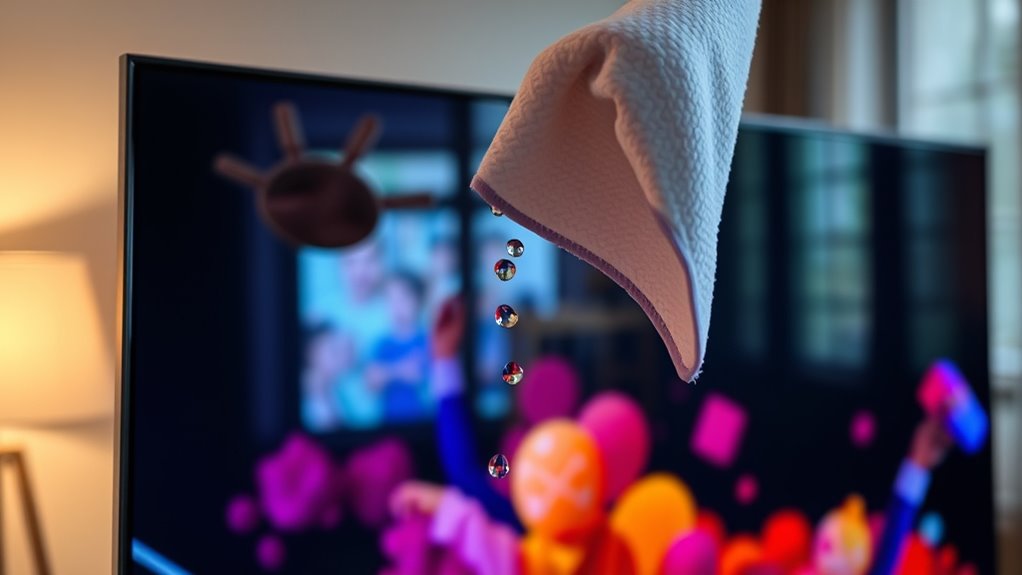

To clean your Samsung Smart TV screen, gather microfiber cloths and a safe cleaning solution, like a mix of distilled water and white vinegar. First, power down the TV and unplug it. Lightly dampen the cloth with the solution—never spray directly on the screen—and gently wipe the screen in circular motions. Don’t forget to clean the frame and base too. Regular maintenance keeps your TV looking its best, and there’s more to discover on ideal care.
Gather the Right Cleaning Materials
Before you begin cleaning your Samsung Smart TV screen, it’s essential to gather the right cleaning materials to avoid damage. First, you’ll need microfiber cloths, as they’re gentle on screen materials and won’t scratch the surface. Avoid paper towels or rough fabrics that could harm the display. Next, consider a solution specifically designed for electronics; distilled water mixed with a small amount of vinegar can also work well. Remember, never apply cleaning solutions directly onto the screen; instead, dampen the cloth. Verify your cleaning tools are free from debris to prevent any scratches. Having the right materials not only protects your TV but also enhances your viewing experience, allowing you the freedom to enjoy your favorite shows without distraction.
Power Down Your TV
To guarantee safety and ideal cleaning results, it’s essential to power down your Samsung Smart TV before you begin the cleaning process. Start by disconnecting the power source to eliminate any risk of electric shock during cleaning. Navigate to your device settings and verify the TV is completely turned off. Allow it to sit for a few minutes, ensuring that the screen cools down and any residual power dissipates. This step not only protects you but also prevents potential damage to the screen. By taking the time to power down your TV, you set the stage for a thorough and effective cleaning, free from hazards that could arise from working with an active device. Now you’re ready to proceed with confidence.
Use a Microfiber Cloth
Using a microfiber cloth is essential for effectively cleaning your Samsung Smart TV screen without causing damage. Microfiber benefits include its soft texture and ability to capture dust and fingerprints without scratching the surface. Unlike traditional cloth types, such as cotton or paper, microfiber is specifically designed to lift particles away from delicate screens, ensuring a thorough clean while maintaining the integrity of the display. When choosing a microfiber cloth, look for one that’s lint-free and has a high GSM (grams per square meter) for peak cleaning power. Remember to avoid using any harsh materials, as they can lead to scratches or other damage. With a proper microfiber cloth, you can achieve a streak-free finish on your screen effortlessly.
Create a Cleaning Solution
To clean your Samsung Smart TV screen effectively, you’ll need to create a safe cleaning solution. Use distilled water and a small amount of white vinegar or isopropyl alcohol, ensuring you mix them in the correct ratios. Avoid harmful chemicals, as they can damage the screen’s protective coating.
Safe Ingredients to Use
When cleaning your Samsung Smart TV screen, it’s essential to choose safe ingredients for your cleaning solution to avoid damaging the display. Using natural alternatives not only guarantees safe cleaning but also minimizes exposure to harsh chemicals. Here are some effective ingredients you can use:
- Distilled water: It’s free from impurities that can leave streaks.
- White vinegar: A gentle, natural disinfectant that cuts through grime.
- Isopropyl alcohol (in moderation): Use a diluted solution for tougher spots without harming the screen.
Mixing Proper Ratios
Creating an effective cleaning solution for your Samsung Smart TV screen involves precise ratios of safe ingredients. For ideal results, mix equal parts distilled water and white vinegar, creating a 1:1 mixing ratio. This combination provides a gentle yet effective cleaning solution that removes dust and smudges without damaging the screen. If you prefer a milder formula, use a 2:1 ratio of distilled water to vinegar. Avoid using tap water, as minerals can leave residues. Once you’ve prepared your solution, pour it into a clean spray bottle for easy application. Remember, the right mixing ratios are essential in crafting cleaning solutions that maintain your screen’s clarity while ensuring its longevity. Always test the solution on a small area first.
Avoiding Harmful Chemicals
Many commercial cleaning products contain harsh chemicals that can damage your Samsung Smart TV screen. To protect your investment, it’s important to avoid harmful substances. Instead, consider using safe chemical alternatives that are effective yet gentle. You can create a simple cleaning solution by mixing equal parts distilled water and white vinegar.
When choosing your cleaning supplies, keep the following in mind:
- Avoid ammonia-based cleaners: They can strip the screen’s protective coating.
- Stay away from alcohol: It may cause discoloration or damage.
- Use microfiber cloths: They’re safe for screens and won’t scratch.
Wipe the Screen Gently
When wiping your Samsung Smart TV screen, it’s crucial to use a microfiber cloth to prevent scratches. Avoid harsh chemicals, as they can damage the screen’s coating. Instead, stick to your previously prepared cleaning solution for effective results.
Use Microfiber Cloth
To effectively clean your Samsung Smart TV screen, using a microfiber cloth is crucial, as it minimizes the risk of scratches and damage. Microfiber benefits include its softness, absorbency, and ability to trap dust without harsh chemicals. By choosing this type of cloth, you guarantee ideal screen protection and maintain clarity.
When using a microfiber cloth, keep these tips in mind:
- Wipe gently: Avoid applying excessive pressure to prevent screen damage.
- Use dry or slightly damp cloth: This helps lift dirt without leaving streaks.
- Regular maintenance: Clean your screen frequently to avoid buildup and enhance viewing experience.
Adopting these practices will keep your Samsung Smart TV screen in top condition, allowing you to enjoy your favorite content with crystal-clear visuals.
Avoid Harsh Chemicals
While a microfiber cloth is perfect for cleaning, it’s equally important to avoid harsh chemicals that can damage your Samsung Smart TV screen. Many commercial cleaners contain ammonia, alcohol, or other abrasive agents that can strip protective coatings and lead to permanent damage. Instead, opt for safe cleaning solutions using chemical alternatives like a mixture of distilled water and white vinegar. This gentle solution effectively removes smudges without risking harm to your screen. Always dampen the cloth slightly—never apply liquid directly to the screen—and wipe gently in circular motions. By choosing safer options, you guarantee your TV remains in pristine condition while enjoying the freedom to maintain it effectively and responsibly. Your Samsung Smart TV deserves the best care.
Clean the Frame and Base
Cleaning the frame and base of your Samsung Smart TV is essential for maintaining its overall appearance and guaranteeing longevity. Regular frame cleaning and base maintenance help prevent dust buildup and keep your TV looking pristine. Follow these steps for effective cleaning:
Regularly cleaning your Samsung Smart TV’s frame and base is vital for its appearance and longevity.
- Use a microfiber cloth: This prevents scratches and removes dust without chemicals.
- Dampen the cloth lightly: Confirm it’s just moist, as excess liquid can seep into the TV.
- Wipe gently: Focus on the frame and base, applying minimal pressure to avoid damage.
Dry the Screen Properly
Once you’ve finished wiping down your Samsung Smart TV screen, it’s important to dry it properly to prevent streaks and potential damage. Use a microfiber cloth, as it’s gentle and effective for screen protection. Avoid paper towels or rough fabrics, which can scratch the surface. Employ drying techniques like lightly buffing the screen in circular motions, ensuring you don’t apply excessive pressure. If your screen remains damp, it can lead to water spots or damage over time. For best results, dry the screen immediately after cleaning, and make sure the cloth is clean and dry. This careful approach not only maintains your TV’s clarity but also extends its lifespan, allowing you to enjoy your viewing experience without compromise.
Regular Maintenance Tips
Proper drying is just one part of maintaining your Samsung Smart TV’s screen. To guarantee peak performance and longevity, you’ll want to adopt a routine for regular maintenance. This includes implementing screen protection and conducting regular checks.
- Clean the screen weekly with a microfiber cloth to remove dust and fingerprints.
- Inspect the screen for any scratches or damage to address issues promptly.
- Guarantee adequate ventilation around the TV to prevent overheating.
Frequently Asked Questions
Can I Use Paper Towels to Clean My TV Screen?
You shouldn’t use paper towels, as they can scratch your screen. Instead, opt for microfiber cloths or other paper towel alternatives. Use gentle cleaning techniques with a suitable solution to maintain your TV’s integrity and clarity.
Is It Safe to Clean a Wet Screen?
No, you shouldn’t clean a wet screen directly. Using the wet method can damage the display. Instead, apply screen cleaning solution to a microfiber cloth and gently wipe the screen to avoid moisture-related issues.
How Often Should I Clean My Samsung Smart TV Screen?
You should clean your Samsung Smart TV screen as often as a cat licks its paw—about once a month. Follow frequency guidelines and these cleaning tips to keep your screen clear and vibrant without damage.
What Should I Do if My Screen Has Stubborn Stains?
If you’ve got stubborn stains, try using a microfiber cloth with a mix of water and vinegar. For tougher marks, consider specialized stubborn stain solutions. Always test on a small area first to guarantee safety.
Are Commercial Screen Cleaners Safe for Samsung TVS?
Yes, commercial screen cleaners can be safe for Samsung TVs if they’re free from harsh chemicals. Check the cleaner’s ingredients for ammonia or alcohol, as these can damage screens despite their effectiveness in removing stubborn stains.
