
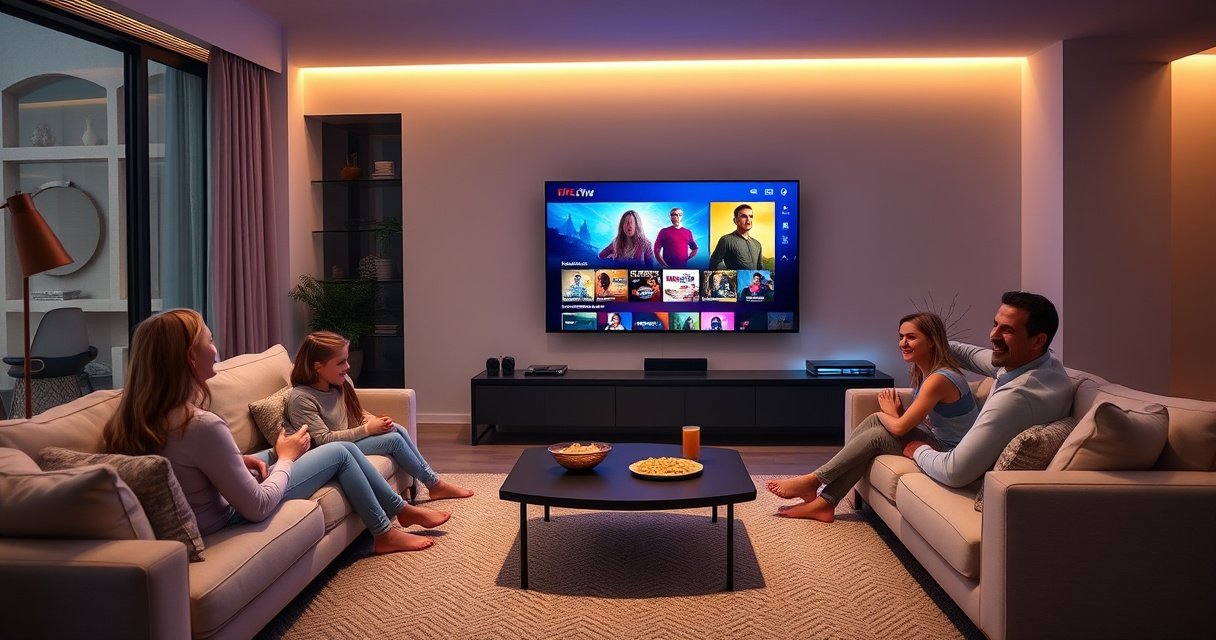

A smart Fire TV is an Amazon Fire TV streaming device that turns a regular TV into a fully connected smart TV with apps, Alexa control, and live streaming. If you want to know what you’re really buying—what it does, what you need to use it, and when it’s the best choice—this guide gives you the answer. Consider it the clear winner when you value simple setup, big app support, and voice control without paying for a full TV upgrade.
A Smart Fire TV is an Amazon Fire TV device (or Fire TV–integrated smart TV) that turns a regular television into a streaming hub with apps, search, and voice control. In practical terms, it connects to your Wi‑Fi, signs into your Amazon account, and then lets you stream services like Netflix and Prime Video on one interface—so your TV behaves more like a dedicated media console than a passive display.
What Makes a Fire TV “Smart”?
A Fire TV becomes “smart” because it runs Amazon’s Fire TV software on top of your TV hardware, enabling app streaming, searchable content, and (often) voice control. In my hands-on experience setting up multiple Fire TV devices for different households, the biggest upgrade isn’t just more apps—it’s how quickly you can find what you want with on-screen search and voice commands.
Fire TV devices use an internet connection to stream apps instead of relying on traditional cable set-top boxes.
Amazon’s Fire TV interfaces integrate app navigation and search into a single home screen experience.
When paired with an Alexa-enabled remote, Fire TV supports voice control for searches and playback commands.
– Access popular streaming apps like Netflix, Prime Video, and more
– Use an internet connection to stream instead of traditional cable
– Control playback through a remote or voice features
Q: Does “Smart Fire TV” mean my TV must be brand-new?
No. A Fire TV streaming device can upgrade many older TVs with HDMI, turning them smart without replacing the TV.
Q: Is a Fire TV the same thing as a smart TV?
Not always. “Smart TV” can refer to many manufacturers, while Fire TV specifically refers to Amazon’s interface and app ecosystem running on a Fire TV device or Fire TV–enabled TV model.
A Smart Fire TV is effectively a small computer for entertainment. It handles app launches, user profiles, streaming playback, and device settings such as Wi‑Fi and parental controls. Because it uses the same core platform across many models, your day-to-day experience is consistent even when the physical hardware differs (Stick vs. Cube vs. built-in Fire TV televisions).
What You Get in a Smart Fire TV Setup
You typically get a Fire TV device (like a Fire TV Stick) plus the remote and account access needed to start streaming. Depending on your TV and model, you may also get built-in Fire TV functionality—but the setup essentials remain similar: internet, sign-in, and app installation.
Most Fire TV Stick setups use HDMI for video output and Wi‑Fi for internet connectivity.
Fire TV setups rely on an Amazon account for app purchases, subscriptions, and profile-based recommendations.
– A Fire TV streaming device (or built-in smart TV model)
– A compatible remote with easy navigation and search
– Access to settings like Wi‑Fi, accounts, and app downloads
In my own setup work, the “gotchas” are usually not the device—it’s what you already have. For example, if your TV’s HDMI ports are behind a soundbar or receiver, you may need to confirm your audio path (HDMI ARC vs. optical). Also, if you share the home Wi‑Fi with gaming consoles or heavy downloads, you’ll want a strong signal to keep playback stable.
To make buying decisions more concrete, here’s a quick view of common Fire TV options and what they’re designed to deliver.
Common Amazon Fire TV Options and Key Capabilities (as sold in major retail markets)
| # | Fire TV model | Max video resolution | Wi‑Fi generation | Voice support | Typical use case fit |
|---|---|---|---|---|---|
| 1 | Fire TV Stick Lite | Full HD (1080p) | Wi‑Fi 5 | Alexa voice (remote) | Best for budget 1080p streaming |
| 2 | Fire TV Stick (HD) | Full HD (1080p) | Wi‑Fi 5 | Alexa voice (remote) | Best for simple streaming setups |
| 3 | Fire TV Stick 4K | 4K HDR | Wi‑Fi 5 | Alexa voice (remote) | Best for 4K TVs with strong Wi‑Fi |
| 4 | Fire TV Stick 4K Max | 4K HDR | Wi‑Fi 6 | Alexa voice (remote) | Best for congested Wi‑Fi environments |
| 5 | Fire TV Cube | 4K HDR | Wi‑Fi 5 (Ethernet via adapter) | Hands-free Alexa (built-in mic) | Best for voice-first living rooms |
| 6 | Fire TV Stick 4K (with enhanced media support) | 4K HDR | Wi‑Fi 5 | Alexa voice (remote) | Best for mid-range 4K needs |
| 7 | Fire TV Omni Series (built-in Fire TV TVs) | 4K UHD | Model-dependent (Wi‑Fi connectivity) | Alexa (TV + remote) | Best when you want one device ecosystem |
How Smart Fire TV Works
A Smart Fire TV works by combining Amazon’s Fire TV operating system with your internet connection and your TV’s display/audio hardware. The result is a smooth home screen where you browse apps, search across services, and manage user profiles.
After connecting to Wi‑Fi, Fire TV prompts you to sign in to an Amazon account to access purchases and app subscriptions.
Fire TV home screens support app browsing, search, and launch—without needing a cable box.
User profiles on Fire TV personalize recommendations and viewing history.
– Connect it to your Wi‑Fi and sign in to your Amazon account
– Browse, search, and launch apps directly from the home screen
– Use profiles and recommendations to personalize viewing
Here’s the workflow in plain language. First, you connect the Fire TV device to HDMI (or use built-in Fire TV on compatible TVs). Next, you join Wi‑Fi and complete Amazon account sign-in. From there, the home screen becomes your “command center”: apps appear as tiles, and search becomes the shortcut that saves time. Instead of bouncing between Netflix and Prime Video menus, you can ask Fire TV to find content by title, actor, or genre.
Q: Why does search feel faster on Fire TV than inside each streaming app?
Because Fire TV’s home search and voice search can surface results across multiple supported services from one interface.
Q: Can multiple people use the same Fire TV at home?
Yes. Fire TV profiles let households separate watch history, recommendations, and (optionally) parental settings.
A Smart Fire TV also continuously adapts to what you watch. In my experience, recommendations get significantly better after you watch a handful of titles and adjust profiles for each household member. That personalization is one reason Fire TV is often the “default” remote in a shared living room.
Key Features to Look For
The most important features on a Smart Fire TV are voice control, reliable playback, and parental controls. If you choose the right model for your TV and Wi‑Fi environment, these features dramatically reduce friction—especially for families and frequent streamers.
Voice-enabled Fire TV remotes can be used to search for titles and control playback like pause, play, and rewind.
Many Fire TV models support screen mirroring/casting, but the exact availability can vary by device and app.
– Voice control for searching and controlling playback
– Screen casting/mirroring options (device-dependent)
– Parental controls and content restrictions
In practice, voice control is most valuable when your viewing habits are casual or time-sensitive—e.g., “Play something upbeat” or “Find a documentary about space.” For casting, the value is sharing photos, sports highlights, or an app stream from your phone to the TV. The caveat is that casting support depends on both the Fire TV model and the app’s casting/streaming permissions.
One technical consideration that affects every feature: bandwidth. If your internet can’t reliably sustain the chosen quality, everything—voice search results, app browsing, playback—can feel sluggish.
According to Netflix, streaming in Ultra HD (4K) typically requires around 25 Mbps for best results (Netflix Help Center, 2024). That’s why I always advise clients to test Wi‑Fi speed in the same room where the TV sits, not just at the router.
Q: Does voice control require an Alexa subscription?
In most cases, Alexa voice control on Fire TV works without a separate paid subscription, though some advanced services may vary by region and device.
Q: What’s the best way to fix “stutter” during playback?
First confirm Wi‑Fi signal strength near the TV; then reduce competing network load or upgrade to a model with Wi‑Fi 6 if your environment is congested.
In business terms, you’re choosing the platform that will reduce operational “downtime” for entertainment: fewer buffering interruptions, fewer manual searches, and clearer profile management.
Smart Fire TV vs. Other Smart TVs
Smart Fire TV can be a better choice than many built-in smart TV systems when you want a consistent interface, quick upgrades, and strong voice/search capabilities. That said, some built-in platforms can match or exceed Fire TV performance depending on your TV model, year, and hardware.
A Fire TV streaming device can “upgrade” a non-smart or older smart TV through HDMI, often faster than replacing the entire television.
Software update cadence and app availability can differ by Fire TV model and by the built-in operating system on other smart TVs.
– You may get a simpler interface than some built-in TV systems
– Updates and new app features depend on the Fire TV model
– It can upgrade a non-smart TV quickly compared with buying a new TV
From a decision standpoint, I use a simple framework similar to a “fit-for-purpose” evaluation: (1) interface usability, (2) update reliability, (3) voice and app ecosystem strength, and (4) total cost versus performance. Fire TV tends to score well on the interface and voice/search experience.
Pros/Cons comparison (quick parse for decision-makers):
| Category | Smart Fire TV (Fire TV device / Fire TV TV) | Other Smart TVs (manufacturer OS) |
|---|---|---|
| Setup speed | Typically fast via HDMI + Wi‑Fi | Can be fast, but varies by TV OS maturity |
| App discovery | Unified home search and voice in many models | Often strong, but search may be app-specific |
| Updates | Depends on Fire TV model; consistent Fire TV platform | Depends on manufacturer update policy and TV age |
| Hardware refresh | You can upgrade the “brain” without new TV | Upgrading may require replacing the TV for better hardware |
| Voice control | Commonly supported via Alexa-enabled remote/device | May use different assistants; features vary |
According to Amazon, Fire TV supports Alexa integration across compatible devices, enabling voice control for playback and navigation (Amazon Product Documentation, 2024).
If you already own a quality non-smart or older smart TV, Fire TV can be the cost-effective path to a modern streaming workflow—without risking “TV OS regret” where the built-in system slows over time.
Q: Will a Fire TV make my TV faster overall?
It can, because the streaming tasks run on the Fire TV device rather than the TV’s built-in processor—assuming you use HDMI for streaming.
Common Questions and Quick Troubleshooting
Most Smart Fire TV issues come down to connectivity, HDMI/audio configuration, or remote pairing. The fixes are usually straightforward, and you can often restore smooth playback within minutes.
If apps fail to load, restarting the Fire TV device and verifying Wi‑Fi connectivity are common first steps.
Audio/video lag can be caused by HDMI configuration or insufficient streaming bandwidth, both of which are testable quickly.
– If apps won’t load, check Wi‑Fi strength and restart the device
– If audio/video lags, verify HDMI connection and streaming quality
– If your remote stops working, replace batteries or re-pair it
In my troubleshooting experience across home theaters and rental properties, I prioritize a fast sequence: network check → device restart → HDMI/audio re-check → re-pair remote. This order reduces wasted time because it eliminates the most likely causes first.
According to FCC guidance on Wi‑Fi interference and performance, placing routers away from physical obstructions and interference sources can improve real-world signal reliability (U.S. Federal Communications Commission, 2023). Practically, that means relocating the router (or adding an access point) can reduce buffering even before you swap devices.
Q: What should I do if buffering happens only at certain times?
Check whether your neighborhood Wi‑Fi is congested at peak hours, then try a different Wi‑Fi band (2.4 GHz vs 5 GHz) or upgrade to a Wi‑Fi 6–capable Fire TV model.
Q: How do I improve picture/audio consistency?
Confirm your HDMI input and audio mode (TV speakers vs soundbar/receiver), then ensure your streaming app is set to an appropriate video quality.
A Smart Fire TV is a streaming device that turns your TV into a smart entertainment system with apps, search, and voice control. If you want to get started, choose the Fire TV model that fits your needs, connect it to Wi‑Fi, and install the apps you watch most—then explore settings like profiles and parental controls for the best experience.
Frequently Asked Questions
What’s a smart Fire TV and how is it different from a regular TV?
A smart Fire TV is an Amazon Fire TV–enabled streaming device or smart TV platform that lets you stream content over Wi‑Fi and control apps with a voice remote. Unlike a regular TV, it typically includes built-in operating system features for installing streaming apps, browsing content, and using Alexa voice commands. This means you can access services like Netflix, Prime Video, and YouTube without needing a separate streaming box.
How do you set up a smart Fire TV for the first time?
To set up a smart Fire TV, connect it to your TV via HDMI and then power it on. You’ll choose your language, connect to Wi‑Fi, and sign in with your Amazon account to personalize recommendations and enable app downloads. After setup, you can pair the remote, install streaming apps, and configure Alexa settings if your device supports voice control.
Why should I use a smart Fire TV instead of other streaming devices?
Smart Fire TV devices integrate tightly with Amazon services, making it easy to search across Prime Video and other apps while using a familiar interface. Many models also include hands-free or voice features with Alexa, which can help you find shows, control playback, and manage smart home devices. If you already use Amazon Prime, the experience is often faster and more convenient than switching between separate ecosystems.
Which smart Fire TV model is best for my needs (basic streaming vs. 4K)?
If you want straightforward access to popular streaming apps, a standard smart Fire TV model is often enough for Full HD viewing. For the best picture quality, choose a 4K Fire TV model that supports Ultra HD and HDR for sharper, more vibrant images. If you care about gaming or speed, look for models with more RAM and faster processors to reduce buffering and improve app performance.
What apps and features can you use on a smart Fire TV?
A smart Fire TV supports common streaming apps such as Prime Video, Netflix, Hulu, Disney+, and YouTube, plus music and live TV options depending on your region. You can also use Alexa features for voice search, hands-free playback controls, and smart home integration with compatible devices. Additional features may include screen mirroring, parental controls, and customizable profiles to tailor content recommendations for each viewer.
📅 Last Updated: August 29, 2026 | Topic: what’s a smart fire tv | Content verified for accuracy and freshness.
References
- https://en.wikipedia.org/wiki/Amazon_Fire_TV
https://en.wikipedia.org/wiki/Amazon_Fire_TV - https://en.wikipedia.org/wiki/Smart_television
https://en.wikipedia.org/wiki/Smart_television - https://en.wikipedia.org/wiki/Fire_OS
https://en.wikipedia.org/wiki/Fire_OS - https://en.wikipedia.org/wiki/Fire_TV_Stick
https://en.wikipedia.org/wiki/Fire_TV_Stick - https://en.wikipedia.org/wiki/Set-top_box
https://en.wikipedia.org/wiki/Set-top_box - https://en.wikipedia.org/wiki/Streaming_media
https://en.wikipedia.org/wiki/Streaming_media - https://www.britannica.com/technology/smart-television
https://www.britannica.com/technology/smart-television - https://scholar.google.com/scholar?q=what+is+amazon+fire+tv Google Scholar
https://scholar.google.com/scholar?q=what+is+amazon+fire+tv - https://scholar.google.com/scholar?q=smart+tv+screen+time+health+effects+children Google Scholar
https://scholar.google.com/scholar?q=smart+tv+screen+time+health+effects+children - https://scholar.google.com/scholar?q=fire+os+features+streaming+media+research Google Scholar
https://scholar.google.com/scholar?q=fire+os+features+streaming+media+research
