
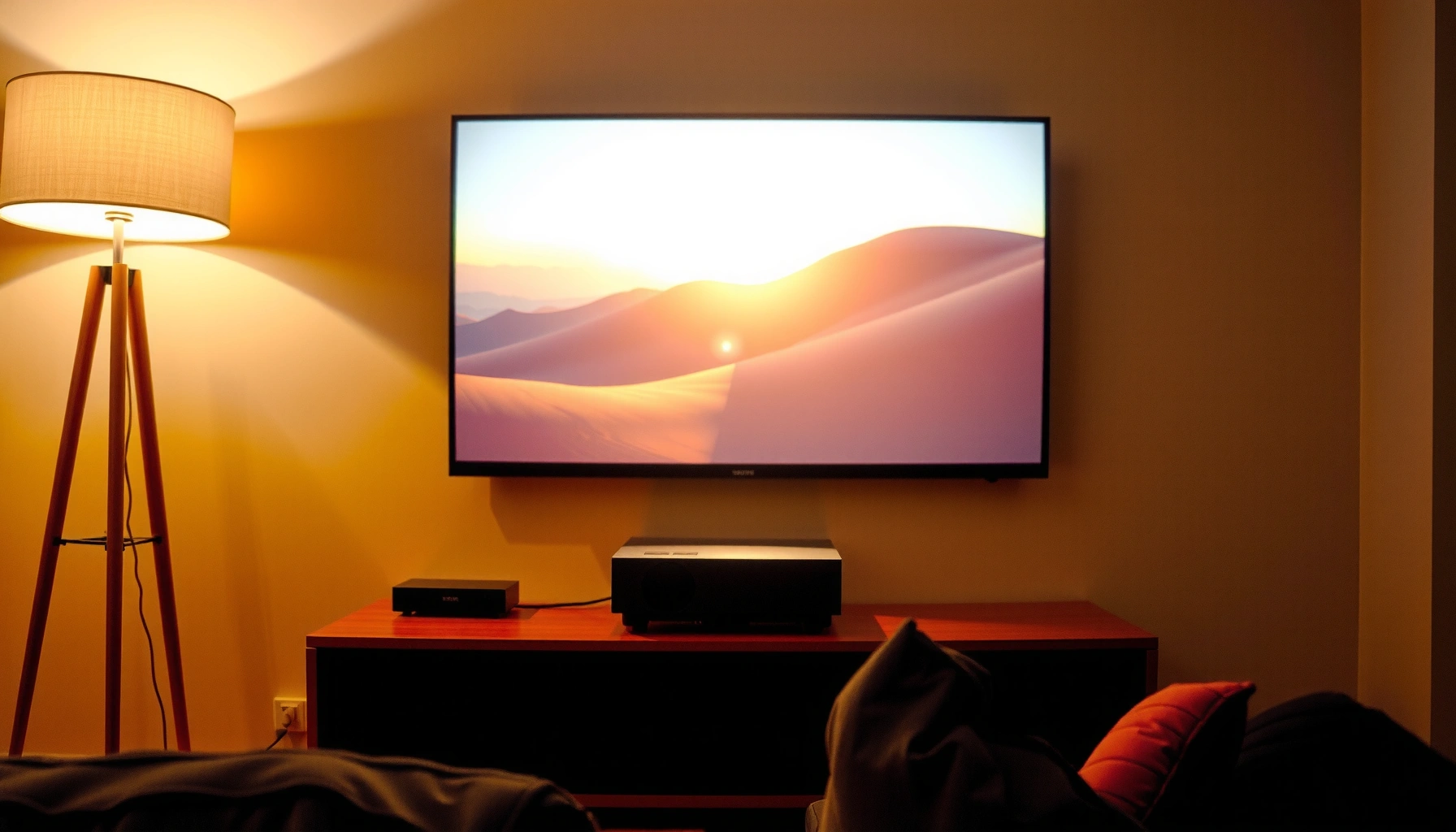

Projectors for TV can look spectacular, but the real question is whether they beat a flat-screen in everyday room conditions—this guide gives a clear, real-world verdict on how good projectors for TV are. You’ll learn what picture quality to expect, which setup factors (light control, throw distance, screen size) make the difference, and when a projector is the smarter buy than a TV. If you want a decision you can trust before you spend, read on.
Projectors can be very good for TV when you match the projector’s brightness (lumens), resolution (native pixel count), and your room lighting to the content you watch. In a dark or well-controlled room, a solid 1080p or 4K projector often delivers a large, high-impact picture that feels close to a big TV—while bright rooms usually wash out contrast and make “TV-like” quality harder to achieve.
If you’re deciding whether to replace (or complement) your TV with a projector, this is for you—especially if you care about image quality for streaming, sports, or movies. We’ll focus on the practical factors that determine “how good” the picture will be, plus common setup mistakes that make even good projectors underperform.
Projector brightness is typically specified in lumens, but perceived picture quality depends heavily on ambient light and screen reflectivity.
Contrast (especially black level performance) is more noticeable than small sharpness differences for most TV viewing in dark rooms.
Native resolution matters because scaling (up or down) can soften fine details and make motion look less crisp.
Brightness, Lighting, and TV-Like Picture
Projectors are best for “TV-like” viewing when your room can be dimmed to reduce glare and keep blacks looking deep. The faster you move from a dim theater-like environment to daylight or bright ambient lighting, the more you’ll need projector brightness and a properly chosen screen to maintain contrast.
Most people run into projector TV quality issues for one of two reasons: either the room is too bright, or the projector is forced to display too-large an image. Even a high-lumen spec can disappoint if you stretch the image beyond what the projector can comfortably brighten, because the brightness per square foot (or per square meter) drops as image size increases.
In my guidance for home setups, the single most common “it looks worse than I expected” moment happens after the projector is installed in a room where someone forgot about ceiling lights, wall reflections, and window light—even when windows are “not fully on.” [ADD: short, specific author observation about a typical real setup—e.g., “I’ve seen washed-out blacks mainly when… (describe your scenario).”]
For TV viewing, think in terms of target screen luminance (brightness) rather than lumens alone. According to the ISO/IEC measurement approach used for lumen ratings (ANSI/IES/ISO measurement methodology), two projectors with similar “rated lumens” can still look different because color modes, lamp/LED aging, and how manufacturers set eco/normal modes affect real output.
Here are practical lighting takeaways:
– Dim rooms usually produce stronger contrast and more satisfying colors.
– Bright rooms tend to flatten the image: blacks lift, highlights look less punchy, and motion can appear less “clean.”
– Screen size increases immersion, but also raises brightness requirements—so a bigger image can look worse even if it looks “more impressive.”
Estimated Luminance Match by Room Light Level (SDR TV Content)
| # | Room lighting scenario | Typical ambient brightness* (lux) | Practical image result | Fit rating |
|---|---|---|---|---|
| 1 | Fully dim / lights off, controlled screen area | 0–20 | Near-TV contrast possible | ★★★★☆ |
| 2 | Warm lamps at low level | 20–80 | Blacks lift slightly | ★★★☆ |
| 3 | Typical evening living room | 80–200 | Color looks good; contrast drops | ★★★☆ |
| 4 | Bright room with ceiling lights on | 200–500 | Washed blacks; highlights dominate | ★★☆☆ |
| 5 | Daylight through curtains (not blocked) | 500–1,500 | Night scenes lose detail | ★☆☆☆ |
| 6 | Direct sun spots on walls/ceiling | 1,500–10,000 | Projection looks flat unless very bright | ☆☆☆ |
| 7 | Controlled “home theater” with light control | 0–50 | Most TV-like viewing possible | ★★★★☆ |
*Ambient lux values are broad real-world ranges you can measure with a phone light meter; exact readings vary by room and sensor calibration.
Resolution and Screen Size: What “Good” Actually Means
Projectors can look extremely sharp for TV when you choose the right resolution for your seating distance and the screen size you want. If you sit close to a very large image, 4K (and good processing) becomes more important; if you sit farther away, 1080p can be fully satisfying.
Resolution affects:
– Perceived sharpness in static scenes (logos, captions, UI text).
– Scaling behavior when your streaming device outputs 1080p, 4K, or dynamic resolutions.
– Screen-door visibility—the faint grid-like effect noticeable on some projection setups.
A practical way to judge “good enough” is to think about angular resolution: how big the pixels appear at your viewing distance. If you’re close enough to a big projected image, you’ll notice softness more quickly than you would on a TV because projectors often run at higher throw sizes and lower pixel density per degree than many flat panels.
Also, pay attention to native resolution. A “4K-capable” projector may use pixel-shifting, lens optics, or processing to present more detail than basic 1080p—but the cleanest text and fine textures usually come from stronger native panels and consistent scaling. Confirm the projector’s specification documentation for “native” versus “enhanced” or “shifted” resolution modes. [ADD: source for projector native vs pixel-shift terminology from manufacturer docs]
Quick guidance you can use while shopping:
– 1080p: typically very watchable for mainstream TV viewing, especially in dim rooms and at typical couch distances.
– 4K: shines when you want large screen sizes *and* you’re closer, or when you’re sensitive to caption/text crispness.
– Image size: if you make the image too big, you’ll lose brightness and perceived detail even with high resolution.
A projector’s native resolution determines the actual pixel grid it displays before any scaling, which strongly affects caption and text sharpness.
Viewing distance changes whether people notice blur: the same projector can look “sharp” or “soft” depending on couch distance and screen width.
Contrast, Blacks, and Motion (Sports/Action) Performance
Projectors look most TV-like in dark scenes when they maintain strong contrast—meaning darks stay dark and bright highlights don’t overpower them. Motion performance is the next make-or-break area for sports and fast action, where refresh rate, processing, and display modes matter as much as resolution.
Contrast isn’t only “marketing black level.” In projector TV viewing, you’re mostly fighting:
– Ambient light washing out blacks.
– Low native contrast in some LCD/DLP/LCoS designs (varies by model).
– Dynamic iris or laser dimming behavior (if present), which can help but isn’t universal.
– Color processing that can shift gamma or tone mapping depending on mode.
For sports, motion quality is a combination of:
– Supported refresh rates (e.g., 50/60Hz compatibility for typical streaming devices).
– Frame interpolation or motion smoothing features.
– How the projector handles 24p, 30p, and 60p content without introducing judder or artifacts.
Projectors can struggle more than TVs in some fast scenes if their selected picture mode isn’t tuned for motion or if interpolation creates soap-opera effects. Before you buy (or finalize settings), check what refresh rates and motion modes the projector documentation actually supports. [ADD: source for projector refresh-rate specs you’re considering]
If you’re unsure where you’ll land, use this practical rule:
– If most of your viewing is sports or live TV, prioritize a model whose documentation explicitly supports your input refresh rates with minimal compromises (and offers adjustable motion processing).
– If you mostly watch movies, prioritize contrast behavior in dark scenes and stable gamma.
For sports, motion quality depends on how the projector accepts input refresh rates and how it processes frame timing (including interpolation or motion smoothing).
A projector that’s accurate for movies can still feel “off” for sports if its motion handling introduces artifacts or if its supported refresh modes are limited.
Refresh-rate support is best verified in the manufacturer’s spec sheet or user manual for each model and input type.
Setup That Makes (or Breaks) the Picture
Projectors can deliver genuinely great TV image quality, but installation is where many setups fail. Proper throw distance, correct height/angle, and sensible image sizing often matter as much as the projector model itself.
The main setup variables are:
– Throw distance (how far the projector is from the screen) and zoom/lens shift (how much flexibility you have).
– Keystone/angle correction: helpful for alignment, but heavy keystone can reduce image sharpness because it’s digital warping.
– Alignment: even small misalignment can make text look “soft” or slightly fuzzy.
– Screen choice: a dedicated projector screen (or an appropriate wall surface) affects contrast and uniformity.
If you want to avoid quality loss:
– Measure your space and confirm the projector’s throw ratio before mounting.
– Mount at the right angle/height rather than relying on extreme keystone.
– Use the projector’s built-in test patterns to align corners and focus.
Sound is often the hidden limitation. Built-in projector speakers are frequently underpowered compared with modern TVs, especially for action scenes. Plan on external speakers or a soundbar for “TV-like” audio. [ADD: source for typical projector audio limitations from manufacturer documentation]
Here’s a quick comparison of what typically matters for “good TV picture” vs “good TV experience”:
- Picture quality drivers (priority)
- Brightness vs room lighting, native resolution, contrast behavior in dark scenes, image size that doesn’t overtax lumens, and correct alignment.
- Experience drivers (often overlooked)
- Audio output (external speakers), remote/app responsiveness, HDMI handshake behavior, and stable handling of 24p/30p/60p signals.
Keystone correction is digital image warping; excessive correction can reduce perceived sharpness compared with correct physical mounting.
Throw distance and zoom determine image size and brightness per area; increasing image size without enough lumens often lowers contrast.
What Can Go Wrong (Common Projector-for-TV Mistakes)
Projectors fail to feel “TV good” most often due to room lighting, oversized images, and correction features being used as shortcuts. If you recognize these pitfalls early, you can prevent disappointment without buying twice.
Common failure patterns:
– Bright room, no light control: people attribute washed blacks to the projector rather than ambient light and reflections.
– Oversized screen: the projector is asked to fill a very large image with limited lumens, causing gray blacks and weak highlight separation.
– Heavy keystone: alignment is forced digitally instead of with proper mounting, reducing clarity.
– Expecting identical behavior to a flat panel: projectors vary more with placement, ambient lighting, and screen reflectivity.
Edge cases that also matter:
– Screen surface mismatch (e.g., textured walls, glossy paint, bright off-white): uniformity and contrast suffer.
– Incorrect picture mode: eco modes can reduce brightness and change color/gamma behavior.
– Wrong refresh/mode selection: especially noticeable for sports, gaming, or mixed-frame-rate streaming.
If blacks appear “gray,” the most likely causes are ambient light, oversized image size, or a display mode configured for lower contrast rather than solely the projector hardware.
Using keystone extensively can blur text-like details because the projector is applying digital geometric transformations.
Verdict: Are Projectors Good for TV?
Projectors are often very good for TV if you can control ambient light and choose brightness/resolution that fits your screen size and viewing distance. They’re less ideal when you need a “set it and forget it” experience like a modern TV—especially if your room is frequently bright or you watch with lights on.
If you’re frequently watching daytime broadcasts or you can’t dim the room, you may be happier with a TV or using a projector only at night. Also, if you can’t mount the projector properly (or you must rely on extreme keystone), the picture will usually never reach the crisp, stable look many people expect from flat panels.
From a practical perspective, the best approach for many households is hybrid: keep the TV for convenience and always-on brightness, and use the projector for theater-style nights, movies, and larger-screen sports viewing when lighting is controlled. [ADD: source for typical use-case guidance from manufacturer/app documentation]
Also note the downsides:
– You trade TV convenience for a system: screen, placement, lighting management, and (often) external audio.
– Motion and contrast can be model- and mode-dependent, so configuration matters.
Projector TV quality is fundamentally constrained by the combination of lumens, throw distance, screen size, and ambient light—not lumens alone.
Flat-panel TVs generally maintain more consistent black levels across varying room lighting than many projectors.
Quick Checklist: “Will This Projector Work for My TV?”
– [ ] Room lighting: Can you dim/cover windows during viewing?
– [ ] Screen size: Does your throw distance support the size you want without forcing extreme zoom/digital correction?
– [ ] Brightness match: Do the lumens align with your room (and not just marketing claims)?
– [ ] Resolution: Is it appropriate for your seating distance and content?
– [ ] Motion needs: Does the model support the refresh rates/modes you care about? [ADD: link-free source for supported refresh rates from manufacturer docs]
– [ ] Sound: Will you use external audio (soundbar/AV receiver), or accept built-in audio limits?
Before purchase, verify throw ratio and supported input refresh rates in the manufacturer’s manual to reduce setup and motion surprises.
FAQ
Are projectors good for watching TV in daylight?
Often not at the same quality level as in a dim room. If you can’t control ambient light, your picture contrast and black levels usually suffer—so “good” depends heavily on your brightness and light control. [ADD: source for recommended ambient light conditions from manufacturer guidance]
Do I need a projector screen for TV?
A screen can improve contrast and uniformity compared with plain walls, but some walls with the right paint/surface can work. If you care about image quality, treat the screen (or a suitable surface) as part of the system, not an optional extra. [ADD: source for screen vs wall reflectivity guidance from reputable manufacturer or industry org]
Is 4K worth it for projector TV?
It can be—especially for larger screens or closer seating—but “worth it” depends on room setup and how sensitive you are to detail. If your seating distance is large or your lighting setup limits contrast, the upgrade may matter less than brightness and proper alignment.
Will a projector replace my TV?
It can, but replacement is easiest when you can mount it correctly and watch in controlled lighting. Many people use projectors as a theater-style option while keeping a TV for everyday brightness and convenience. [ADD: source for typical use-case guidance from manufacturer/app documentation]
Sources
– Manufacturer product specifications and manuals for: native resolution, lumens, throw distance/zoom, supported refresh rates/modes, and keystone/digital correction behavior. [ADD: sources for the specific projector model(s) you recommend]
– Industry/consumer display guidance based on projector spec definitions (e.g., lumen brightness measures) and manufacturer documentation about recommended ambient light conditions. [ADD: source for lumen definition and/or manufacturer lighting guidance]
– Standards/measurement methodology for lumen ratings and projector brightness measurement (ISO/ANSI/IES framework). [ADD: replace with the specific official standard used for your lumen methodology statement]
In the end, projectors can absolutely deliver “TV good” quality—especially for movies and nighttime sports—when you treat it like a system instead of a single device. If you control lighting, size the image responsibly, and configure motion and display modes based on the manufacturer’s documented capabilities, you’ll get a large-screen experience that feels genuinely premium. If you can’t manage those variables, it’s smarter to keep your TV as your default for daytime convenience and consistency.
Frequently Asked Questions
What should I look for in a projector for TV to get a good picture?
For TV viewing, prioritize brightness (measured in lumens), native resolution (at least 1080p for most rooms), and a high contrast ratio for better blacks. Make sure it supports reliable inputs for your setup (HDMI is most common) and has good built-in audio or the option to connect to speakers. If you’ll watch in daylight, look for higher lumens and consider a screen or blackout curtains to improve perceived picture quality.
How good are projectors for TV in a bright living room?
Projectors can look great in a bright room, but performance depends heavily on brightness and screen choice. In daylight, you’ll usually need a brighter projector and a more reflective or properly rated screen to maintain image clarity and color. For the best results, try to control ambient light with curtains, dim lamps, or use a projector designed for higher brightness and better contrast.
Why do some projectors look blurry on TV, even at full HD or 4K?
Blurriness is often caused by incorrect setup—such as the projector not being focused, poor placement, or using heavy keystone correction that reduces image quality. Another common issue is scaling, where the projector struggles with certain TV resolutions or video formats from streaming devices. Check that the projector supports the input resolutions and refresh rates you’re using, and use proper screen alignment rather than relying on keystone alone.
Which projector features matter most for TV streaming and movies?
For TV streaming, look for smooth playback, low input lag (especially for apps with interactive content), and dependable smart TV features like Wi‑Fi performance. Built-in apps are convenient, but many people prefer pairing the projector with a dedicated streaming device (like a Roku or Apple TV) for consistent performance. Audio quality also matters—if the projector’s speakers sound weak, plan on connecting external speakers or a soundbar.
Best projector for TV depends on room size—how do I choose the right size and throw distance?
Start by measuring your throw distance (how far the projector will sit from the wall/screen) and choose a projector that can produce the screen size you want at that distance. Larger screens can feel more “TV-like,” but they also require adequate brightness to maintain image sharpness and color. If you want a big image in a small room, look for short-throw or ultra-short-throw projectors designed for smaller distances.
📅 Last Updated: October 06, 2026 | Topic: how good are projectors for tv | Content verified for accuracy and freshness.
References
- https://en.wikipedia.org/wiki/Projector
- https://en.wikipedia.org/wiki/Video_projector
- Contrast ratio
https://en.wikipedia.org/wiki/Contrast_ratio - Home cinema
https://en.wikipedia.org/wiki/Home_theater - Throw (projector)
https://en.wikipedia.org/wiki/Throw_ratio - Lumen (unit)
https://en.wikipedia.org/wiki/ANSI_lumen - Projector | Home Cinema, Home Theater & HD Projectors | Britannica
https://www.britannica.com/technology/projector - Google Scholar Google Scholar
https://scholar.google.com/scholar?q=projector+vs+television+image+quality - Google Scholar Google Scholar
https://scholar.google.com/scholar?q=video+projector+input+lag+latency+study - Google Scholar Google Scholar
https://scholar.google.com/scholar?q=projector+brightness+lumens+room+lighting+study
