
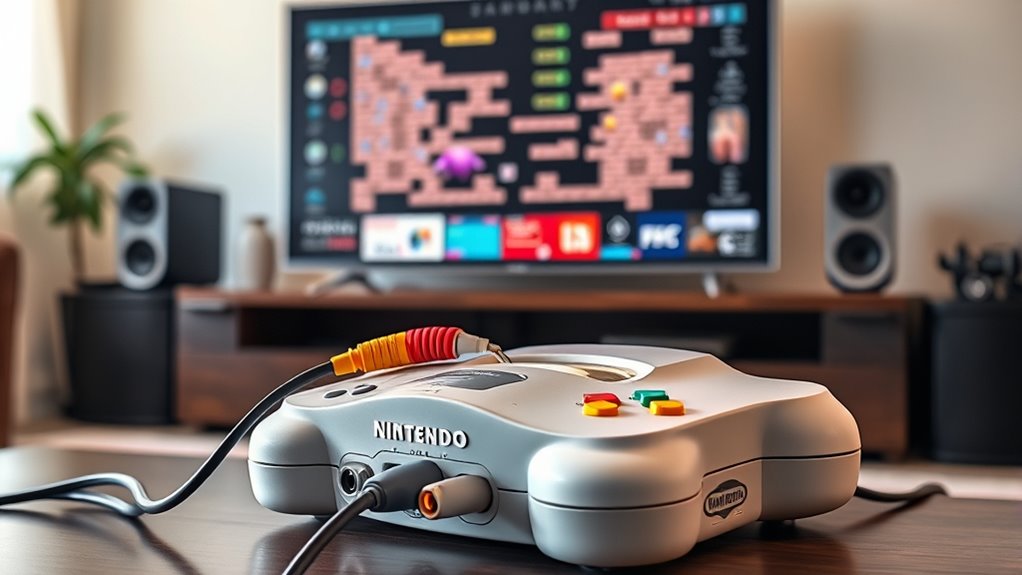

To hook up your N64 to a smart TV, check for available inputs on your TV like composite (yellow, red, white) or HDMI. If your TV only has HDMI, consider getting an adapter. Connect your N64 using the chosen cable, then power on and select the right input source on your TV. Adjust the aspect ratio to 4:3 for ideal display. For further tips on enhancing your gaming experience, you can discover more insights.
Understanding the N64 Connections
To successfully connect your Nintendo 64 (N64) to a smart TV, it’s essential to understand the various connections involved. The N64 typically uses a composite cable, which features three connectors: yellow for video and red and white for audio. If you want better quality, consider using an S-Video cable, which separates the video signal for clearer visuals. You may also come across third-party N64 connectors that offer HDMI output, providing a more modern connection for your smart TV. Familiarizing yourself with these cable types will help you determine the best option for your setup. With the right N64 connectors in hand, you’ll be ready to relive those classic gaming moments on your new screen.
Checking Your Smart TV Inputs
How do you know if your smart TV has the right inputs for your N64? Start by checking the back or side of your TV for available input types. The N64 typically uses composite cables, which feature three color-coded connectors: yellow for video and red and white for audio. Look for matching composite inputs on your TV; if you see them, you’re good to go! If your TV only has HDMI ports, you may need to explore alternative connection options. Inspect your TV’s user manual or settings menu for more details about supported input types. Knowing your smart TV’s capabilities will help you guarantee a smooth connection and enjoy your nostalgic gaming experience with ease.
Choosing the Right Adapter or Cable
While your smart TV might have the right inputs, you’ll need the proper adapter or cable to connect your N64 effectively. There are several adapter types available, like composite to HDMI or S-Video to HDMI. Choose one that suits your TV’s inputs and your N64’s output capabilities.
When it comes to cable lengths, consider where you’ll be placing your N64 in relation to your TV. Longer cables offer more flexibility in setup but can sometimes lead to signal degradation. Aim for a quality cable that suits your needs without excess length. By carefully selecting the right adapter or cable, you’ll guarantee a smooth connection and enjoy your favorite N64 games in no time.
Connecting the N64 to Your Smart TV
Once you’ve chosen the right adapter or cable, connecting your N64 to your smart TV is straightforward. Just follow these simple steps to relive those retro gaming nostalgia moments without facing N64 compatibility issues:
- Plug the adapter into the N64’s output port.
- Connect the other end to your smart TV’s input.
- Turn on your N64 and TV.
- Select the correct input source on your TV.
- Enjoy the thrill of classic gaming on a modern screen!
These steps will help you bridge the gap between generations, letting you experience the joy of your favorite childhood games. You’ll feel that rush of excitement as you plunge into pixelated adventures once more. Let the nostalgia flow!
Adjusting TV Settings for Optimal Display
To get the best display from your N64 on a smart TV, you’ll need to adjust a couple of key settings. Start with the resolution to guarantee the image isn’t stretched or pixelated, and then check the aspect ratio to match the original format of your games. Making these adjustments will enhance your gaming experience greatly.
Resolution Adjustments
When setting up your N64 with a smart TV, adjusting the resolution is crucial for attaining the finest display quality. Proper resolution scaling can make a world of difference in your gaming experience. You’ll want to guarantee that the pixel aspect ratio is maintained to avoid any distortion.
- Feel the nostalgia wash over you.
- Relive those classic gaming moments.
- Experience vibrant visuals like never before.
- Dive deep into the game without distractions.
- Enjoy smoother gameplay that feels just right.
Take the time to tweak your TV settings for peak display. You’ll find that a little adjustment goes a long way in enhancing your enjoyment and freedom to play the way you remember.
Aspect Ratio Settings
Have you ever noticed how the wrong aspect ratio can distort your favorite N64 games? To optimize your gameplay experience, you’ll want to adjust your TV’s aspect ratio settings. Most smart TVs offer several aspect ratio types, like 4:3, 16:9, and zoom modes. For N64 games, 4:3 is typically the best choice, ensuring the original visuals display correctly without stretching.
Check your TV’s settings menu to find the aspect ratio option; once there, select 4:3 for the best screen compatibility. If your TV has a “Just Scan” or “Original” option, that may work too. Adjusting these settings can make a huge difference in how your classic games look, keeping that nostalgic feel alive!
Troubleshooting Common Issues
Although hooking up your N64 to a smart TV is usually straightforward, you might encounter some common issues that can disrupt your gaming experience. Here are some N64 troubleshooting tips to help you overcome these hurdles:
Hooking up your N64 to a smart TV can be easy, but common issues may arise that disrupt gameplay.
- No signal on the TV screen
- Distorted or poor video quality
- Audio issues or no sound at all
- Incorrect controller response
- Lag or delay in gameplay
When faced with these common connection issues, double-check your cables and connections. Make sure everything is secure and correctly plugged in. If you’re still having problems, try restarting both the N64 and your TV. Don’t let these minor setbacks keep you from enjoying your favorite classic games!
Enhancing Audio and Visual Quality
To enhance the audio and visual quality of your N64 on a smart TV, consider using an HDMI adapter for better clarity and sound. You’ll also want to adjust your TV’s settings to optimize the display for retro gaming. These simple steps can greatly improve your gaming experience.
Use HDMI Adapter
Using an HDMI adapter is one of the best ways to enhance the audio and visual quality of your Nintendo 64 when connecting it to a smart TV. Many adapters can resolve common HDMI compatibility issues, ensuring a smoother gaming experience. When you compare adapter performance, you’ll notice significant differences in clarity and sound.
- Experience the nostalgia with vibrant visuals
- Enjoy crisp audio that brings games to life
- Eliminate the hassle of outdated cables
- Relish the freedom to play on modern screens
- Rediscover classic games in stunning detail
With the right HDMI adapter, you can breathe new life into your N64 gaming sessions, making them feel fresh and exciting again. Embrace the freedom of retro gaming without the drawbacks!
Adjust TV Settings
Once you’ve connected your N64 to your smart TV, adjusting the TV settings can greatly enhance your gaming experience. Start by tweaking the TV brightness and color calibration to get the best visuals. Here’s a quick reference table to help you:
| Setting | Recommended Adjustment | Purpose |
|---|---|---|
| TV Brightness | 50% | Improves visibility |
| Color Calibration | Warm tones | Enhances color accuracy |
| Contrast | 70% | Sharpens image details |
| Sharpness | 0% | Reduces artifacts |
Enjoying Your Retro Gaming Experience
While you might think that retro gaming is a thing of the past, hooking up your N64 to a smart TV can bring those classic memories back to life, allowing you to relive the excitement of 90s gaming. Embrace the magic of retro gaming nostalgia and immerse yourself in classic game titles that defined a generation. Picture yourself:
Revive the thrill of the 90s by connecting your N64 to a smart TV and dive back into gaming nostalgia!
- Battling friends in Super Smash Bros.
- Exploring the vast worlds of The Legend of Zelda: Ocarina of Time
- Racing through Rainbow Road in Mario Kart 64
- Trying to conquer the ultimate challenge in GoldenEye 007
- Enjoying the timeless fun of Mario Party
Frequently Asked Questions
Can I Use an HDMI Splitter With My N64?
Sure, you can use an HDMI splitter with your N64, but keep in mind that HDMI quality might affect the classic experience. Make certain your splitter supports N64 compatibility for the best results without compromise.
Is the N64 Compatible With 4K TVS?
The N64 isn’t truly compatible with 4K TVs due to its low resolution and outdated graphics. You’ll notice significant upscaling, but the original visuals can’t match the clarity of modern displays. Adjust settings for better experience.
What Are the Best Games to Play on N64?
You’ll love playing classics like “Super Mario 64” and “Donkey Kong 64” for platforming fun. For the best multiplayer experiences, check out “GoldenEye 007” and “Mario Kart 64.” They’re timeless and perfect for friends!
Can I Connect Multiple Consoles to My Smart TV?
Yes, you can connect multiple consoles to your smart TV. With proper console compatibility and a multi-device setup, you can enjoy various gaming experiences without hassle, giving you the freedom to switch between your favorite consoles.
How Do I Clean My N64 for Better Performance?
To clean your N64, use these cleaning tips: gently wipe the console with a microfiber cloth, and for cartridge maintenance, clean the connectors with isopropyl alcohol and a cotton swab. Keep it functioning smoothly!

[…] – aspect ratio settings […]