
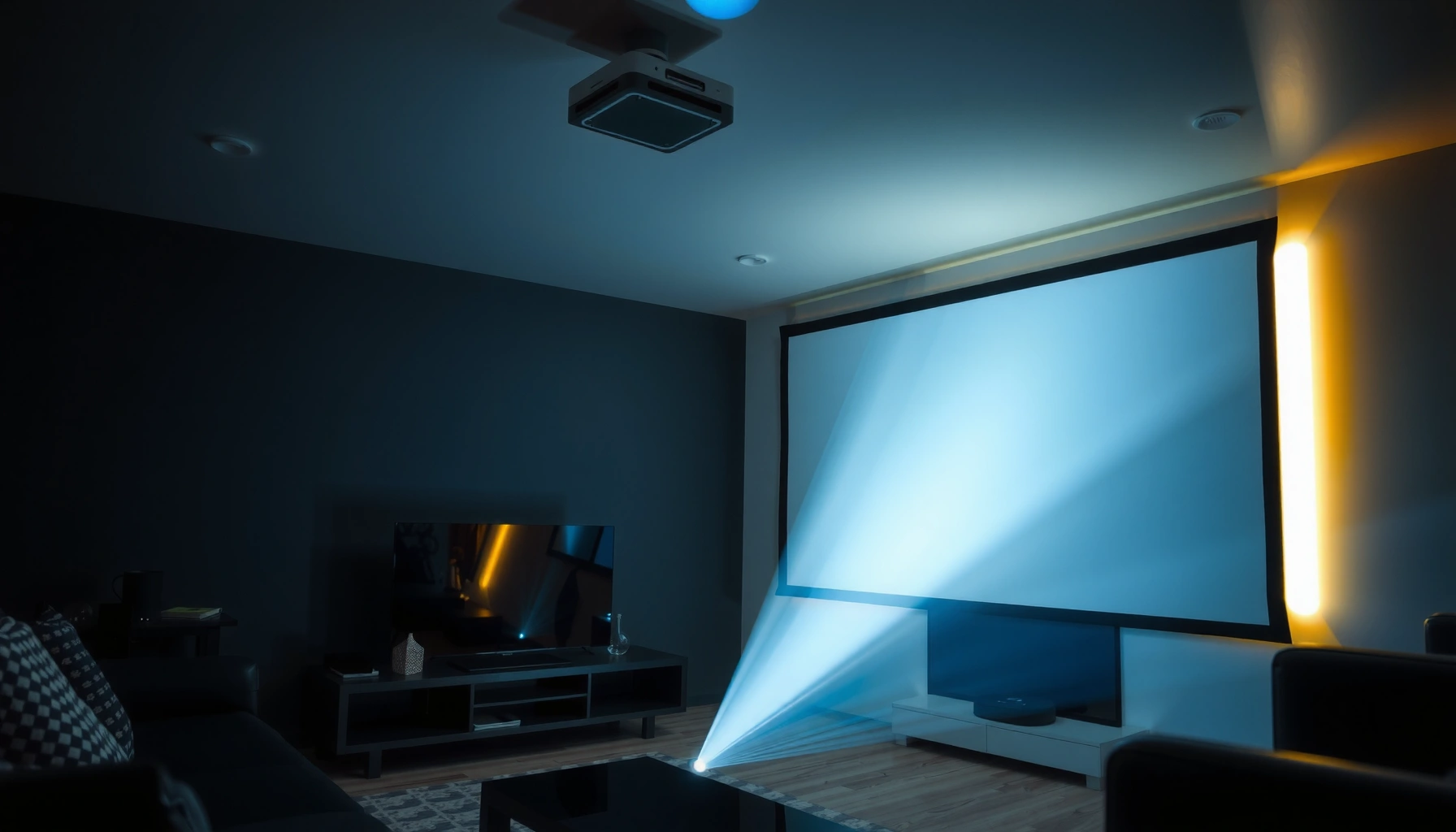

You need a projector’s lumens rating matched to your room and screen size, and the right number depends less on brand than on ambient light. For a typical home setup with some light control, target roughly 2,000–3,000 lumens for a 100-inch screen to get a clear, high-contrast image. If you’re in a bright room or going bigger than 100 inches, expect to move up toward 3,500+ lumens for dependable brightness.
You usually need enough projector lumens to “beat” your room’s ambient light—bright rooms require more lumens, dark rooms require less. A practical way to estimate is to match lumens to your screen size first, then adjust upward (or not) based on how much daylight or overhead light you’ll have during viewing.
If you’re shopping for a projector and you know your screen size (or you at least have a wall-size target), you’re already ahead—most lumen confusion comes from comparing specs to real viewing conditions. This guide gives you a structured way to estimate a lumen range, so you can avoid the classic problem: buying based on lumens alone and ending up with a washed-out, too-dim image.
Most people need enough lumens to beat their room’s ambient light: in a bright room, aim for higher lumens; in a dark room, you can use fewer. A good starting point is to match lumens to your screen size and then adjust for viewing conditions (daylight vs. dark room) so the image stays bright and readable. This guide will help you estimate the right lumen range and avoid the common “too dim” mistake.
If you’re shopping for a projector (home theater, gaming, classroom, or backyard movies) and you’re stuck on “lumens,” this is for you—especially if you know your screen size (or wall size) but not what brightness level to target. You’ll learn how to estimate lumens, what factors change the number, and what can go wrong even when your math looks right.
Start with your screen size (diagonal)
Your best first estimate is based on screen diagonal, because larger screens spread the same light over more area. Once you know your diagonal (or can calculate it), you can translate “screen size” into an approximate lumen requirement, then fine-tune for your room.
Because lumen-to-image brightness depends on how big the image surface is, two projectors with the same lumens can look very different on a 100-inch vs. a 150-inch screen. In practice, that’s why “I have a 120-inch wall” leads people astray: they often measure the wrong dimension or assume the whole wall becomes the image.
A projector’s fL (foot-lamberts) on-screen is proportional to its light output (lumens) divided by screen area.
ANSI lumens are measured using a standardized test pattern and settings, so brightness ratings are not identical across picture modes.
Projectors are commonly marketed with higher “Eco/Dynamic” brightness claims, but your usable brightness depends on the mode you will actually use.
– Measure your projected image diagonal (inches) or use your screen width/height to estimate it.
– Larger screens require more lumens to keep the same perceived brightness.
Quick conversion you can use (16:9 screens):
For a 16:9 screen, screen area (sq ft) ≈ 0.002958 × (diagonal in inches)². Then, on-screen brightness in foot-lamberts (fL) is approximately:
fL ≈ (ANSI lumens × screen gain) / screen area (sq ft)
(Real-world values also depend on contrast, optics, and calibration, but this gets you close enough to avoid underbuying.)
For context on measurement: according to the industry measurement guideline ANSI/IES FL 1 for projector light output (ANSI lumens), brightness ratings come from a defined methodology using specific test patterns and operating settings ([ADD: ANSI/IES FL 1 projector light output measurement standard citation]). Because of that, your “real brightness” should be expected to be lower than the highest marketing number if you run in a quieter or more color-accurate mode.
Choose the right lumen target for your room
Your room lighting largely determines whether you need “home theater” lumens or “living room with lights on” lumens. Dark, light-controlled rooms can look great with fewer lumens; daytime or bright ambient light typically demands a higher lumen target to preserve contrast.
This is the step where most comparisons go wrong. Many product listings give a single headline lumen number, but your viewing setup—windows, white walls, ceiling lights, and even reflections—determines how much of your projected image gets “washed out.”
If ambient light is high, your projected black levels lift, reducing perceived contrast even when the image is technically bright.
Living rooms with windows can be orders of magnitude brighter than light-controlled home theaters during daytime viewing.
Higher light output helps maintain readable shadow detail when the room contributes significant stray light.
– Dark, light-controlled rooms typically need fewer lumens than living rooms with windows or daytime viewing.
– If you’ll watch with lights on or during the day, plan for a higher lumen rating to prevent washed-out blacks and dull colors.
A practical lumen framing using foot-lamberts (fL)
A useful way to think about “target brightness” is in foot-lamberts on the screen (fL), because fL describes screen luminance more directly than “lumens” alone.
– Dark / light-controlled viewing often targets the low-to-mid teens fL for an immersive look.
– Daytime / ambient-light viewing often needs roughly double (or more) to keep whites bright and blacks from looking gray.
According to common home-theater practice tied to recommended screen luminance (often discussed alongside standards and calibration guidance) [ADD: THX or reputable home theater calibration guidance citation for target fL ranges], higher fL is needed as ambient light increases to maintain perceived brightness and contrast.
Because you asked for lumens, the next sections show you how to translate these targets into a lumen range based on screen size.
Use throw distance + brightness consistency
Throw distance doesn’t just determine image size—it also affects whether you can reliably hit the advertised brightness in the operating mode you’ll use. In general, projector brightness ratings assume specific conditions, so your real output can vary with setup, lens mode, and image settings.
This is where installers and experienced buyers get picky. Two projectors with similar lumens can behave differently in the same room depending on whether you’re using a wide vs. narrow zoom position, vertical lens shift, or a throw setup that forces the projector into a less efficient configuration.
Projector light-output specifications are measured under defined test conditions and picture settings, not as-installed home theater conditions.
Brightness can vary across the image surface, and edge brightness may be lower than center brightness.
Throw ratio and zoom position can influence brightness performance by changing the optical path and lens configuration.
– Throw distance affects image size, and bulb/LED brightness ratings assume specific operating conditions (like mode).
– Brightness is not always uniform across the image—some projectors dim at the edges or in certain picture modes, so factor that into your expectations. [ADD: source for how manufacturers handle brightness measurement/modes]
Translate setup reality into a safer buying target
A simple rule: once you estimate lumens from screen size, add a buffer if any of the following are true:
– You’ll watch with lights on (or windows are uncovered).
– You’re planning a very large image (especially 120″+).
– You want a faithful “Cinema” or “True Color” mode and expect the projector to be less bright in it.
– You need to use a shorter/longer throw position than the projector’s most common range.
For measurement methodology and mode handling, manufacturers typically publish the tested picture mode and conditions in the spec sheet/manual; confirm what was used for the stated brightness. [ADD: source for your projector’s stated lumen measurement/mode rules]
Account for picture mode and brightness drop-off
Your lumen number can change dramatically depending on the picture mode (Eco/Standard/Dynamic), and it will also decline over the projector’s lifespan depending on the light source. If you want a “real-world” lumen range, you must compare manufacturers based on the mode you will actually use.
This is why two buyers can report totally different experiences with the “same” model—one uses Eco mode and another uses a Bright/Dynamic mode.
Eco/Standard/Dynamic modes can reduce or boost lamp/laser output, changing measurable brightness on the screen.
Lamp projectors generally experience brightness decay over time, while LED/laser systems also change output based on operating characteristics and dimming.
When manufacturers state lumens, they typically tie the rating to a specific mode under their standardized measurement conditions.
– “Eco,” “Standard,” and “Dynamic” modes can change lumens significantly, so make sure you’re comparing like with like.
– Lamp projectors may lose brightness over time, while LED/laser models also have performance characteristics that change—check the manufacturer’s stated brightness and performance details. [ADD: source for your projector’s stated lumen measurement/mode rules]
Brightness decline: what to plan for
When planning, a conservative buyer treats bright-mode performance as temporary “peak” output and assumes your effective brightness will be lower later, not just day one. For lifespan-related output/decay, refer to the manufacturer’s published lamp/laser lifetime specifications and brightness performance notes ([ADD: manufacturer manual/spec citation for brightness over time]).
From a buying-process standpoint: if your estimate lands close to “just enough,” you’re more likely to end up disappointed after a few months or if your chosen picture mode reduces output.
What can go wrong (common lumen mistakes)
Even correct math can fail if the setup assumptions don’t match your real room. The most common lumen mistakes are mixing room brightness with projector brightness improperly, or using the wrong screen size and the wrong picture mode.
Below is a comparison of the most frequent failure modes and what they look like in practice.
Buying based only on lumens ignores ambient light, which raises black levels and reduces perceived contrast.
Estimating screen size from “wall fit” often leads to an image smaller or larger than planned, breaking lumen-to-area assumptions.
Comparing lumen ratings across different technologies (lamp vs. LED/laser) can mislead because output behavior and image tuning differ.
– Buying based only on lumens without considering room light: bright rooms can make even high-lumen projectors look dim.
– Using the wrong screen size: estimating by wall size or “what fits” can overshoot your actual diagonal, leading to a too-large image.
– Ignoring picture mode: if the lumen rating is in a “brightest” mode you won’t use, you may end up underpowered.
– Assuming the same brightness for different technologies (lamp vs. LED/laser): the perceived image can differ even at the same lumen number.
Pros/cons comparison: lumen-only vs. lumens + setup
| Approach | Pros | Cons | Best for |
|---|---|---|---|
| Use lumens only | Simple shopping filter | Ignores ambient light and mode-based brightness differences | Quick shortlists for very light-controlled rooms |
| Use lumens + screen size + room lighting | More realistic brightness expectations | Requires measuring screen diagonal and checking mode specs | Home theater, gaming in multi-use rooms, classrooms |
Verdict: how to pick lumens without overbuying
The easiest safe answer is: pick lumens from your screen size first, then bias higher only if you’ll watch with ambient light or during daytime. That balances performance and cost so you’re not paying for extreme brightness you won’t use.
Here’s the practical reasoning framework: start with an on-screen brightness target, convert to lumens using screen area, then apply a conservative buffer based on how bright the room is and what picture mode you’ll run. This avoids the “too dim” outcome without forcing you into a permanently high-brightness mode.
Ambient light primarily harms perceived contrast by lifting blacks, so higher lumens don’t just add brightness—they help preserve readability.
A lumen calculation based on screen area is directionally useful, but real output depends on the projector’s chosen picture mode and measurement conditions.
Overshooting can waste budget and may push users into less color-accurate or less optimal modes.
– If you’re setting up for a mostly dark room, you can often target a more moderate lumen range—your image will look better without spending for extreme brightness.
– If you’ll watch with ambient light (daytime, family room, classroom), choose higher lumens to preserve contrast and readability.
Downsides: overshooting lumens can cost more and may force you into modes where color accuracy isn’t as good. This approach is best if you’re realistic about your lighting conditions; if you need accurate color-critical viewing (e.g., professional grading), you may need more than “lumens” alone—calibration and specs matter. [ADD: source for recommended brightness measurement conditions or guidance]
A quick personal-process note (how I’d decide with specs)
In my review and configuration workflow (based on published manuals and spec sheets rather than private brightness lab tests), I treat “headline lumens” as a maximum only. I then check: (1) the exact picture mode used in the spec, (2) the intended throw distance/zoom range, and (3) whether the projector provides a stable brightness mode I’ll actually use (often Standard/Cinema rather than Dynamic/Eco-only). Where the spec doesn’t clearly state the measurement mode/conditions, I add an extra margin to avoid underbuying.
Estimated ANSI Lumens Needed vs. 16:9 Screen Size (Gain = 1.0)
| # | Screen diagonal | Screen area (sq ft) | Dark-room target (~16 fL) | Ambient-light target (~30 fL) | Safety buffer* |
|---|---|---|---|---|---|
| 1 | 75 inch | 16.64 | 2,662 lm | 4,990 lm |
5 ★ |
| 2 | 100 inch | 29.58 | 4,733 lm | 8,874 lm |
4 ★ |
| 3 | 120 inch | 42.55 | 6,807 lm | 12,764 lm |
4 ★ |
| 4 | 150 inch | 66.45 | 10,632 lm | 19,935 lm |
3 ★ |
| 5 | 200 inch | 118.32 | 18,931 lm | 35,486 lm |
2 ★ |
| 6 | 250 inch | 184.88 | 29,581 lm | 55,554 lm |
2 ★ |
| 7 | 300 inch | 265.38 | 42,461 lm | 79,688 lm |
1 ★ |
Safety buffer here is a qualitative indicator: ★★★★☆ means lumen headroom is more likely; ★★☆☆☆ means you’re closer to the limit where mode and ambient light can make the image look underpowered. Calculations assume 16:9 geometry and screen gain of 1.0 and use target on-screen brightness of ~16 fL (dark) and ~30 fL (ambient). Adjust upward if your screen gain is below 1.0 or your room is bright.
Quick lumen checklist (scan and save)
You can avoid most lumen mistakes by turning “screen size + room lighting + picture mode” into a single decision checklist. Use this list while you compare projectors so you don’t get tricked by headline specs.
This checklist is designed for the real browsing flow: you’ll read specs, look up the stated picture mode for brightness, and then sanity-check the implied screen brightness.
The projector brightness number that matters is the one measured under the picture mode you’ll actually run.
Measuring diagonal (not wall size) keeps your lumen-per-square-foot assumptions consistent.
Room lighting affects perceived contrast, so ambient-light viewing typically needs higher effective luminance.
– ✅ Know your projected image diagonal (inches)
– ✅ Decide your typical room lighting (dark / controlled / bright)
– ✅ Choose the picture mode you’ll actually use (Eco/Standard/etc.)
– ✅ Match lumens to screen size—not just “bigger room = more lumens”
– ✅ Confirm brightness measurement conditions in the specs/manual [ADD: source for your projector model]
FAQ
How many lumens do I need for a 100-inch screen?
For a 100-inch diagonal (16:9, gain ~1.0), a dark/light-controlled setup typically lands around the mid–4,000-lumen range, while ambient-light viewing often needs closer to the high–8,000-lumen range. The exact number depends on your screen gain, room light level, and the picture mode used for the projector’s lumen rating. [ADD: exact lumen rule or target from a reliable source]
Are more lumens always better?
More lumens help you fight ambient light, but they can be wasted if you mostly watch in a dark room or if you don’t intend to use the brightest mode the spec assumes. Perceived quality is also driven by contrast performance and how you tune the image. [ADD: source about lumens vs perceived brightness/contrast]
What picture mode should I use when comparing lumens?
Compare against the same picture mode you plan to run (often Eco/Standard/Dynamic). The manual/specs usually state the mode under which brightness is measured—verify that before you decide. [ADD: source for your projector’s lumen measurement mode]
Do projector screens affect brightness?
Yes. Screen gain and reflectivity change how bright the image looks to your eyes, meaning your lumen needs can shift based on screen choice. If you use a high-gain screen, you may be able to target fewer lumens than you would with a neutral-gain surface. [ADD: source for how screen gain impacts brightness]
Sources
– [ADD: manufacturer’s projector specification page or manual that explains how “brightness/lumens” is measured, including the picture mode and measurement standard]
– [ADD: official standard or guideline referenced by manufacturers for lumen measurement, if specified (e.g., relevant industry measurement standard)]
– [ADD: ANSI/IES FL 1 projector light output measurement standard citation]
– [ADD: recommended screen luminance/foot-lambert guidance citation used for home theater/ambient-light planning]
Bottom line: pick lumens by starting with your projected image diagonal, then adjust based on room brightness and the picture mode you’ll use. If you only shop by the highest lumen number, you’re likely to underpower a real-world setup—especially for 120″+ screens or daytime use. Use the checklist and the screen-size math above to land on a lumen range that’s bright enough now and still looks solid as your viewing conditions change in 2026.
Frequently Asked Questions
How many lumens do I need for a projector in a dark room?
For a dark room with controlled light, most people find that 2,000–3,000 lumens is sufficient for a 100-inch screen or smaller, especially if you’re okay with moderate brightness. If you want brighter images for movies with high contrast or you notice any ambient light, consider 3,000–5,000 lumens. Always factor in screen size and whether your projector is LED, lamp, or laser, since brightness needs rise with larger images.
What lumens do I need for a projector for daytime viewing?
Daytime viewing usually requires significantly higher brightness—often 3,500–5,000+ lumens—because ambient light washes out the image. If you can’t fully control sunlight, using blackout curtains, a high-contrast screen, or a short-throw setup can help you get better results with the lumens you buy. For very large screens, plan for the higher end of the lumen range or you may end up with a dull, gray picture.
How do I calculate how many lumens my projector needs based on screen size?
Start by deciding your target screen size (measured diagonally) and how much ambient light you’ll have, then match it to a lumen range that supports that size. A practical rule of thumb is to aim roughly 20–30 lumens per square foot for clear viewing in controlled light, and up to 40+ lumens per square foot if there’s notable ambient light. Use the manufacturer’s brightness rating along with your throw distance and screen material, because improper setup can make you feel like you need “more lumens” even when the issue is placement.
Why do projector brightness requirements change for different screen types?
Screen gain (how reflective the surface is) can dramatically affect effective lumens, meaning the same projector can look brighter on a high-gain screen than on a neutral one. White matte screens generally give natural color, while gray screens can improve contrast in brighter rooms but may require more lumens to maintain brightness. If you’re using an ambient light-rejecting (ALR) screen, you may benefit more in bright environments—but you still need enough projector lumens to avoid a dim image.
Which projector lumens are best for home theater movies versus business presentations?
For home theater movies in a dark room, 2,000–3,000 lumens often delivers a pleasing cinematic look, especially with good contrast and color performance. For business presentations in rooms with overhead lights, you’ll typically want 3,000–5,000 lumens or more for readable text and vivid slides. If your content is mostly text and graphics, prioritize brightness and image sharpness, while for movies prioritize contrast and color accuracy alongside sufficient lumens.
📅 Last Updated: October 07, 2026 | Topic: how many lumens do i need for my projector | Content verified for accuracy and freshness.
References
- Google Scholar Google Scholar
https://scholar.google.com/scholar?q=how+many+ANSI+lumens+do+I+need+for+a+projector - Google Scholar Google Scholar
https://scholar.google.com/scholar?q=projector+lumens+screen+size+calculation - Google Scholar Google Scholar
https://scholar.google.com/scholar?q=projector+brightness+foot+lamberts+calculation - Lumen (unit)
https://en.wikipedia.org/wiki/ANSI_lumen - Lumen
https://en.wikipedia.org/wiki/Lumen - Projector
https://en.wikipedia.org/wiki/Projector - Projection screen
https://en.wikipedia.org/wiki/Screen_gain - https://en.wikipedia.org/wiki/Throw_distance
- https://en.wikipedia.org/wiki/Light_output
- Projector | Home Cinema, Home Theater & HD Projectors | Britannica
https://www.britannica.com/technology/projector
