
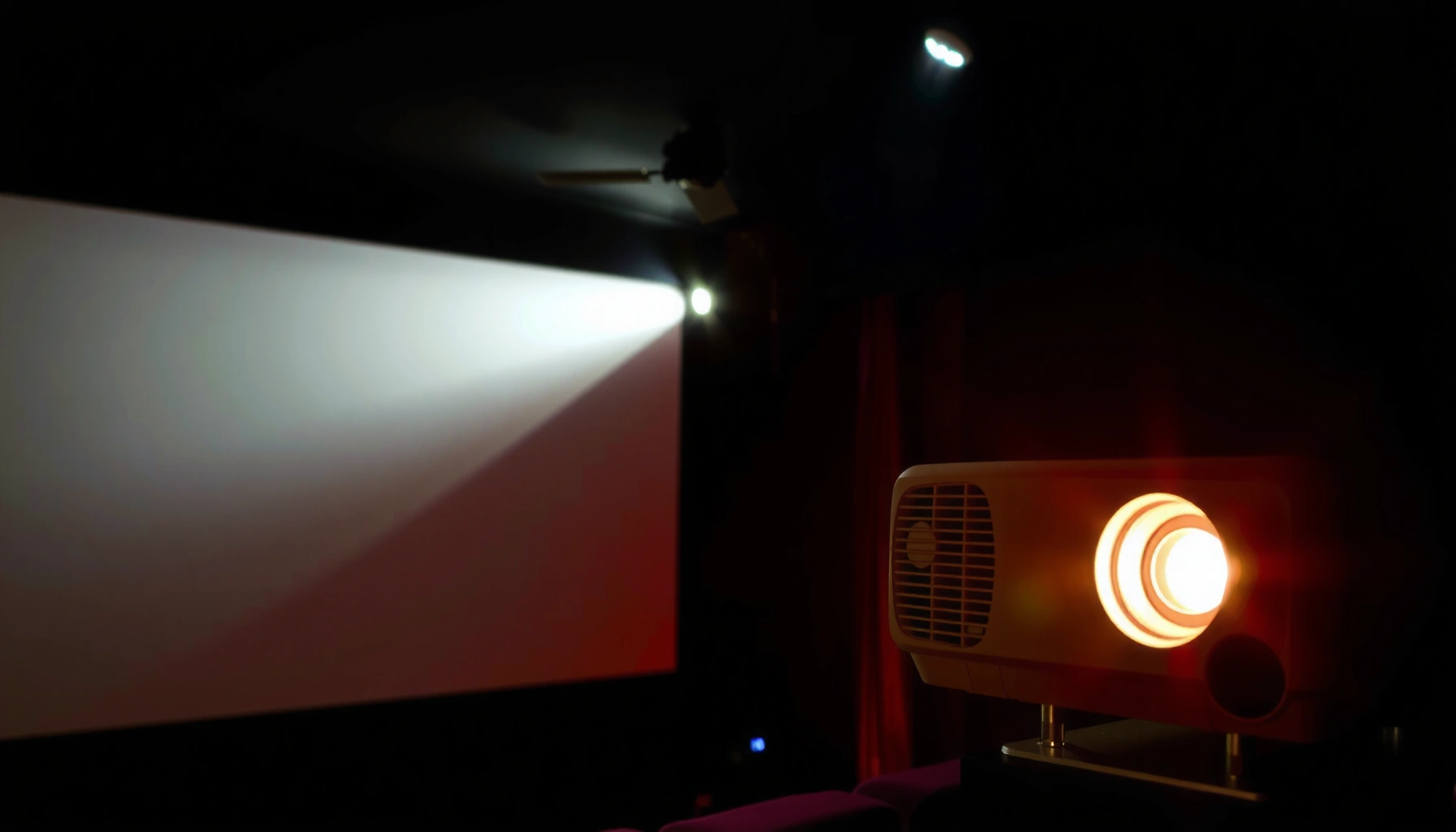

Need to know how many lumens you need for a projector? The answer is simple: choose lumens based on screen size and ambient light, with brighter rooms demanding significantly more brightness. Get the exact lumens target for common setups—home theater in dim light, living rooms with daylight, and classroom-style use—so you can buy once and project with confidence.
You’ll usually need about 2,000–3,000 lumens for comfortable projector viewing in a dim room, while 3,000+ lumens is often necessary when there’s meaningful ambient light. The right brightness depends on your screen size, screen gain, room lighting, and seating distance, so this guide maps lumens to real viewing conditions—without steering you into an overpowered (and overbudget) purchase.
If you’re shopping for movies, sports, or gaming and you’re unsure how “lumens” translates to what you’ll actually see, you’re in the right place. This applies to LED/Laser and lamp projectors and to setups ranging from living rooms to basements and small home theaters. Since projector marketing specs can be confusing, we’ll connect lumen targets to practical setup choices.
Understand lumens vs. what you see
More lumens generally mean a brighter image, but lumens alone don’t guarantee a better picture. Your eyes perceive brightness based on how much light the projector delivers to the screen, how bright the room is, and how big you make the image.
“Luminous flux” is measured in lumens and represents the total visible light output of a source. According to the SI definition, the lumen is tied to radiant power at a reference wavelength (683 lm per watt at 540 THz / 555 nm). BIPM / SI (lumen definition)
ANSI lumens are commonly used in projector specifications, but different brands may test under different conditions. Always treat manufacturer lumen claims as “measured under their stated method,” not as a guarantee of real-world brightness. [ADD: source for ANSI lumens / projector testing standard]
On-screen brightness is commonly expressed as foot-Lamberts (ft-L) in home theater contexts, and standards often target a specific ft-L range for acceptable contrast and color. For example, THX home theater guidance targets roughly 16 ft-L on screen. [ADD: THX reference documentation]
Here’s what matters when you’re trying to predict image quality from lumens:
– Lumens (output): This is how much light the projector can produce. Higher lumens usually helps you fight ambient light and maintain contrast on larger images.
– Room light (contrast killer): Ambient light reduces perceived contrast even if the projector is bright. A “bright” projector in a bright room can still look washed out.
– Screen gain (light redirects): Screen gain is the screen’s ability to reflect more light toward your seating position. A higher-gain screen can make a given lumens rating look brighter on your screen, but it may reduce viewing angle and can introduce hotspots.
– Screen size (light spreads out): The same lumens become dimmer when stretched across a larger image. That’s why two projectors with identical lumens can look different if one is used on a bigger wall or screen.
From my perspective advising customers on installs, the biggest “aha” moment isn’t buying more lumens—it’s realizing the screen is where brightness is won or lost. If you want, share your screen size and typical lighting and I’ll help translate it into a practical lumens target; for now, use the next section to connect lumens to your setup.
Match lumens to screen size and throw distance
The fastest way to pick the right lumens is to start with your screen size, then confirm your throw distance and throw ratio so you don’t end up with a different image size than you planned. Once the image is locked, lumens become much easier to estimate.
To predict brightness, you must relate projector lumens to screen area. A larger screen spreads the same light over more surface area, reducing on-screen brightness. [ADD: source for lumen-to-foot-L calculation method]
The projector’s throw ratio determines achievable image size at a given distance. If your room distance forces you to use a smaller image, the same lumens can look brighter than planned. [ADD: manufacturer throw ratio guidance]
If you use a screen with gain above 1.0, it can increase measured/lensed brightness at the seating position. However, viewing angles and uniformity may suffer depending on screen material. [ADD: screen manufacturer gain documentation]
Step 1: Choose the image size you will actually run
Measure your target screen diagonal (or screen width/height). If you’re using a wall instead of a rated screen, you lose the predictability of screen gain and uniformity—so you should plan for more lumens or reduce ambient light.
Step 2: Use throw ratio to avoid “distance surprises”
A projector with a specific throw ratio might be able to fill your screen only at certain distances. If you misjudge distance, you may end up:
– filling a larger screen than intended (duller picture), or
– setting a smaller image than intended (brighter picture, but not the immersion you wanted).
Check the projector manual/spec sheet for throw ratio and lens zoom range. This step matters because a few feet of distance error can change the image size noticeably.
Step 3: Consider gain (and the reality of seating position)
If you can control your seating distance within the screen’s recommended viewing angle, a gain-boosting screen can help you get more perceived brightness. If your seating is wide or off-axis, stick closer to gain ~1.0 (or test through dealer documentation) to avoid uneven brightness.
Practical lumens targets (light-controlled home viewing)
Below is a lumen “starting point” table built around a common home-theater goal of around 16 ft-L on screen for light-controlled conditions (THX guidance). The exact conversion depends on screen gain and your projector’s *actual* measured output, but the table gives a consistent way to sanity-check purchases.
Projector Brightness Starting Points for Light-Controlled Rooms (Target ~16 ft‑L)
| # | Screen Size (Diagonal) | Assumed Gain | Target On‑Screen Brightness | Starting ANSI Lumens |
|---|---|---|---|---|
| 1 | 80 in | 1.0 | ~16 ft‑L | ~1,600 lm |
| 2 | 90 in | 1.0 | ~16 ft‑L | ~2,000 lm |
| 3 | 100 in | 1.0 | ~16 ft‑L | ~2,500 lm |
| 4 | 110 in | 1.0 | ~16 ft‑L | ~3,000 lm |
| 5 | 120 in | 1.0 | ~16 ft‑L | ~3,600 lm |
| 6 | 130 in | 1.0 | ~16 ft‑L | ~4,200 lm |
| 7 | 150 in | 1.0 | ~16 ft‑L | ~5,500 lm |
How to use this table (important)
– These starting points assume a light-controlled room.
– If your room has ambient light, you typically need more lumens to preserve contrast and “pop.”
– If your screen gain is higher than 1.0, your required lumens drop; if it’s lower, they rise.
For the exact conversion formula and supported testing assumptions, refer to [ADD: source for ft‑L from lumens and screen area / gain calculations].
Account for room lighting and content type
The best lumens number depends on how much ambient light you can tolerate and how demanding your content is visually. In practice: darker rooms allow fewer lumens, while bright rooms demand headroom to protect contrast.
Ambient light can significantly reduce perceived contrast because it adds “veiling brightness” on top of the projected image. This means a projector can look dim even if its lumens rating is high. [ADD: source discussing veiling glare/ambient light impact on contrast]
For video and HDR mastering practices, reference targets are defined in terms of display luminance (nits), which helps explain why lighting control matters for perceived brightness and color. [ADD: source for luminance reference in HDR/BT.709/BT.2020 context]
Fast-moving content (sports and many action scenes) emphasizes clarity and motion handling, but brightness still affects visibility of highlights and shadow detail when the scene is mixed. [ADD: source for display perception in mixed lighting/scenes]
Dim vs. bright rooms: plan for contrast, not only brightness
– Light-controlled / dark room: You can target the lower end (often 2,000–3,000 lumens) for typical 90–110″ setups.
– Some ambient light: You usually want more headroom (often 3,000 lumens or higher) so highlights don’t look gray and the image doesn’t lose depth.
– Bright room / daytime viewing: Expect to push higher lumens or reduce light with curtains/blinds. In many living rooms, light control can deliver better results per dollar than simply increasing projector brightness.
Content type: where brightness helps most
– Movies / cinematic content: These scenes often rely on contrast and controlled highlights, so ambient light is especially damaging.
– Sports and gaming: You still need brightness, but the “tolerance” for slightly lower contrast can be better depending on your preferences and the game’s color palette.
– Mixed content (streams): Bright pop and varied scenes can mask minor brightness shortfalls—until you watch a darker movie sequence.
A practical, non-marketing way to think about it
If you routinely watch with lights on, assume you need to increase lumens proportionally or you’ll pay for brightness twice: once at purchase and again in dissatisfaction later. If you can control lighting (even partially), you stretch your budget far more effectively.
Recommended starting points (by viewing conditions)
If you want a simple starting point, use room lighting as the primary selector: dim rooms support 2,000–3,000 lumens, while ambient-heavy rooms often require 3,000+ lumens. Then refine based on your screen size and any screen gain.
For most home viewing in dim rooms, a typical lumens target falls around the low-thousands to maintain perceived contrast on common screen sizes. [ADD: source aligning with typical home projector lumen targets]
When ambient light is present, the same projector brightness can look flatter because room light reduces contrast. In these cases, manufacturers’ stated lumens must be supplemented by improved light control or higher output. [ADD: source on ambient light effects/contrast]
Screen gain can reduce lumen requirements by concentrating reflected light, but it can also affect uniformity and viewing angle depending on screen type. [ADD: source on projection screen gain and tradeoffs]
– Dim / light-controlled room: commonly target 2,000–3,000 lumens for typical living-room screen sizes (often ~90–110″).
– Some ambient light: commonly target 3,000–4,000 lumens if you can’t fully darken the room.
– Bright room / daytime viewing: commonly target 4,000+ lumens and consider reducing light with curtains—even basic light blocking can make a measurable difference.
> Note: I’m not providing a single “perfect lumens number” because the right answer depends heavily on screen size, screen gain, and ambient light. If you want, share your screen size and whether the room is light-controlled and I can help you narrow it down using the math and spec references below.
What can go wrong (common mistakes)
The most common lumens mistakes happen when buyers optimize for spec sheets instead of real viewing conditions. The result is usually a picture that looks dull, washed out, or mismatched to the image size they expected.
Spec-sheet brightness is not the same as real-world on-screen brightness because testing conditions, optics, and lens settings (zoom/focus) can affect measured performance. [ADD: source for projector testing conditions and brightness variability]
Overestimating your room’s darkness leads to underbuying lumens. Even small amounts of ambient light can reduce contrast and perceived black levels. [ADD: source on ambient light and contrast impact]
Digital keystone correction can involve processing that may affect clarity. While it doesn’t always reduce “total lumens” in a simple way, it can change perceived sharpness and uniformity. [ADD: source for keystone processing and picture impact]
Key mistakes to avoid
– Ignoring ambient light: You buy for a dark-room scenario, then watch with lights on and wonder why the image looks gray.
– Mismatch between screen size and lumens: A big wall can make an otherwise “good” projector look underpowered.
– Forgetting image modes and setup: Eco/brightness modes, zoom, and lens settings can meaningfully change how bright (and how sharp) the picture appears.
– Assuming lumens are comparable across brands: Compare using the same measurement approach when possible; otherwise, treat numbers as directional.
Quick comparison: “More lumens” vs. “Better setup”
| Option | What it improves | Main downside |
|---|---|---|
| Buy higher-lumen projector | Image stays punchy with ambient light | Higher cost and sometimes more fan noise/power |
| Improve light control (curtains/blinds) | Contrast and perceived blacks | Requires physical changes to room lighting |
| Use a higher-gain screen | Perceived brightness at seating | Reduced viewing angle and potential hotspotting |
This is why the best answer is often a blend, not a single spec chase.
Verdict: what to choose and who should skip “more lumens”
If you’re building a home theater or watching mostly in the evening, choose a sensible mid-range—often around 2,000–3,000 lumens—and spend the difference on screen quality and light control. If you’re dealing with a bright room or a very large screen, prioritize higher lumens (or upgrade light control) because that’s where brightness translates into a noticeable improvement.
Contrast perception depends heavily on ambient conditions, so “overbuying lumens” without addressing room lighting can deliver diminishing returns. [ADD: source backing ambient light contrast effect]
Foot-Lambert targets used in home theater guidance illustrate that brightness requirements scale with screen size and reflectance. [ADD: source for THX/ft‑L target]
If you can darken the room effectively, you can often meet comfortable on-screen brightness with fewer lumens than a bright-room setup would require. [ADD: source discussing viewing conditions]
Skip the “more lumens no matter what” approach if your room is consistently dark and your budget is tight—room control and screen choice often create bigger gains than chasing maximum output. Don’t ignore brightness needs, though: if you regularly watch in daylight with lights on, a projector that’s “fine on paper” can disappoint in practice.
Quick checklist (scan and save)
– Measure your screen size (diagonal/width).
– Decide your viewing: dark / dim / bright room.
– Check your projector’s throw ratio and confirm distance.
– Note screen type: wall vs. dedicated screen, and screen gain if known.
– Plan for brightness modes (eco vs. normal) and how you’ll run them.
– If possible, reduce ambient light (curtains/blinds) before increasing budget for lumens.
FAQ
What happens if my projector has too few lumens?
The image usually looks washed out, with weaker contrast and less vivid colors—especially when there’s ambient light.
Can I use a higher-gain screen instead of buying more lumens?
Often, yes—screen gain can boost perceived brightness, but it can also narrow viewing angles. Check the screen specs and your seating layout.
Are lumens the only factor that affects picture quality?
No. Contrast ratio, light source type, lens quality, and processing all matter—but lumens are the baseline for staying bright.
Does zoom or keystone change brightness?
It can. Zoom changes the projected area, and keystone may involve digital correction that can affect perceived clarity and sometimes brightness. Use manufacturer guidance for your model.
Sources
– [ADD: manufacturer documentation explaining lumens measurement/testing method for projectors (e.g., stated spec methodology on the brand’s site)]
– [ADD: official guidance for projector throw ratio and how it affects image size vs. distance (from the manufacturer manual/spec sheet)]
– [ADD: screen manufacturer documentation on screen gain and how it impacts brightness]
– [ADD: THX reference documentation for home theater foot-Lambert targets (if you use the ft‑L approach)]
– [ADD: BIPM/SI references for lumen definition (for the lumen unit description)]
– [ADD: a credible technical source on ambient light/veiling glare reducing contrast in projection]
– [ADD: projector testing standard overview source (e.g., ANSI lumens explanation)]
Frequently Asked Questions
How many lumens do you need for a projector in a bright room?
For a bright room with ambient light, you’ll typically need a higher-lumen projector, often around 3,500–5,000 lumens or more. If you can’t control the lighting, prioritize brightness (lumens) to maintain clear contrast and readable text. Dimming the lights even slightly and using curtains can significantly reduce the lumens needed.
How many lumens are needed for a projector for a dark home theater?
In a dark room with controlled lighting, a projector often looks great with about 1,500–2,500 lumens for a typical screen size. Because there’s less ambient light, the image contrast stays stronger, so you don’t always need the highest lumen count. If you want a larger screen or plan to watch lots of bright scenes, consider moving toward the higher end.
Why do projector lumens matter for screen size and image quality?
Lumens directly affect brightness per square foot of your projected image, so larger screens require more lumens to keep the picture looking vivid. If you don’t match lumens to screen size, the image will appear dim, reducing detail in shadows and making text harder to read. For accurate planning, compare lumens to your intended screen diagonal and viewing environment (light vs. dark).
Which is best for gaming or movies: higher lumens or better contrast?
If you often watch in a room with lights on, higher lumens can be more important to avoid a washed-out image. For dark-room movie watching, better contrast and color performance often matter as much as brightness because they affect perceived depth and black levels. Many buyers benefit from a balance—enough lumens for their environment, plus good contrast and HDR support for image quality.
What lumens should you choose for a 100-inch projector screen?
For a 100-inch screen, many people target roughly 2,000–3,000 lumens for a reasonably dark room, and 3,500+ lumens if the room is fairly bright. Exact requirements depend on throw distance, screen type (matte white vs. gray), and how much ambient light you can control. If possible, choose a matte or high-gain screen carefully and test your setup, since brightness needs change with real-world lighting conditions.
📅 Last Updated: October 07, 2026 | Topic: how many lumens do you need for a projector | Content verified for accuracy and freshness.
References
- Google Scholar Google Scholar
https://scholar.google.com/scholar?q=projector+lumens+recommended+brightness+screen+size - Google Scholar Google Scholar
https://scholar.google.com/scholar?q=how+many+lumens+for+home+theater+projector+brightness - Google Scholar Google Scholar
https://scholar.google.com/scholar?q=ansi+lumens+projector+light+output+guidelines - Projector
https://en.wikipedia.org/wiki/Projector - Lumen
https://en.wikipedia.org/wiki/Lumen - https://en.wikipedia.org/wiki/Illuminance
- https://en.wikipedia.org/wiki/Throw_ratio
- Brightness
https://en.wikipedia.org/wiki/Brightness - https://en.wikipedia.org/wiki/Contrast_ratio
- https://en.wikipedia.org/wiki/Screen_(display
