
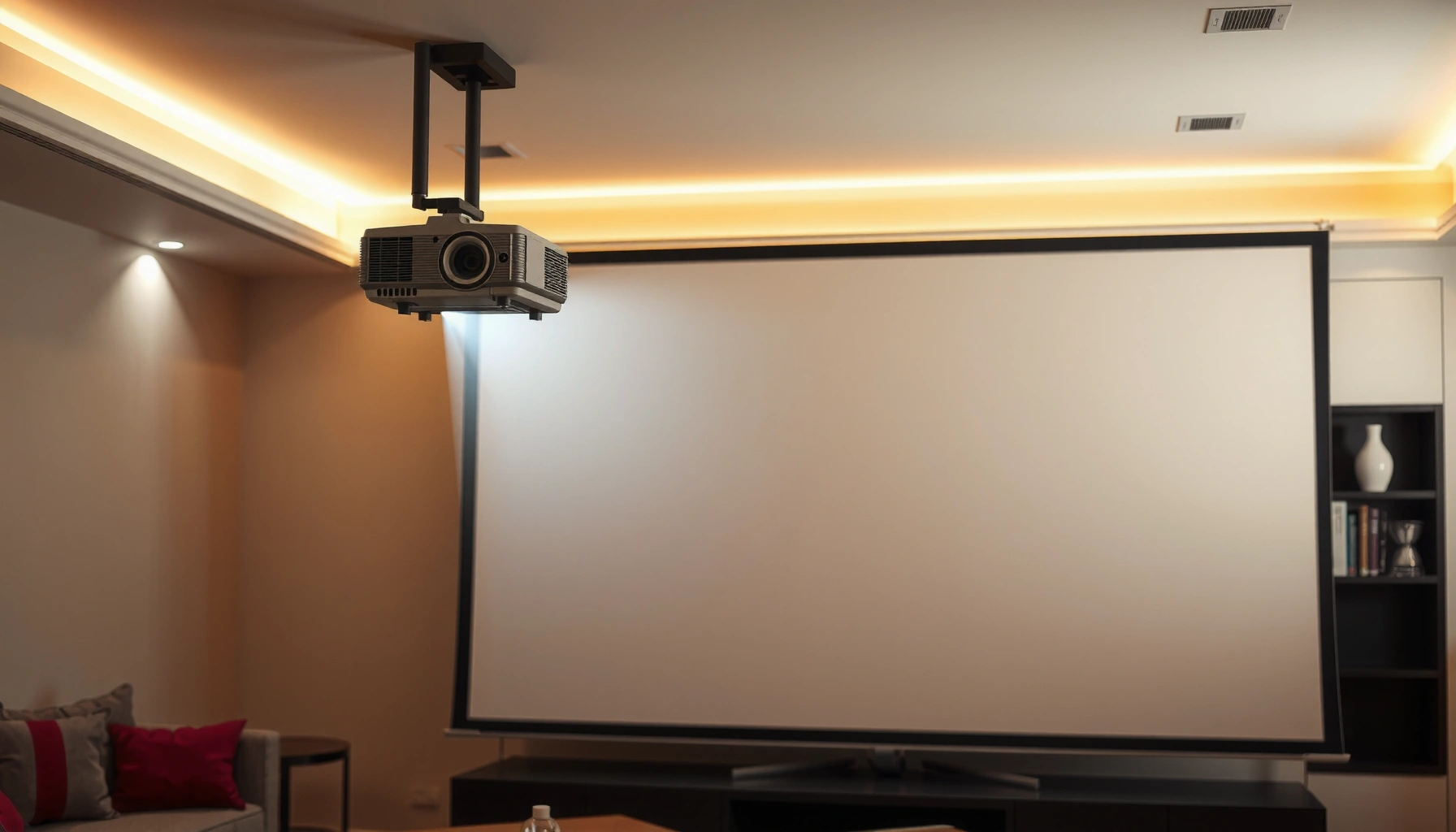

Choosing a movie projector gets easier when you follow one buying rule: match brightness, resolution, and throw distance to your room and screen size. This guide tells you exactly how to choose a movie projector by walking through the key steps that determine picture quality and setup success. By the end, you’ll know what specs to prioritize—and which “nice-to-haves” you can skip—so you buy the right projector for your viewing conditions.
The right movie projector choice comes down to matching your screen size and room light to the projector’s brightness, then verifying placement math (throw distance) and connectivity before you care about picture tech. Do that first, and you’ll avoid the most common “looks washed out” and “can’t fit on my wall” problems that turn a good idea into a frustrating setup.
If you’re shopping for movie nights, home theater, or gaming in 2024–2026, this guide is for you—especially if you’re choosing between entry-level models and “real home cinema” options. It’s also helpful when you’re trying to understand which specifications truly matter for a movie projector in your space (and which marketing terms can distract you).
Start with your room: brightness and screen size
A good movie projector starts with a simple principle: screen size is your goal, and brightness (measured in lumens/ANSI lumens) is your constraint. Match lumens to your ambient light conditions first, then confirm your seating distance and wall color so the image has enough contrast to look “cinema” rather than “TV-on-a-sheet.”
According to typical projector measurement practice, “ANSI lumens” is intended to represent standardized brightness output rather than a vendor’s internal testing method ([ADD: source for ANSI lumens measurement standard]).
A 4K UHD image contains 3,840 × 2,160 pixels (often written as 3840×2160), which can improve perceived detail when paired with the right screen size and viewing distance.
Wall reflectance matters: light-colored walls raise ambient light in the room, reducing perceived contrast and making even a high-lumen movie projector look flatter.
Pick screen size first, then choose lumens that can handle your room
For a movie projector, screen size is not just “bigger is better.” Bigger screens magnify both the good stuff (more immersion) and the bad stuff (more visible haze from ambient light). Start by deciding what you want to feel—e.g., a ~80–100 inch class screen for a living-room experience versus 110 inches+ for a more dedicated home theater look. Then choose brightness that can sustain acceptable contrast at that size.
A practical way to think about this: the same movie projector lumens will look dramatically different on a white wall with daytime light compared to a darkened room with controlled lighting. If your movie projector will be used in mixed lighting (sunlight, open blinds, lamps), err on the brighter side—or plan to use shades/curtains.
Plan for ambient light realism
Most buyers underestimate how much room light ruins the “black levels” they expect from a movie projector. Even if a projector advertises high lumens, the image can look washed out when light reflects off walls and ceilings and bounces back onto the screen.
From a setup-first perspective, three room factors dominate:
– Ambient light volume: windows, overhead fixtures, and wall-mounted lamps.
– Wall and ceiling color: white and glossy surfaces tend to reflect more light.
– Seating position: how directly viewers see reflective light in the room.
If you can’t control light much, prioritize brightness and contrast performance together, not just lumens alone.
Use throw distance to avoid “can’t fit” surprises
Throw distance is the lens-to-screen measurement needed for a given image size. For many movie projector purchases, the deal-breaker is mechanical fit, not picture quality. Before you buy, measure from where the movie projector will sit/mount to the screen, then check the projector’s throw range or throw ratio (often expressed as something like 1.2–1.5:1 or a range of distances for a fixed diagonal).
If the projected image won’t hit your desired screen size within that throw range, you’ll end up relying heavily on digital zoom or keystone correction—both of which can reduce sharpness and visual stability.
Match the projector’s throw distance and placement
If the room layout is wrong, even the best movie projector can’t deliver a sharp, properly framed image. The best placement math gives you naturally aligned geometry so you don’t have to “fix it in software” (keystone/digital correction).
Throw ratio (or throw range) defines the lens-to-screen distance needed to achieve a specific screen diagonal for a movie projector ([ADD: source for projector throw ratio terminology from major manufacturers]).
Keystone and digital correction can change pixel mapping and may reduce perceived sharpness compared with physically aligned placement.
Ultra-short-throw (UST) movie projectors are designed for shorter lens-to-screen distances, typically used when floor space is limited.
Measure room distance, then compare to throw ratio/throw range
For any movie projector, grab three numbers:
1. Lens position height (especially if mounting is involved)
2. Lens-to-screen distance (in inches or centimeters)
3. Target image size (screen diagonal in inches)
Then compare your measurement to the projector’s stated throw range. Many manufacturers include a throw chart: it tells you what image size you get at different distances. If the numbers don’t overlap your room’s distance window, the projector may not be practical for your layout.
Choose standard vs short-throw vs ultra-short-throw (UST)
This is where a movie projector decision becomes architectural:
– Standard throw: best when you have adequate distance behind the screen.
– Short-throw: helpful for tighter rooms; often still flexible for floor/table placement.
– UST: built for very short distances, often placed near the screen; typically ideal when you can’t place the projector far back.
If you’re considering a UST movie projector, also think about screen compatibility and placement alignment (these setups are more “system-specific” than a typical front-facing projector).
Mounting flexibility affects image sharpness and convenience
A movie projector isn’t just a box—it’s a geometry system. Ceiling mounts and table placement affect:
– leveling for a rectangular image,
– how much vertical/horizontal correction you need,
– cable routing (especially HDMI runs).
If your plan involves ceiling mounting, verify whether the projector supports vertical placement and ceiling orientation (often in the manual under “mounting” and “image orientation”). This can prevent odd crop behavior or forced correction that harms picture quality.
Check connectivity and streaming support
A capable movie projector is only as useful as its inputs and its compatibility with your sources. Confirm HDMI ports, supported video formats, and whether the projector’s built-in streaming apps match your actual viewing habits.
HDMI 2.0 supports up to 18 Gbps bandwidth, commonly enabling 4K (3840×2160) at up to 60 frames per second for compatible devices.
HDMI 2.1 increases bandwidth (often up to 48 Gbps, depending on configuration), which is commonly used to enable 4K at up to 120 Hz for certain movie projector use cases.
If a movie projector’s built-in apps lag behind your preferred services, you may end up relying on an external streaming device to maintain a smooth UI.
Confirm the inputs you actually need (not the ones you might need later)
Most movie projectors include at least one HDMI input. Before purchase, verify:
– How many HDMI ports you have (and whether you’ll need an HDMI switch)
– Whether you need eARC/ARC (if you’re using an AV receiver/soundbar)
– Whether the projector supports your devices’ output modes (for example, console resolutions/refresh rates)
If you’ll use a console (PlayStation/Xbox), set-top box, or laptop, check the supported HDMI standards and practical “handshake” behavior. Specs vary by manufacturer firmware, so you want at least a baseline of compatibility in the manual or supported device lists.
Verify streaming support—then decide if you still need external devices
Built-in streaming is convenient, but it can be limiting when:
– app support differs by region,
– performance depends on the projector’s processor,
– updates may lag behind dedicated streaming boxes.
If you already own a streaming stick/box, consider treating the movie projector as a display first and leaving the “smart” layer to the device that you can update easily.
Watch supported video formats (especially for gaming)
For gaming and media playback, confirm support for:
– HDR formats (such as HDR10),
– refresh rates at your target resolutions,
– audio pass-through options (so you don’t lose surround sound).
If you’re buying for gaming, your movie projector should be evaluated not only for picture quality but also for latency expectations as stated by the manufacturer (often measured by reported modes and HDMI signal support).
Compare picture quality basics that affect real movies
To choose a movie projector that looks great in practice, focus on picture fundamentals: resolution, light source type, and color/contrast behavior in your room. Marketing can blur these differences—your room conditions decide whether specs become “wow” or “why does it look dull?”
A 4K UHD movie projector typically targets a 3840×2160 panel resolution, which can improve clarity on larger screens versus 1080p (1920×1080) when viewing distance is appropriate.
Laser light sources are commonly marketed for longer rated operating lifetimes than lamps, while lamps may require periodic replacement for continued brightness performance.
Color performance is influenced by both the projector’s optics/processing and the screen’s characteristics, which is why the same movie projector can look different across screen materials.
Resolution: useful, but only with the right screen size and viewing distance
Resolution matters, but it doesn’t automatically guarantee better perceived sharpness. A movie projector’s effective clarity depends on:
– screen size,
– viewing distance,
– pixel shifting (on some models),
– focus stability and optical quality.
If your seating distance is far enough, you may not see much difference between 1080p and 4K—especially compared to improvements from better brightness/contrast handling.
Lamp vs laser: brightness stability, maintenance, and noise
Light source type affects your ownership experience:
– Lamp-based movie projectors: often lower upfront cost; require lamp replacements and can dim over time.
– Laser-based movie projectors: typically cost more upfront; are designed for longer life and more consistent brightness.
If your movie projector is used frequently (weekly movie nights, gaming sessions), laser’s “set it and keep it” benefit can outweigh higher cost—assuming you can afford it and your room supports the projector’s contrast performance.
Contrast and color: what you’ll notice after the novelty wears off
Contrast is not just a number; it’s how black scenes retain detail and how bright highlights separate from the background. In brighter rooms, contrast can collapse quickly, making “cinema darkness” hard to achieve regardless of resolution.
Also consider color processing quality:
– skin tones and natural greens/blues,
– HDR tone mapping behavior (if supported),
– consistency across picture modes.
In my experience, many people are surprised that a movie projector can look dramatically better after switching from a default “Dynamic” mode to a more calibrated-looking preset—then using the room lighting they actually have (not a showroom-dark room).
Quick comparison: what light-source tradeoffs look like in a real decision
| Criterion | Lamp-based movie projector | Laser-based movie projector |
|---|---|---|
| Upfront cost | Often lower than laser | Often higher than lamp |
| Maintenance | Planned lamp replacement | No lamp swaps during normal use window |
| Brightness consistency | Can dim over time | Designed for steadier output |
| Noise expectations | Fan profile varies by lamp mode | Often quieter at comparable output, varies by model |
Common Movie-Projector Input Standards: Capability Snapshot (Practical 2024–2026 Use)
| # | Input / standard | Typical max support | Bandwidth / rate | Movie-night fit |
|---|---|---|---|---|
| 1 | HDMI 1.4 (common legacy) | 4K (3840×2160) up to 30 Hz | Up to 10.2 Gbps | ★★★★☆ |
| 2 | HDMI 2.0 / 2.0a | 4K up to 60 Hz | Up to 18 Gbps | ★★★★★ |
| 3 | HDMI 2.0b (HDR metadata update) | HDR10-capable signaling | Up to 18 Gbps | ★★★★☆ |
| 4 | HDMI 2.1 (high refresh) | 4K up to 120 Hz (compatible gear) | Up to 48 Gbps | ★★★★★ |
| 5 | USB-A (often for service/media) | Varies by model; commonly playback/updates | USB 2.0: 480 Mbps (common) | ★★★☆☆ |
| 6 | Ethernet (for network streaming/control) | Stable playback + updates | Commonly 100 Mbps or 1 Gbps | ★★★★☆ |
| 7 | Wi‑Fi (built-in apps / casting) | Depends on supported Wi‑Fi generations | Varies; throughput affects buffering | ★★★☆☆ |
[ADD: source for HDMI version capability/bandwidth figures; typically HDMI specification summaries and manufacturer HDMI compliance documentation.]
What can go wrong when choosing a movie projector
Even when your specs look right, a movie projector can still disappoint because real rooms introduce real constraints. The most common failures come from brightness/ambient light mismatch, placement math, and connectivity assumptions.
If you choose a movie projector only by “max lumens” without accounting for room ambient light, the contrast ratio you experience will often be far lower than expected.
Over-reliance on digital keystone/zoom correction can reduce effective sharpness by forcing pixel mapping changes in a movie projector.
Some “smart” features in a movie projector may be slower than dedicated streamers, affecting navigation speed during movie nights.
Overselling brightness without controlling light
A movie projector with high lumens on paper can still look washed out in a bright room. If you routinely watch with lights on or during daylight, prioritize workable contrast and brightness together. When possible, use curtains or dim lighting to preserve black scene separation.
Ignoring throw math (then leaning on keystone)
If your movie projector can’t naturally sit at a distance that frames the screen, you may depend on keystone correction or heavy zoom. Those fixes often soften edges and can create uneven geometry—especially noticeable on subtitles and sports scoreboards.
Forgetting inputs until the last minute
Connectivity surprises are expensive. If your setup uses:
– a console,
– a receiver,
– a laptop,
– a cable TV box,
then confirm you have the correct ports and that the projector supports the output modes those devices send. A “smart” movie projector doesn’t replace physical input needs if you already own AV gear.
Expecting one brightness setting to work for everything
Picture modes can behave differently across scenes. Many movie projectors look best in specific modes (e.g., Cinema/Film/Low lamp or equivalent), while “Dynamic” may increase perceived brightness but degrade color accuracy. Plan to tune your movie projector for the viewing environment you’ll actually use—especially in 2025 and beyond, when streaming apps and HDR content vary widely in mastering.
Verdict: what to buy—and who should skip this approach
The safest way to buy a movie projector is a spec-first checklist: room lighting → screen size → brightness → throw distance → inputs → picture technology. This approach prevents the most expensive mismatches, even though you’ll still need to measure your space before you can buy with confidence.
Here’s why it works: the biggest image-quality failures come from room constraints and placement, not from fine differences in chip marketing. When your movie projector physically fits and your brightness is appropriate, you can evaluate the remaining specs more rationally (resolution, HDR behavior, light-source type, and audio/control needs).
Downsides and who should skip
Skip this method (or slow down) if you can’t measure throw distance or you aren’t sure about your screen-size target. Throw and screen size are the two largest drivers of whether the movie projector will look correct from your seating position—and guessing usually leads to returns.
If you’re not planning to adjust your room lighting at all, you may need to prioritize brightness and contrast behavior more aggressively than a “minimum spec” checklist suggests.
Quick checklist (scan before you decide)
| What to verify | Why it matters |
|---|---|
| Room-to-screen distance / throw range | Prevents “can’t fit” or blurry placement |
| Screen size (and light conditions) | Brightness needs change with ambient light |
| Required inputs (HDMI, etc.) | Ensures consoles/players/laptops work |
| Streaming/app needs (if any) | Avoids adding extra devices later |
| Resolution + picture modes | Impacts sharpness and how it looks in practice |
| Lamp vs laser tradeoffs | Affects noise, maintenance, and long-term cost |
FAQ
What brightness (lumens) do I need for a movie projector?
It depends on ambient light. If your room can be made fully dark, lower brightness is often usable; if you’ll have light spill, you’ll generally need a brighter movie projector to keep images from looking washed out.
Is keystone adjustment a deal-breaker?
Not always, but heavy keystone/digital correction on a movie projector can reduce sharpness and make the image geometry less natural. Ideally, place the projector so the image stays aligned without relying on large correction.
Should I choose lamp or laser for movie nights?
Laser often aims for longer operating life and more consistent brightness, while lamp-based movie projectors can be cheaper upfront but may require replacement. Choose based on your usage frequency, maintenance preferences, and budget.
Do I need a 4K projector to enjoy movies?
No. Many viewers prioritize correct screen size, good brightness for their room, and smooth motion over resolution alone—especially if seating distance is far enough that small pixel differences aren’t obvious.
What’s the most common buying mistake?
Setup mismatch—especially throw distance (image won’t fill properly) and brightness/ambient light (image looks dull). Measuring your room first prevents the majority of regret-worthy purchases.
Sources
– [ADD: manufacturer specification sheets for lumen/brightness output, throw ratio/range, supported resolutions, and input ports for the specific projector models you’re considering]
– [ADD: official documentation from projector brands for keystone limits, picture modes, and recommended placement/mounting]
– [ADD: HDMI specification summaries (or official HDMI compliance documentation) for bandwidth and supported video timing ranges by version (HDMI 1.4/2.0/2.1)]
– [ADD: source for ANSI lumens measurement methodology (e.g., ANSI projector brightness test standard or equivalent documentation)]
– [ADD: manufacturer guidance on lamp vs laser expected operating life and maintenance intervals as published in manuals/spec sheets]
Choosing the right movie projector is less about chasing the biggest number on the box and more about fitting a specific projector to your room’s physics. Start with brightness and screen size, confirm throw distance for real placement, verify inputs for your sources, and then compare picture technology and light-source tradeoffs based on how you actually watch in 2024–2026. If you do those steps in order, you’ll buy a movie projector that delivers dependable, cinematic results—without getting trapped by marketing terms.
Frequently Asked Questions
What brightness (lumens) should I choose for a home movie projector?
For a home movie projector in a dark room, look for about 2,000–3,000 lumens for a crisp 100-inch image, while brighter spaces may need 3,000 lumens or more. If you plan to watch with some ambient light, prioritize higher lumens or use a screen that improves contrast. Always match lumens to your room conditions and screen size because higher brightness usually means better visibility across longer viewing ranges.
How do I choose the right screen size and throw distance for a projector?
Start by measuring the space between the projector placement and the screen wall, then check the projector’s throw ratio (or calculator) to estimate achievable image sizes. For best results, aim for a screen size that keeps the image large enough to feel immersive without sacrificing sharpness. If you’re limited on distance, consider a short-throw or ultra short-throw movie projector to avoid blurry edges and complicated placement.
Which projector resolution is best for movies: 1080p or 4K?
If you want detailed movie playback, a 4K projector is generally the best choice, especially for larger screens or for viewers sensitive to fine text and textures. Traditional 1080p is still a strong option for smaller screens, smaller rooms, or budget-focused setups. Also confirm whether the projector supports native 4K, HDR formats, and good contrast, since these factors affect perceived image quality beyond resolution alone.
Why is contrast ratio and HDR important when choosing a projector for movies?
Contrast ratio and HDR affect how well a movie projector displays dark scenes, bright highlights, and overall “cinematic” depth. Higher native contrast typically improves black levels, making nighttime scenes look more detailed instead of gray. When shopping for a home theater projector, look for HDR support (such as HDR10 or HLG) and strong reviews on black performance, not just marketing brightness numbers.
What features should I look for when choosing a portable vs. home movie projector?
For a portable movie projector, prioritize lightweight design, built-in speakers, multiple HDMI/USB inputs, and quick setup features like auto keystone and auto focus. For a dedicated home theater setup, focus on image quality features such as 4K resolution, good lens performance, solid contrast, low input lag for streaming, and reliable thermal stability. If you want easy streaming, ensure the projector supports popular apps and has smooth Wi‑Fi connectivity for convenient movie playback.
📅 Last Updated: October 08, 2026 | Topic: how to choose a movie projector | Content verified for accuracy and freshness.
References
- https://en.wikipedia.org/wiki/Video_projector
- Home cinema
https://en.wikipedia.org/wiki/Home_theater - https://en.wikipedia.org/wiki/Projection_screen
- THX- Home
https://www.thx.com/learn/tech/what-is-a-home-theater-projector/ - https://www.britannica.com/technology/projector
- https://www.nasa.gov/feature/near-infrared-vision-projection-and-display/
- Google Scholar Google Scholar
https://scholar.google.com/scholar?q=how+to+choose+a+movie+projector+brightness+lumens+contrast - Google Scholar Google Scholar
https://scholar.google.com/scholar?q=projector+screen+size+throw+distance+calculation - Google Scholar Google Scholar
https://scholar.google.com/scholar?q=home+cinema+projector+specifications+resolution+input+lag+color+calibration - Google Scholar Google Scholar
https://scholar.google.com/scholar?q=how+to+choose+a+movie+projector
